menu

Exploring the Human Eye Structure with Virtual Reality: Revolutionizing Biology Education

Understanding the intricate structure and function of the human eye is a fundamental aspect of biology education across various curricula worldwide. However, traditional teaching methods often fall short in conveying the complexity of this vital organ. Virtual reality in education is changing the landscape, offering immersive and interactive experiences that make learning more engaging and effective.

Dive into the VR Laboratory: “Structure of the Human Eye”

Our VR biology application, “Structure of the Human Eye,” invites students to embark on an exciting journey into eye anatomy. This virtual laboratory provides an immersive environment where learners can:
  • Assemble the Eye Step by Step: Start with the three primary layers of the eye and progressively add components like the cornea, iris, lens, and other
  • Understand the Intricate Workings: Explore how the pupil and lens function to regulate light intake and focus images.
  • Interact in Real Time: Select the pupil width and lens curvature to adapt the eye to different lighting conditions and distances to the object. This hands-on adjustment allows students to see immediate effects on vision, demonstrating concepts like pupil dilation and lens accommodation.

Compatible VR Equipment

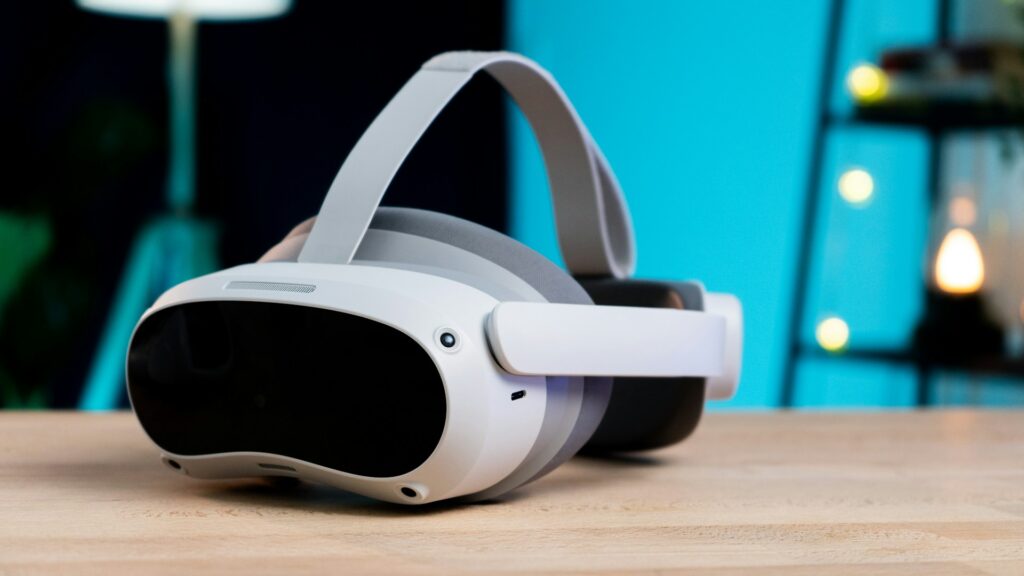
Pico VR

To ensure accessibility and ease of integration into the VR classroom, our simulation is compatible with various VR headsets:

  • Meta Quest
  • Meta Quest 2
  • Meta Quest Pro
  • Pico Neo 3
  • Pico 4

This compatibility allows schools with different technological capabilities to incorporate the simulation seamlessly into their digital classrooms.

Learning Objectives Aligned with Global Curricula

Our VR simulation aligns with major educational standards, making it a valuable tool for educators worldwide. The learning objectives include:
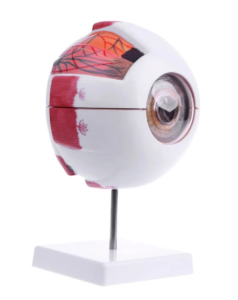
  • Identifying the Parts of the Eye: Understand the components that make up the eye, including the three layers and additional structures.
  • Exploring the Function of the Lens: Learn how the lens refracts light to focus images on the retina.
  • Understanding Pupil Dynamics: Discover how the pupil adjusts its size to control the amount of light entering the eye.
  • Comprehending Light Refraction: Visualize how light bends as it passes through different parts of the eye.
  • Studying Vision at Different Distances: See how the eye accommodates to focus on objects both near and far.

Curriculum Alignments

Cambridge (Biology)

  • Upper Secondary:
    • IGCSE: Sense organs
    • O-level: Receptors, Reflex action

International Baccalaureate (IB) (Biology)

  • Diploma Programme:
    • Core Topic: Perception of stimuli

Indian Curriculum CBSE (Science/Biology)

  • Secondary Stage (Classes 9-10):
    • Topic: Human Eye and Colourful World
  • CBSE Class 12 Board Exam:
    • Topic: Human Eye and the Colourful World

National Curriculum of the Netherlands (Biology)

  • VMBO (Klas 3/4): Oog (Eye)
  • HAVO (Klas 4/5): Oog (Eye)
  • VWO (Klas 4/5): Oog (Eye)

Scuola Secondaria in Italia (Biologia)

  • Scuola Secondaria di Primo Grado:
    • Classe 2/3: Occhio umano (Human Eye)
  • Scuola Secondaria di Secondo Grado:
    • Classe 3/4: Anatomia dell’occhio (Eye Anatomy)

Educational Aims

  • Research the Structure and Function of the Human Eye: Delve deep into the anatomy and physiology of the eye.
  • Assemble and Test the Eye: Build the eye from its basic layers to the complete organ and test its functions.
  • Control Eye Functions: Manipulate the pupil diameter and lens curvature to achieve optimal vision under various conditions.

The Advantages of Virtual Reality in Studying the Human Eye

Overcoming Limitations of Traditional Methods

In traditional school settings, studying the human eye poses several challenges:

  • Lack of Hands-On Experience: Ethical and legal restrictions prevent dissection or manipulation of human organs in schools.
  • Static Models: Physical models are often rigid and do not demonstrate dynamic processes like accommodation or pupil reflex.
  • Abstract Concepts: Textbooks and diagrams can make it difficult for students to grasp three-dimensional structures and functions.

Immersive and Interactive Learning with VR

Virtual reality learning bridges the gap between theoretical knowledge and practical understanding by offering:
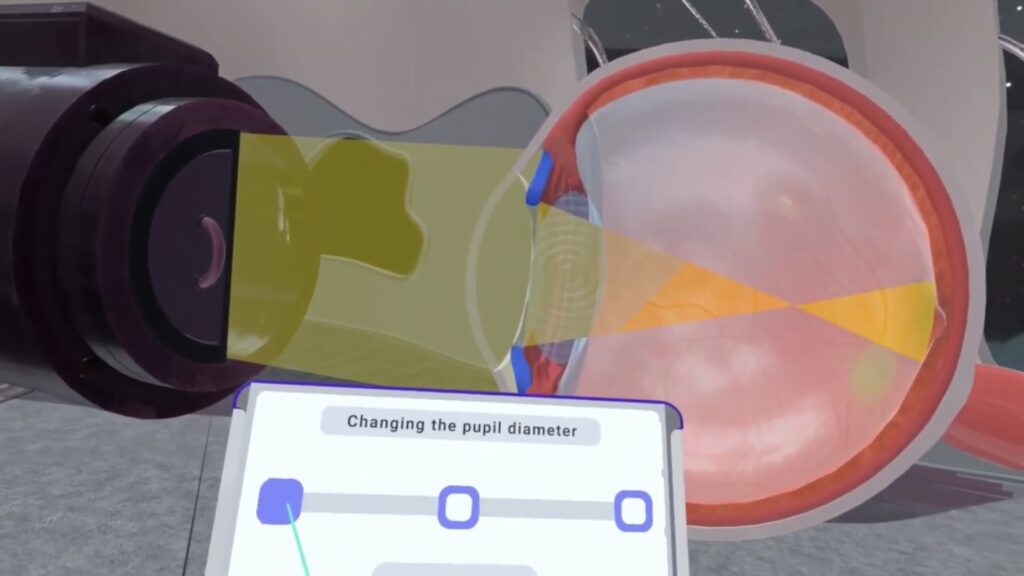
  • Sequential Building of the Eye: Students start with the foundational layers—the sclera, choroid, and retina—and add components like the cornea, iris, lens, and other. This step-by-step process mirrors the complexity of the eye’s construction.
  • Real-Time Interaction: Select the pupil width and lens curvature to adapt the eye to different lighting conditions and distances to the object. This hands-on adjustment allows students to see immediate effects on vision, demonstrating concepts like pupil dilation and lens accommodation.
  • Visualization of Light Pathways: Observe how light rays refract through the eye’s structures, connecting principles of physics with biological processes.

Connecting Biology and Physics

XReady Lab VR education: VR Human Eye laboratory

The VR simulation not only enhances understanding of biological structures but also integrates physics concepts:
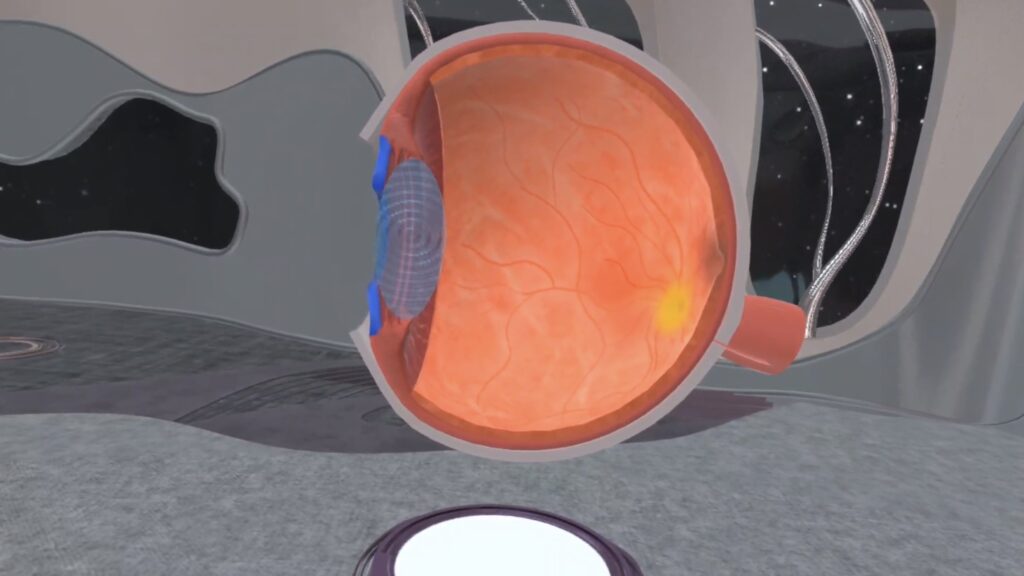
  • Light Refraction and Focusing: See how the lens bends light to focus images on the retina, and how this changes with lens curvature adjustments.
  • Accommodation Mechanism: Understand how the eye changes focus from distant to near objects by altering the lens shape.
  • Pupil Response to Light: Adjust the pupil diameter in response to changes in light intensity to control the amount of light entering the eye. This interactive feature helps students observe how the eye naturally adapts to varying light conditions.

Arguments in Favor of VR Biology Education

  • Ethical Learning: Provides an opportunity to study human anatomy without ethical concerns associated with dissections.
  • Dynamic Interaction: Unlike static models, VR allows for real-time manipulation and observation of physiological processes.
  • Enhanced Engagement: The immersive experience captivates students’ attention, fostering a deeper interest in the subject matter.
  • Interdisciplinary Learning: Connects biology with physics by demonstrating how physical principles like light refraction apply to biological systems.
  • Accessible Exploration: Offers experiences that are impossible in traditional classrooms, such as working with human organs or exploring at cellular and molecular levels.

Experience the Impossible with VR

XReady Lab VR education: VR Human Eye laboratory

VR biology is not just an extension of real-life experiences; it’s a gateway to exploring concepts that are otherwise inaccessible in a school environment:

  • Interactive Organ Dissection: Simulate dissections and explore internal structures without ethical or legal barriers.
  • Cellular and Molecular Immersion: Dive into microscopic levels to understand processes happening within cells and tissues.
  • Safe Experimentation: Conduct experiments that would be too dangerous or impractical in a physical classroom.

Request a Free Demo

We invite educators to experience the transformative power of virtual reality education. Our demo package includes a VR cell simulation, offering a glimpse into how immersive technology can revolutionize your biology teaching methods.

👉 Request your free demo today and discover new facets of knowledge with VR.

Conclusion

The study of the human eye’s structure and function is crucial in biology education. Traditional teaching methods often fall short in conveying the complexity and dynamic nature of this organ. By integrating virtual reality in education, we can overcome these limitations, providing students with an immersive, interactive, and engaging learning experience.

VR learning enables students to build the eye piece by piece, understand how each component contributes to vision, and observe real-time physiological responses to various stimuli. This hands-on approach not only enhances comprehension but also ignites curiosity and passion for the subject.

11 / 20 / 2024

Frequently Asked

Your questions, Answered!

How large is the library of XReady Lab content in VR, Web, and PC formats?

XReady Lab offers the largest K–12 STEM VR and Web/PC library with an AI Tutor. The packages include biology, physics, chemistry, and math, covering topics from primary school through high school.


All content is designed to align with major curricula and deliver engaging, interactive learning experiences. New simulations are added monthly.

Which curriculum alignment do you have?

XReady Lab’s simulations are aligned with IB, Cambridge IGCSE, AS & A Levels, NGSS, College Board, Common Core, TEKS, CBSE, BNCC, the National Curriculum for England, the Italian secondary school curriculum (Scuola Secondaria), and the National Curriculum of the Netherlands (VMBO, HAVO, VWO).

What are Career Packs, and which careers do they cover?

Career Packs are VR simulation bundles that let students explore STEM careers in practice. Current packs include: Future Doctor, Future Nurse, Future Engineer, Future HVAC Engineer, Future Biotechnologist, Future Astronomer, Future Neuroscientist.


New Career Packs are added regularly.

What makes XReady Lab’s AI Tutor different from other AI tutors and AI tools?

XReady Lab Superhuman AI Tutor works like a real tutor, guiding students step by step instead of giving ready-made answers. It focuses on reasoning, problem-solving, and explaining mistakes to build real understanding.

Created by international STEM Olympiad winners and coaches, it helps prepare for exams, increases memory retention by 40%, and works in real time in both VR and desktop formats with an internet connection.

What are Lesson Plans, Engagement Playbooks, and classroom scenarios?

XReady Lab packages include complimentary teacher training and ready-to-use Lesson Plans and Engagement Playbooks to support engaging lessons.

They guide teachers in integrating VR/web/PC simulations with clear objectives, step-by-step instructions, classroom management strategies, reflection activities, assessments, and technical checklists — helping teachers run effective lessons beyond the simulations themselves.

How to try XReady Lab for free?

Simply fill out the free demo form here to get access to demo XReady Lab simulations.

How do we plan and purchase a VR classroom?

  1. We start with consultation: our team helps plan the VR classroom for your school. You need internet access and a suitable room — allocate about 5 x 5 feet (1.5 x 1.5 m) per student. One headset per two students works well.
  2. Devices and licenses: schools can use existing Meta Quest or Pico devices and purchase licenses, or we can offer discounted devices or a turnkey solution with pre-installed content.

What happens after purchasing a VR classroom?

After purchase, we guide device setup and content installation and provide teacher training.

Teachers learn how to run VR lessons using Lesson Plans and Engagement Playbooks, manage screen casting and paired learning, and keep students engaged.

Ongoing support is always available.

What technical requirements and internet access are needed?

  • For Desktop or Tablet: Simulations run directly from the personal account and work without internet. If you want the AI Tutor in real time, a stable internet connection is required.
  • For VR headsets (Meta Quest or Pico): Internet is needed only to activate licenses. After activation, simulations work autonomously offline. To use the AI Tutor in real time, internet is required. Make sure your room has power outlets to recharge devices.

VR lessons: duration, class size, screen casting and teacher tools?

VR lessons typically last 5–15 minutes, depending on the simulation, with a recommended class size of up to 20 students. Screen casting is supported and compatible with selected teacher management systems, allowing teachers to launch simulations remotely, monitor progress, and view all devices during lessons.

Teachers are supported with Lesson Plans and Engagement Playbooks that include learning objectives, step-by-step lesson flow, classroom scenarios, reflection questions, practical assignments, and assessment guidance.

In which countries and languages is XReady Lab offered?

XReady Lab is available worldwide and supports 75+ languages. Today, it is used by 800+ schools and 150,000+ students across the globe.

What licensing and pricing options are available?

XReady Lab simulations are offered through flexible licensing packages, depending on the format and subjects you need:

  • VR simulation packages with AI Tutor: simulations are sold in subject-based bundles with an annual license per device. VR Biology + Physics + Chemistry: $975 per year per device.
  • Web version with AI Tutor for home or classroom use without VR headsets: $9.99 per month per user.

If you already have VR headsets, you only purchase licenses. If not, we can also help you choose the most cost-effective setup and licensing model for your school or family.

Which VR headsets are supported?

XReady Lab works with the most widely used standalone VR headsets in schools:

  • Meta Quest: Quest 2, Quest Pro, Quest 3, Quest 3S
  • PICO: Neo 3, Neo 3 Pro, Neo 4, Neo 4 Enterprise

All supported devices are standalone (no PC required), making them easy to deploy and manage in a school environment.

Does XReady Lab allow third-party VR content?

Yes. XReady Lab supports open ecosystems, not closed platforms. Schools can freely use third-party VR content alongside XReady Lab on Meta Quest and PICO headsets.

We encourage schools to diversify their VR classrooms with high-quality educational apps and can recommend tested solutions, helping expand learning beyond STEM into subjects like design, history, environmental studies, and soft skills.

What are the safety guidelines for VR?

XReady Lab follows school VR safety best practices. VR is recommended for students 10–12+, with short 5–15 minute sessions and seated or safe-zone use under teacher supervision, supported by screen casting.

First-time users adapt gradually. Students with medical conditions require parental and school approval, and hygiene is ensured through regular headset cleaning and replaceable face covers.

For families: What home-use options are available?

Families can access XReady Lab simulations at home in two ways:

  • Web version: Here, families can use simulations on computers or tablets with a subscription—no VR headset required.
  • VR home use: To get started, fill out the form and select the role “Parent” to receive a free demo. Our team will then contact you to discuss access and purchase options.