Quick VR Sessions in the Classroom: Reinforcing Learning in Just Minutes
The world of education is evolving rapidly, and keeping students engaged can sometimes feel like an uphill battle. One emerging trend is the integration of virtual reality in education, not to replace teachers, but to enhance the learning process. There’s a lingering fear that VR headsets in VR in schools scenarios might lead to a future where devices take over the teacher’s role. Yet, this image is far from reality.
XReady Lab is committed to empowering educators by offering VR education tools that complement, rather than substitute, traditional teaching methods. The idea is not about automated lessons delivered by machines; it’s about giving teachers powerful resources that improve student engagement, streamline lesson preparation, and reinforce complex concepts through interactive classroom activities.
Reinforcing Knowledge with VR “Minutes”
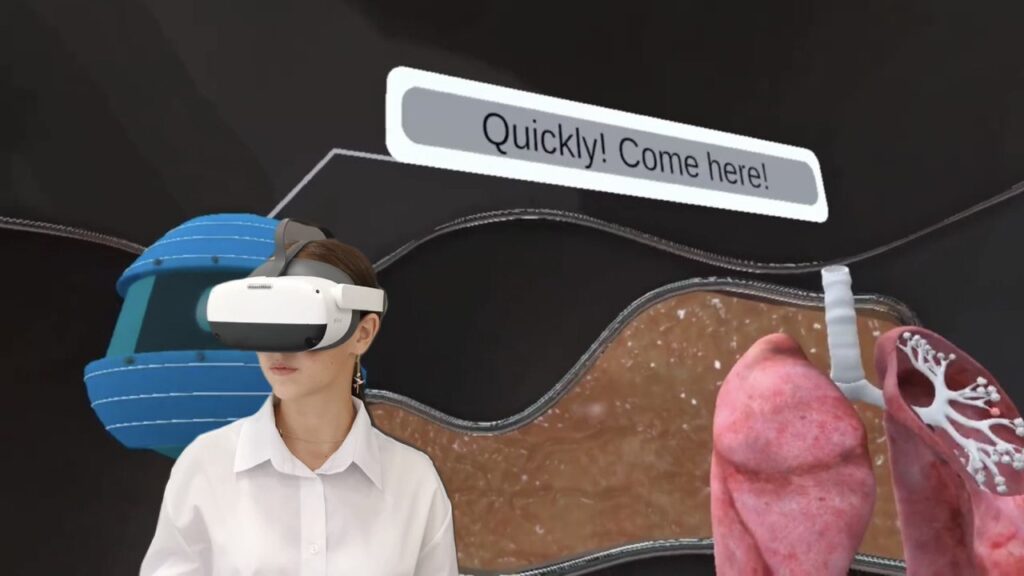
XReadyLab Gas Exchange VR lab
Imagine a typical classroom scenario: a teacher has just explained a challenging concept in VR biology, VR physics, or VR chemistry. Students understand it in theory, but abstract topics—like cellular processes or particle interactions—can slip through their fingers without hands-on reinforcement. This is where short, bite-sized VR sessions (just a 5 -10 minutes) come into play. These brief VR learning moments allow students to revisit and consolidate newly acquired knowledge in an immersive and engaging way.
Instead of brief, passive observation sessions, these short VR activities can involve students manipulating cell structures after a biology lecture, adjusting and applying force vectors in a physics scenario, or initiating and monitoring chemical reactions at a molecular level in a chemistry context. This shift from passive viewing to active engagement helps reinforce their understanding and improves the retention of complex concepts.
The teacher remains central to the learning process, guiding students, answering questions, and ensuring that the content aligns with recognized curricula such as the IB, Cambridge, CBSE, and others. XReady Lab focuses on providing virtual reality for education that easily integrates into existing lesson plans. The short passage time and intuitive interaction mean no extensive re-scheduling—just a quick, immersive recap that makes complex ideas stick.
Easing the Teacher’s Burden
Traditionally, educators invest significant time in searching for supplementary materials—videos, diagrams, physical models—that illustrate abstract topics. Some even craft their own simulations using cardboard and plastic. XReady Lab aims to reduce this additional workload:
Convenience for Teachers: No more scrambling to find the perfect video or printable diagram. Interactive VR simulations are ready at hand.
Curriculum Synchronization: Content is aligned with major educational standards so that teachers can seamlessly incorporate these “VR minutes” into their lesson plans.
Practical Resource: By eliminating the need for handcrafted models, educators can save hours of preparation time, focusing instead on teaching and supporting their students.
A Perfect Combo: Teacher Instruction + VR Reinforcement
The teacher remains the primary guide, explaining concepts and ensuring students grasp the fundamental theories. Once the explanation is complete, a short VR session can reinforce the lesson. Students interact with simulations that bring the subject matter to life, transforming abstract ideas into concrete experiences in a virtual reality classroom setting.
This approach can significantly enhance student engagement, improve retention, and even lead to better academic outcomes. By actively participating in virtual reality for learning, students become more confident in their understanding, and teachers, in turn, see improved performance in the classroom—potentially boosting their own professional standing and recognition.
Why VR Matters for Complex Topics
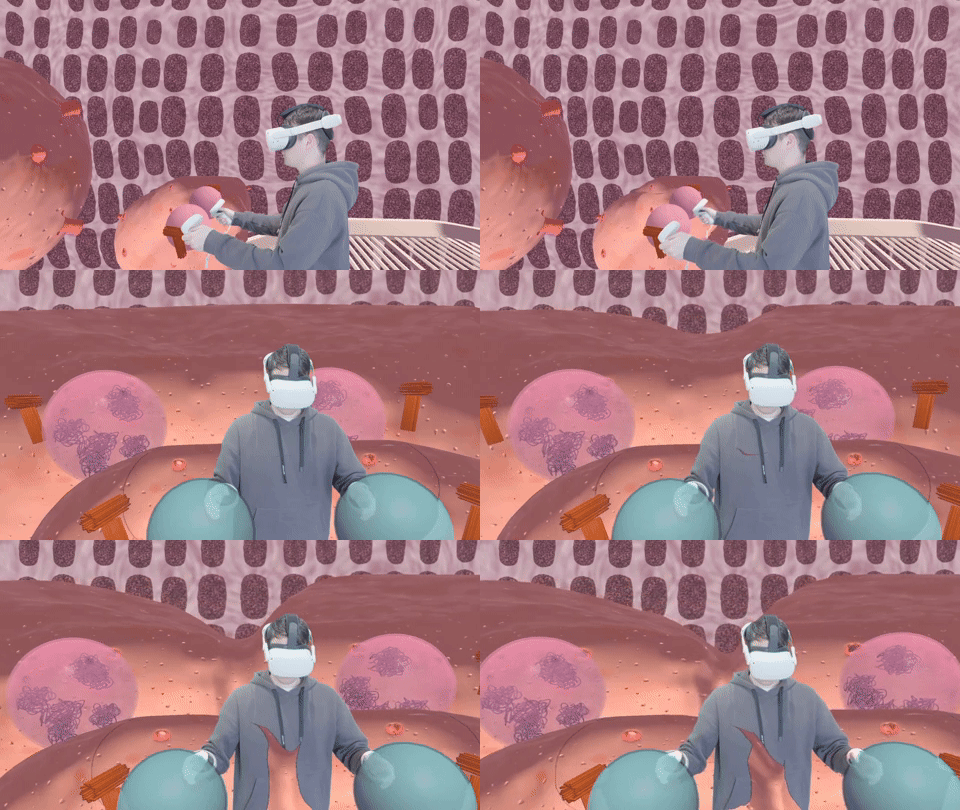
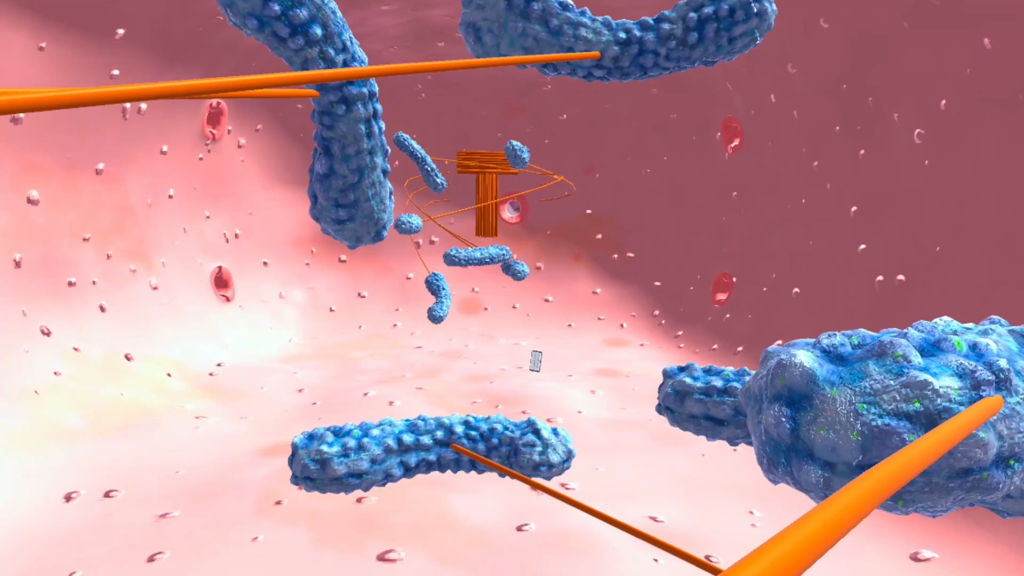
XReady Lab VR education: VR Mitosis laboratory
When dealing with concepts that can’t be directly observed—such as photosynthesis, cellular structure, or subatomic particles—simply looking at a flat diagram often isn’t enough. VR solutions for schools allow students to literally step inside these environments, observe processes like cell division from all angles, and manipulate components in real-time. This level of immersion fosters a deeper, more intuitive understanding, reducing the frustration often associated with abstract subjects.
Take mitosis, for example. Students commonly struggle with this process due to its complexity and microscopic scale. A quick VR minute after a teacher’s explanation can help them visualize chromosome alignment, spindle formation, and the separation of chromatids. Instead of memorizing stages from a textbook, they experience them, which makes all the difference.
Trying it Out: The VR Plant Cell and VR Diffraction Demos
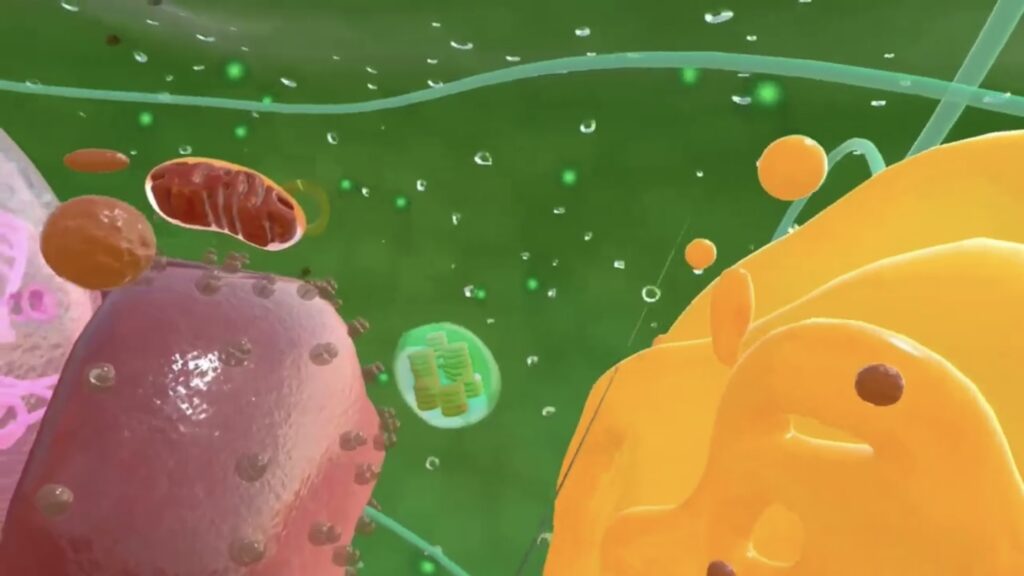
If you’re curious about how this approach can enhance lessons in fields like biology, consider exploring the VR plant cell demo kit. This brief, interactive experience demonstrates how VR technology provides a hands-on approach to understanding cell structures, a vital component of building foundational knowledge in biology and other STEM fields.
XReady Lab VR education: VR Plant Cell laboratory
For physics, the VR Diffraction simulation offers a similarly engaging experience, allowing students to interact with wave patterns and diffraction effects. By immersing themselves in these phenomena, learners gain a more intuitive grasp of complex physics concepts that traditional lectures and textbooks often struggle to convey.
By experiencing both the VR plant cell and VR Diffraction simulations, educators and students alike can witness firsthand the potential of these short VR sessions to clarify complex concepts, maintain student interest, and bolster long-term retention across multiple STEM disciplines.
Conclusion: Embracing the Future of Education
The integration of quick VR “minutes” in the classroom represents a shift towards a more dynamic, student-centered approach to learning. XReady Lab’s vision is to provide educators with the tools to make lessons more engaging, interactive, and relevant to the digital age.
As virtual reality education continues to evolve, these short VR sessions will likely become an essential part of the modern classroom. By combining the irreplaceable insight and guidance of a teacher with cutting-edge VR technology in education, schools can transform complex, abstract topics into manageable, memorable learning experiences—ensuring students not only understand the material but also develop a genuine curiosity and enthusiasm for exploring more.
Discover the power of “VR minutes” in your classroom and help students unlock their full potential.
How large is the library of XReady Lab content in VR, Web, and PC formats?
XReady Lab offers the largest K–12 STEM VR and Web/PC library with an AI Tutor. The packages include biology, physics, chemistry, and math, covering topics from primary school through high school.
All content is designed to align with major curricula and deliver engaging, interactive learning experiences. New simulations are added monthly.
Which curriculum alignment do you have?
XReady Lab’s simulations are aligned with IB, Cambridge IGCSE, AS & A Levels, NGSS, College Board, Common Core, TEKS, CBSE, BNCC, the National Curriculum for England, the Italian secondary school curriculum (Scuola Secondaria), and the National Curriculum of the Netherlands (VMBO, HAVO, VWO).
What are Career Packs, and which careers do they cover?
Career Packs are VR simulation bundles that let students explore STEM careers in practice. Current packs include: Future Doctor, Future Nurse, Future Engineer, Future HVAC Engineer, Future Biotechnologist, Future Astronomer, Future Neuroscientist.
New Career Packs are added regularly.
What makes XReady Lab’s AI Tutor different from other AI tutors and AI tools?
XReady Lab Superhuman AI Tutor works like a real tutor, guiding students step by step instead of giving ready-made answers. It focuses on reasoning, problem-solving, and explaining mistakes to build real understanding.
Created by international STEM Olympiad winners and coaches, it helps prepare for exams, increases memory retention by 40%, and works in real time in both VR and desktop formats with an internet connection.
What are Lesson Plans, Engagement Playbooks, and classroom scenarios?
XReady Lab packages include complimentary teacher training and ready-to-use Lesson Plans and Engagement Playbooks to support engaging lessons.
They guide teachers in integrating VR/web/PC simulations with clear objectives, step-by-step instructions, classroom management strategies, reflection activities, assessments, and technical checklists — helping teachers run effective lessons beyond the simulations themselves.
How to try XReady Lab for free?
Simply fill out the free demo form here to get access to demo XReady Lab simulations.
How do we plan and purchase a VR classroom?
We start with consultation: our team helps plan the VR classroom for your school. You need internet access and a suitable room — allocate about 5 x 5 feet (1.5 x 1.5 m) per student. One headset per two students works well.
Devices and licenses: schools can use existing Meta Quest or Pico devices and purchase licenses, or we can offer discounted devices or a turnkey solution with pre-installed content.
What happens after purchasing a VR classroom?
After purchase, we guide device setup and content installation and provide teacher training.
Teachers learn how to run VR lessons using Lesson Plans and Engagement Playbooks, manage screen casting and paired learning, and keep students engaged.
Ongoing support is always available.
What technical requirements and internet access are needed?
For Desktop or Tablet: Simulations run directly from the personal account and work without internet. If you want the AI Tutor in real time, a stable internet connection is required.
For VR headsets (Meta Quest or Pico): Internet is needed only to activate licenses. After activation, simulations work autonomously offline. To use the AI Tutor in real time, internet is required. Make sure your room has power outlets to recharge devices.
VR lessons: duration, class size, screen casting and teacher tools?
VR lessons typically last 5–15 minutes, depending on the simulation, with a recommended class size of up to 20 students. Screen casting is supported and compatible with selected teacher management systems, allowing teachers to launch simulations remotely, monitor progress, and view all devices during lessons.
Teachers are supported with Lesson Plans and Engagement Playbooks that include learning objectives, step-by-step lesson flow, classroom scenarios, reflection questions, practical assignments, and assessment guidance.
In which countries and languages is XReady Lab offered?
XReady Lab is available worldwide and supports 75+ languages. Today, it is used by 800+ schools and 150,000+ students across the globe.
What licensing and pricing options are available?
XReady Lab simulations are offered through flexible licensing packages, depending on the format and subjects you need:
VR simulation packages with AI Tutor: simulations are sold in subject-based bundles with an annual license per device. VR Biology + Physics + Chemistry: $975 per year per device.
Web version with AI Tutor for home or classroom use without VR headsets: $9.99 per month per user.
If you already have VR headsets, you only purchase licenses. If not, we can also help you choose the most cost-effective setup and licensing model for your school or family.
Which VR headsets are supported?
XReady Lab works with the most widely used standalone VR headsets in schools:
Meta Quest: Quest 2, Quest Pro, Quest 3, Quest 3S
PICO: Neo 3, Neo 3 Pro, Neo 4, Neo 4 Enterprise
All supported devices are standalone (no PC required), making them easy to deploy and manage in a school environment.
Does XReady Lab allow third-party VR content?
Yes. XReady Lab supports open ecosystems, not closed platforms. Schools can freely use third-party VR content alongside XReady Lab on Meta Quest and PICO headsets.
We encourage schools to diversify their VR classrooms with high-quality educational apps and can recommend tested solutions, helping expand learning beyond STEM into subjects like design, history, environmental studies, and soft skills.
What are the safety guidelines for VR?
XReady Lab follows school VR safety best practices. VR is recommended for students 10–12+, with short 5–15 minute sessions and seated or safe-zone use under teacher supervision, supported by screen casting.
First-time users adapt gradually. Students with medical conditions require parental and school approval, and hygiene is ensured through regular headset cleaning and replaceable face covers.
For families: What home-use options are available?
Families can access XReady Lab simulations at home in two ways:
Web version:Here, families can use simulations on computers or tablets with a subscription—no VR headset required.
VR home use: To get started, fill out the form and select the role “Parent” to receive a free demo. Our team will then contact you to discuss access and purchase options.