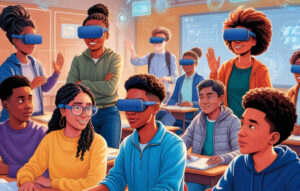
Empathy is a skill that resonates across every aspect of life, from personal relationships to global citizenship. Yet, teaching empathy can be challenging—especially when students have never encountered the realities of those in crisis. One inspiring example is The Key, a remarkable creation that uses metaphorical storytelling to help audiences grasp the profound emotional journey of refugees.
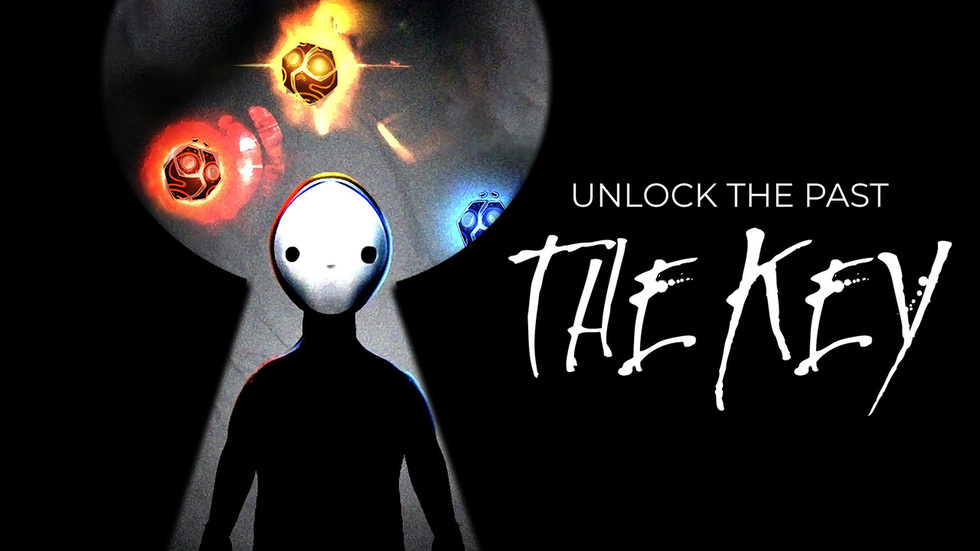
The Key first gained recognition at the Tribeca Film Festival, where it won the festival’s Storyscapes competition. Director Celine Tricart was inspired by the testimonies of refugees holding onto their house keys, even after losing their homes forever. Although these keys cannot unlock any physical door, they symbolize a person’s connection to a life they can no longer return to.
Using a “magical realism” approach, The Key immerses participants in a watercolor-like environment. This gentle, almost dreamlike style guides them through an experience that initially feels distant from the harsh realities of being displaced. But as the narrative unfolds, it becomes clear that the story is deeply rooted in refugees’ emotional truths.
“Most refugees — even though they will never go back home, or their house is destroyed by war or being taken by other people — most of them cannot let go of the key to their house,” Tricart explained.

Empathy isn’t fostered by memorizing definitions; it emerges from feeling and understanding the depth of someone else’s situation. Digital simulations like The Key can provide powerful emotional engagement without subjecting students to the dangers or ethical dilemmas of re-enacting traumatic scenarios in real life.
Although The Key was never intended as a formal educational app—nor does it match a strict curriculum—it could spark meaningful discussions among students. Teachers or parents who guide learners through this immersive story could encourage reflection:
By weaving these discussions into a social studies or literature unit, educators can use The Key as a catalyst for deeper empathy.
One strength of The Key is how it relies on symbolism rather than explicit details. This abstract approach makes the experience more universally relatable. Each participant interprets metaphors—like lunar landscapes and disappearing colors—through their own lens, sparking internal reflection. According to Tricart, the process aims not to teach but to make participants truly “feel.”
Although The Key itself uses virtual immersion to evoke empathy, many educators are discovering broader classroom benefits when employing similar technologies. For instance, simulations can help students:
These emotionally driven experiences can complement STEM labs or any subject where empathy and human connection matter—ultimately enhancing the learning journey in a digital classroom.

Young minds need emotional development alongside academic progress. Exposing them to stories like The Key, under proper guidance, nurtures important skills:
Yet, no teacher wants to distress students with grim realities. This is where interactive storytelling does the heavy lifting—enabling “tasteful” immersion. Learners encounter life-changing scenarios and feel genuine emotions, but remain protected from direct harm.
In a typical classroom, discussing refugees might be confined to a short lecture or a textbook reading. Incorporating a creative experience like The Key allows for:

Today’s world can feel fast-paced and disconnected. Kids might learn about global conflicts or crises purely through news blurbs or online headlines, which seldom convey the emotional depth. Arts-based interactive approaches help children slow down, process feelings, and internalize lessons that stick far longer than facts alone.
At XReady Lab, our primary focus typically revolves around STEM subjects — like VR biology or VR physics—to enrich academic understanding. But we see a huge potential in “virtual experience for empathy.” While advanced math or science topics encourage logical thinking, experiences like The Key encourage emotional intelligence. Balancing both is essential for developing compassionate, well-rounded individuals.
The Key is a profound testament to how storytelling and immersive environments can foster empathy—without subjecting learners to real-world risks. It serves as a gentle yet powerful window into the refugee experience, encouraging viewers to feel rather than just see. Although not a formal educational product, it carries lessons that could easily complement school discussions on empathy, community, and global responsibility.
As educators and parents, we can facilitate deeper reflections after such experiences, bridging the gap between emotional resonance and actionable compassion. In a world where heartbreak and crisis are all too real, harnessing imaginative tools to develop empathy is more important than ever—both for children’s emotional growth and society’s future.
At XReady Lab, we’re always looking for new ways to bring meaningful experiences into educational settings. While The Key might not align neatly with a standard lesson plan, it shows that immersive stories can transform how students understand and connect with real-world issues. By blending imaginative techniques with guided reflection, we can help raise a generation that not only learns effectively but also cares deeply.
Frequently Asked
XReady Lab offers the largest K–12 STEM VR and Web/PC library with an AI Tutor. The packages include biology, physics, chemistry, and math, covering topics from primary school through high school.
All content is designed to align with major curricula and deliver engaging, interactive learning experiences. New simulations are added monthly.
XReady Lab’s simulations are aligned with IB, Cambridge IGCSE, AS & A Levels, NGSS, College Board, Common Core, TEKS, CBSE, BNCC, the National Curriculum for England, the Italian secondary school curriculum (Scuola Secondaria), and the National Curriculum of the Netherlands (VMBO, HAVO, VWO).
Career Packs are VR simulation bundles that let students explore STEM careers in practice. Current packs include: Future Doctor, Future Nurse, Future Engineer, Future HVAC Engineer, Future Biotechnologist, Future Astronomer, Future Neuroscientist.
New Career Packs are added regularly.
XReady Lab Superhuman AI Tutor works like a real tutor, guiding students step by step instead of giving ready-made answers. It focuses on reasoning, problem-solving, and explaining mistakes to build real understanding.
Created by international STEM Olympiad winners and coaches, it helps prepare for exams, increases memory retention by 40%, and works in real time in both VR and desktop formats with an internet connection.
XReady Lab packages include complimentary teacher training and ready-to-use Lesson Plans and Engagement Playbooks to support engaging lessons.
They guide teachers in integrating VR/web/PC simulations with clear objectives, step-by-step instructions, classroom management strategies, reflection activities, assessments, and technical checklists — helping teachers run effective lessons beyond the simulations themselves.
Simply fill out the free demo form here to get access to demo XReady Lab simulations.
We start with consultation: our team helps plan the VR classroom for your school. You need internet access and a suitable room — allocate about 5 x 5 feet (1.5 x 1.5 m) per student. One headset per two students works well.
Devices and licenses: schools can use existing Meta Quest or Pico devices and purchase licenses, or we can offer discounted devices or a turnkey solution with pre-installed content.
After purchase, we guide device setup and content installation and provide teacher training.
Teachers learn how to run VR lessons using Lesson Plans and Engagement Playbooks, manage screen casting and paired learning, and keep students engaged.
Ongoing support is always available.
VR lessons typically last 5–15 minutes, depending on the simulation, with a recommended class size of up to 20 students. Screen casting is supported and compatible with selected teacher management systems, allowing teachers to launch simulations remotely, monitor progress, and view all devices during lessons.
Teachers are supported with Lesson Plans and Engagement Playbooks that include learning objectives, step-by-step lesson flow, classroom scenarios, reflection questions, practical assignments, and assessment guidance.
XReady Lab is available worldwide and supports 75+ languages. Today, it is used by 800+ schools and 150,000+ students across the globe.
XReady Lab simulations are offered through flexible licensing packages, depending on the format and subjects you need:
If you already have VR headsets, you only purchase licenses. If not, we can also help you choose the most cost-effective setup and licensing model for your school or family.
XReady Lab works with the most widely used standalone VR headsets in schools:
All supported devices are standalone (no PC required), making them easy to deploy and manage in a school environment.
Yes. XReady Lab supports open ecosystems, not closed platforms. Schools can freely use third-party VR content alongside XReady Lab on Meta Quest and PICO headsets.
We encourage schools to diversify their VR classrooms with high-quality educational apps and can recommend tested solutions, helping expand learning beyond STEM into subjects like design, history, environmental studies, and soft skills.
XReady Lab follows school VR safety best practices. VR is recommended for students 10–12+, with short 5–15 minute sessions and seated or safe-zone use under teacher supervision, supported by screen casting.
First-time users adapt gradually. Students with medical conditions require parental and school approval, and hygiene is ensured through regular headset cleaning and replaceable face covers.
Families can access XReady Lab simulations at home in two ways: