menu

How Community-Powered STEM and VR Labs Are Transforming Classrooms in 2025

After launching the new XReady Lab Educators’ Community—created to give teachers cutting-edge educational tools and support their professional and personal growth — we were thrilled to speak with Nikki Wallace, a PBL evangelist, co-founder of STEMWorx, CEO of Bee Innovation Lab, Crosstown High science teacher, and tireless advocate for equitable STEM access, who in our recent call shared a career devoted to equipping every learner with the skills and confidence to tackle hard science in the real world, from underwater-robotics teams to VR biology labs, showing how strategic partnerships and hands-on projects can turn even cash-strapped classrooms into innovation hubs.
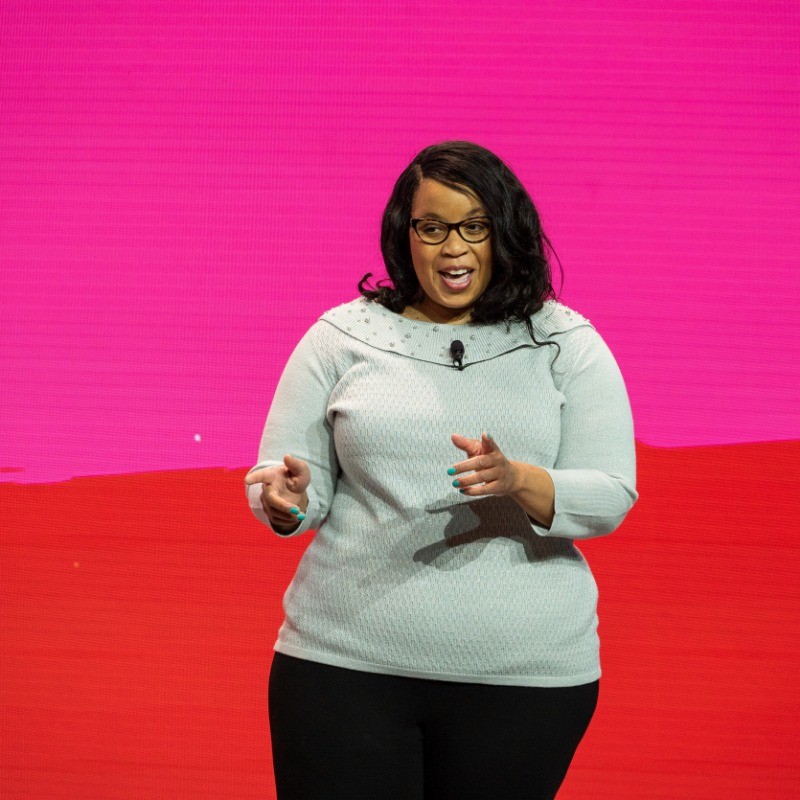
From Lab Corner to Lead Presenter: Breaking Stereotypes in STEM

Early in her research days, Nikki was literally “put in a corner.” Expectations were low for a Black woman scientist, but she persisted—volunteering to present at Georgia Tech’s monthly lab meeting, acing the talk, and later speaking at a neuroscience conference. That single act of self-advocacy set the tone for her teaching philosophy: students need exposure, community, and the confidence to disrupt preconceived narratives about who belongs in science.


Why Science Literacy Is Self-Advocacy

During the call, Nikki emphasized that understanding biology, chemistry, or physics isn’t just academic—it’s life-saving. “When people see medical symptoms in themselves or family, they’re empowered if they know the science,” she explained. A community fluent in basic health science can ask smarter questions, push for better care, and navigate the medical system more effectively. That’s why her lessons always connect classroom theory to real-world stakes, from polluted creeks to cancer-disparity research.


Building a Mini-Ecosystem: How Partnerships Fund Big Ideas

Money remains the toughest hurdle for project-based STEM, but Nikki has turned networking into an art. Key allies include:

  • Tennessee Valley Authority (TVA) – Funds robotics parts and supplies volunteers.

  • Tennessee STEM Innovation Network (TSIN) – Offers grants and professional-development hubs.

  • STEM in Medicine Ecosystem (led by St. Jude) – Links students to active researchers for authentic mentorship.

Her advice to new teachers is simple:

“If no regional STEM hub exists, build your own micro-ecosystem.”

Reach out to local nonprofits, universities, and emerging investigators who need outreach components for their grants. Even a modest $5 K award can cover buses for field studies, lab consumables, or a starter set of VR headsets.


Signature Projects That Turn Heads (and Win Grants) ) Cypress Creek Biodiversity & Underwater Robotics
After learning that legacy pollutants still taint Memphis’s Cypress Creek, Nikki began imagining new ways her students could engage with environmental challenges firsthand. What if ninth-graders built mate-style ROVs to sample water and film aquatic life? What if, with the right funding and support, they developed prototyping portfolios so strong that by senior year, they could enter top engineering programs—or even launch a business of their own? These questions now shape her vision for the future of STEM education in her classroom.


Practical Advice for Teachers Ready to Launch STEM Projects

  1. Start Small, Think Authentic
    Tie lessons to local issues—water quality, air pollution, neighborhood gardens. Relevance sparks student buy-in.

  2. Leverage University Requirements
    Early-career researchers often need outreach for grant criteria. Offer your class as a collaboration site.

  3. Tap Parents and Alumni
    One parent donation of $1 K jump-started Nikki’s robotics budget. Families appreciate concrete impact on college résumés.

  4. Document Everything
    Keep a LinkedIn or digital-classroom portfolio. Grant reviewers love measurable outcomes—photos, data dashboards, student quotes.

Conclusion: Community-Powered STEM Is the Future

Nikki’s journey proves that transformative science education doesn’t hinge on state-of-the-art facilities; it thrives on creative partnerships, purposeful funding, and relentless advocacy. By uniting nonprofits, universities, parents, and tech tools like VR, she’s building a generation of students who not only understand STEM but also see themselves as problem-solvers in their own communities.

For educators looking to replicate her success, start by asking the same questions Nikki does: Who can benefit from my project? Who can help? And how can this experience empower students to do hard things well? The answers might unlock your own ecosystem—and bring your classroom one step closer to a truly immersive, equitable STEM future.

To wrap up, we’d like to thank Nikki for the inspiring conversation.

06 / 21 / 2025

Frequently Asked

Your questions, Answered!

How large is the library of XReady Lab content in VR, Web, and PC formats?

XReady Lab offers the largest K–12 STEM VR and Web/PC library with an AI Tutor. The packages include biology, physics, chemistry, and math, covering topics from primary school through high school.


All content is designed to align with major curricula and deliver engaging, interactive learning experiences. New simulations are added monthly.

Which curriculum alignment do you have?

XReady Lab’s simulations are aligned with IB, Cambridge IGCSE, AS & A Levels, NGSS, College Board, Common Core, TEKS, CBSE, BNCC, the National Curriculum for England, the Italian secondary school curriculum (Scuola Secondaria), and the National Curriculum of the Netherlands (VMBO, HAVO, VWO).

What are Career Packs, and which careers do they cover?

Career Packs are VR simulation bundles that let students explore STEM careers in practice. Current packs include: Future Doctor, Future Nurse, Future Engineer, Future HVAC Engineer, Future Biotechnologist, Future Astronomer, Future Neuroscientist.


New Career Packs are added regularly.

What makes XReady Lab’s AI Tutor different from other AI tutors and AI tools?

XReady Lab Superhuman AI Tutor works like a real tutor, guiding students step by step instead of giving ready-made answers. It focuses on reasoning, problem-solving, and explaining mistakes to build real understanding.

Created by international STEM Olympiad winners and coaches, it helps prepare for exams, increases memory retention by 40%, and works in real time in both VR and desktop formats with an internet connection.

What are Lesson Plans, Engagement Playbooks, and classroom scenarios?

XReady Lab packages include complimentary teacher training and ready-to-use Lesson Plans and Engagement Playbooks to support engaging lessons.

They guide teachers in integrating VR/web/PC simulations with clear objectives, step-by-step instructions, classroom management strategies, reflection activities, assessments, and technical checklists — helping teachers run effective lessons beyond the simulations themselves.

How to try XReady Lab for free?

Simply fill out the free demo form here to get access to demo XReady Lab simulations.

How do we plan and purchase a VR classroom?

We start with consultation: our team helps plan the VR classroom for your school. You need internet access and a suitable room — allocate about 5 x 5 feet (1.5 x 1.5 m) per student. One headset per two students works well.

Devices and licenses: schools can use existing Meta Quest or Pico devices and purchase licenses, or we can offer discounted devices or a turnkey solution with pre-installed content.

What happens after purchasing a VR classroom?

After purchase, we guide device setup and content installation and provide teacher training.

Teachers learn how to run VR lessons using Lesson Plans and Engagement Playbooks, manage screen casting and paired learning, and keep students engaged.

Ongoing support is always available.

What technical requirements and internet access are needed?

  • For Desktop or Tablet: Simulations run directly from the personal account and work without internet. If you want the AI Tutor in real time, a stable internet connection is required.
  • For VR headsets (Meta Quest or Pico): Internet is needed only to activate licenses. After activation, simulations work autonomously offline. To use the AI Tutor in real time, internet is required. Make sure your room has power outlets to recharge devices.

VR lessons: duration, class size, screen casting and teacher tools?

VR lessons typically last 5–15 minutes, depending on the simulation, with a recommended class size of up to 20 students. Screen casting is supported and compatible with selected teacher management systems, allowing teachers to launch simulations remotely, monitor progress, and view all devices during lessons.

Teachers are supported with Lesson Plans and Engagement Playbooks that include learning objectives, step-by-step lesson flow, classroom scenarios, reflection questions, practical assignments, and assessment guidance.

In which countries and languages is XReady Lab offered?

XReady Lab is available worldwide and supports 75+ languages. Today, it is used by 800+ schools and 150,000+ students across the globe.

What licensing and pricing options are available?

XReady Lab simulations are offered through flexible licensing packages, depending on the format and subjects you need:

  • VR simulation packages with AI Tutor: simulations are sold in subject-based bundles with an annual license per device. VR Biology + Physics + Chemistry: $975 per year per device.
  • Web version with AI Tutor for home or classroom use without VR headsets: $9.99 per month per user.

If you already have VR headsets, you only purchase licenses. If not, we can also help you choose the most cost-effective setup and licensing model for your school or family.

Which VR headsets are supported?

XReady Lab works with the most widely used standalone VR headsets in schools:

  • Meta Quest: Quest 2, Quest Pro, Quest 3, Quest 3S
  • PICO: Neo 3, Neo 3 Pro, Neo 4, Neo 4 Enterprise

All supported devices are standalone (no PC required), making them easy to deploy and manage in a school environment.

Does XReady Lab allow third-party VR content?

Yes. XReady Lab supports open ecosystems, not closed platforms. Schools can freely use third-party VR content alongside XReady Lab on Meta Quest and PICO headsets.

We encourage schools to diversify their VR classrooms with high-quality educational apps and can recommend tested solutions, helping expand learning beyond STEM into subjects like design, history, environmental studies, and soft skills.

What are the safety guidelines for VR?

XReady Lab follows school VR safety best practices. VR is recommended for students 10–12+, with short 5–15 minute sessions and seated or safe-zone use under teacher supervision, supported by screen casting.

First-time users adapt gradually. Students with medical conditions require parental and school approval, and hygiene is ensured through regular headset cleaning and replaceable face covers.

For families: What home-use options are available?

Families can access XReady Lab simulations at home in two ways:

  • Web version: Here, families can use simulations on computers or tablets with a subscription—no VR headset required.
  • VR home use: To get started, fill out the form and select the role “Parent” to receive a free demo. Our team will then contact you to discuss access and purchase options.