


Question: What does Advancing Artificial Intelligence Education for American Youth actually mean for schools, and how will it influence the way kids learn worldwide?
Answer: It marks the moment AI literacy became a national education priority in the US – and that means more AI-powered lessons, hands-on STEM labs, and virtual classrooms from kindergarten to high school, setting a trend other countries are likely to follow.
On April 23, 2025, President Donald J. Trump signed an executive order that put AI literacy on the same level as reading and math. The policy, officially titled Advancing Artificial Intelligence Education for American Youth, is not just a headline – it is a blueprint. It tells schools: integrate AI into K-12 classrooms, train teachers to actually use it, and give students the tools to grow into an AI-ready workforce.
The White House didn’t just make an announcement. It formed a Task Force on Artificial Intelligence Education chaired by the Director of the Office of Science and Technology Policy, with members from the Departments of Education, Labor, Energy, Agriculture, the National Science Foundation, and more. The goal is coordination – not leaving AI to chance or uneven rollouts.
Presidential AI Challenge: Within 12 months, the first nationwide competition will showcase AI projects by students and educators. Think of it as a science fair, but with AI-powered prototypes, coding challenges, and real-world problem-solving.
Public-Private Partnerships: Within 180 days, the government and tech partners must deliver free K-12 AI literacy resources online – lesson plans, simulations, interactive tutorials.
Funding Shift: Existing grants will now prioritize AI training for teachers, research in AI applications, STEM apprenticeships, and digital classroom tools.
Even if you are outside the US, this is worth watching. When the US sets a standard in education technology, it pushes textbook publishers, edtech companies, and even exam boards worldwide to adapt. AI in education is no longer just a Silicon Valley buzzword – it’s policy.
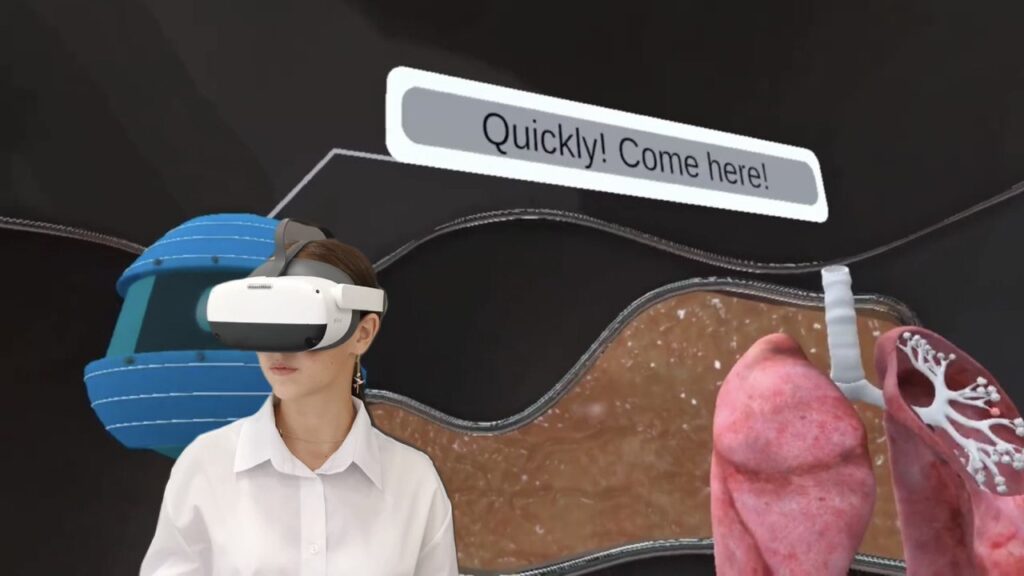
And it’s not only about coding. AI literacy covers ethics, data privacy, bias awareness, and applying AI in everyday problem-solving. This is where immersive tools like VR classrooms, virtual reality biology labs, and physics simulations come in. They give students not just theory but a digital space to test ideas without the limits of a paper worksheet.
XReady Lab was already ahead of the curve before this executive order. Right now, more than 150,000 students are using our VR simulations in subjects like biology, physics, chemistry, and engineering. Our Superhuman AI STEM Tutor adapts to each learner’s pace, points out mistakes in real time, and raises exam performance by up to 40% – all in a gamified environment students actually want to explore.
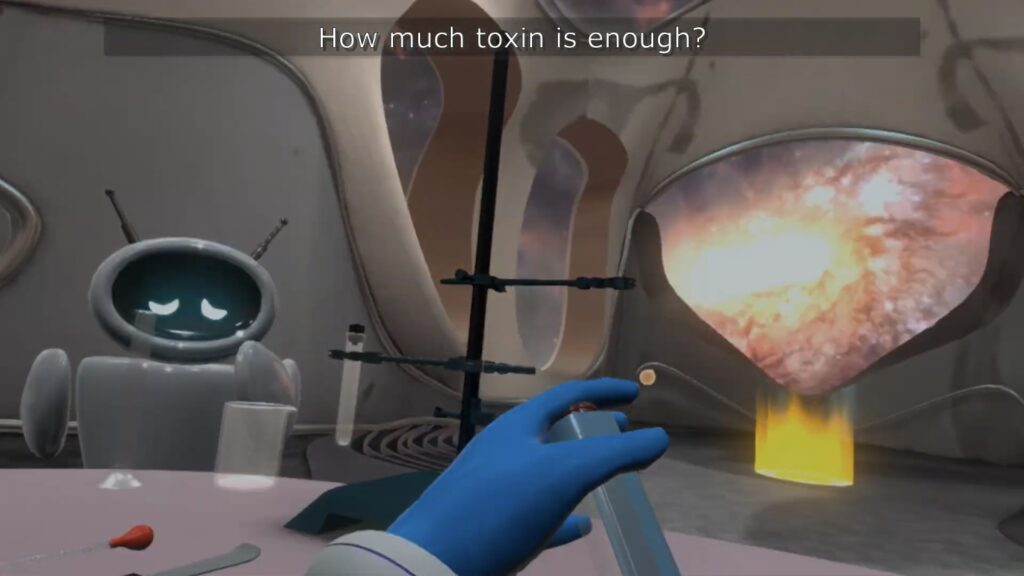
Importantly, the AI Tutor is not limited to VR headsets. Every lab is also available as a web simulation, so schools and families can access the same experiments online without special equipment. This flexibility means a student can run a mitosis experiment in a headset at school, then continue testing circuits or optics modules on a laptop at home.
For schools, a single license unlocks a roadmap of STEM labs across multiple subjects. For families, it turns either a headset or a computer into a portable science lab that works just as well in the living room as in a digital classroom.

The order’s push for AI literacy dovetails with the growing adoption of VR in education. Here’s why educators are blending the two:
Immersive context: Students can “stand” inside a cell or “walk” through a magnetic field in VR, while AI guides them and answers questions.
Adaptive feedback: AI tutors in VR and web simulations can spot misunderstandings faster than human grading cycles.
Equity in access: A shared VR lab at school can give rural and underfunded districts the same quality of science experience as elite academies.
Global readiness: Students trained in AI-integrated VR environments are not just learning facts – they’re building problem-solving skills in settings that mimic real-world labs and workplaces.
Over the next two years, we’ll likely see AI literacy goals merged into state curriculum standards, VR headsets becoming standard in smart classrooms, and educators being measured not only on test scores but on how well they integrate AI into teaching.
The White House’s directive is clear: prepare students for an AI-driven economy before they even graduate high school. For XReady Lab, it means scaling our VR learning platforms so that when those AI-ready classrooms are built, teachers already have a tested toolkit that delivers results.
If you are a school administrator, teacher, or parent – now is the moment to explore AI and VR tools that are ready to deploy. The gap between “early adopters” and “left behind” is going to widen fast.
Frequently Asked
XReady Lab offers the largest K–12 STEM VR and Web/PC library with an AI Tutor. The packages include biology, physics, chemistry, and math, covering topics from primary school through high school.
All content is designed to align with major curricula and deliver engaging, interactive learning experiences. New simulations are added monthly.
XReady Lab’s simulations are aligned with IB, Cambridge IGCSE, AS & A Levels, NGSS, College Board, Common Core, TEKS, CBSE, BNCC, the National Curriculum for England, the Italian secondary school curriculum (Scuola Secondaria), and the National Curriculum of the Netherlands (VMBO, HAVO, VWO).
Career Packs are VR simulation bundles that let students explore STEM careers in practice. Current packs include: Future Doctor, Future Nurse, Future Engineer, Future HVAC Engineer, Future Biotechnologist, Future Astronomer, Future Neuroscientist.
New Career Packs are added regularly.
XReady Lab Superhuman AI Tutor works like a real tutor, guiding students step by step instead of giving ready-made answers. It focuses on reasoning, problem-solving, and explaining mistakes to build real understanding.
Created by international STEM Olympiad winners and coaches, it helps prepare for exams, increases memory retention by 40%, and works in real time in both VR and desktop formats with an internet connection.
XReady Lab packages include complimentary teacher training and ready-to-use Lesson Plans and Engagement Playbooks to support engaging lessons.
They guide teachers in integrating VR/web/PC simulations with clear objectives, step-by-step instructions, classroom management strategies, reflection activities, assessments, and technical checklists — helping teachers run effective lessons beyond the simulations themselves.
Simply fill out the free demo form here to get access to demo XReady Lab simulations.
We start with consultation: our team helps plan the VR classroom for your school. You need internet access and a suitable room — allocate about 5 x 5 feet (1.5 x 1.5 m) per student. One headset per two students works well.
Devices and licenses: schools can use existing Meta Quest or Pico devices and purchase licenses, or we can offer discounted devices or a turnkey solution with pre-installed content.
After purchase, we guide device setup and content installation and provide teacher training.
Teachers learn how to run VR lessons using Lesson Plans and Engagement Playbooks, manage screen casting and paired learning, and keep students engaged.
Ongoing support is always available.
VR lessons typically last 5–15 minutes, depending on the simulation, with a recommended class size of up to 20 students. Screen casting is supported and compatible with selected teacher management systems, allowing teachers to launch simulations remotely, monitor progress, and view all devices during lessons.
Teachers are supported with Lesson Plans and Engagement Playbooks that include learning objectives, step-by-step lesson flow, classroom scenarios, reflection questions, practical assignments, and assessment guidance.
XReady Lab is available worldwide and supports 75+ languages. Today, it is used by 800+ schools and 150,000+ students across the globe.
XReady Lab simulations are offered through flexible licensing packages, depending on the format and subjects you need:
If you already have VR headsets, you only purchase licenses. If not, we can also help you choose the most cost-effective setup and licensing model for your school or family.
XReady Lab works with the most widely used standalone VR headsets in schools:
All supported devices are standalone (no PC required), making them easy to deploy and manage in a school environment.
Yes. XReady Lab supports open ecosystems, not closed platforms. Schools can freely use third-party VR content alongside XReady Lab on Meta Quest and PICO headsets.
We encourage schools to diversify their VR classrooms with high-quality educational apps and can recommend tested solutions, helping expand learning beyond STEM into subjects like design, history, environmental studies, and soft skills.
XReady Lab follows school VR safety best practices. VR is recommended for students 10–12+, with short 5–15 minute sessions and seated or safe-zone use under teacher supervision, supported by screen casting.
First-time users adapt gradually. Students with medical conditions require parental and school approval, and hygiene is ensured through regular headset cleaning and replaceable face covers.
Families can access XReady Lab simulations at home in two ways:
