


What are the best homeschool resources in 2025 for STEM, reading, and financial literacy?
Parents often combine three tools: Papiroo for story-based literacy, MoneyTime Kids for step-by-step financial education, and XReady Lab for immersive STEM labs in physics, chemistry, biology, and math. Together they cover critical thinking, money confidence, and science exploration in one balanced homeschool plan.
Homeschooling in 2025 is not about finding one perfect curriculum. It is about combining tools that match your child’s mind and your family’s routine. Some kids need hands on science labs. Others need a clear path to financial confidence. Many thrive when learning hides inside a good story. Here are three resources parents around the world are using right now. Each brings something different and each is tested by real families.
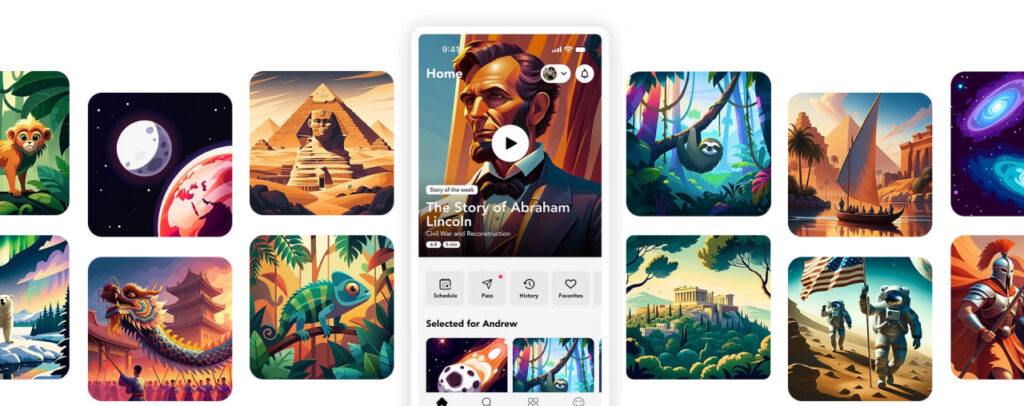
Papiroo is built around a simple idea: children remember lessons when they arrive as stories instead of dry facts. The platform offers a library of narrative content that families can explore together. Unlike many apps, it keeps screens in the background and focuses on shared reading and discussion. Parents use Papiroo to build vocabulary, listening skills and critical thinking without turning learning into another digital game.
Feedback about Papiroo is still limited, but early users highlight its gentle story first approach. In homeschool groups parents describe it as a “screen light app with a library of narrative audio stories for families to learn together” and praise the smooth purchasing process and high material quality. A few reviewers wish for deeper content for older children, noting that advanced readers might outgrow the stories quickly. Overall the tone is positive for families seeking calm, literacy rich activities for early learners.
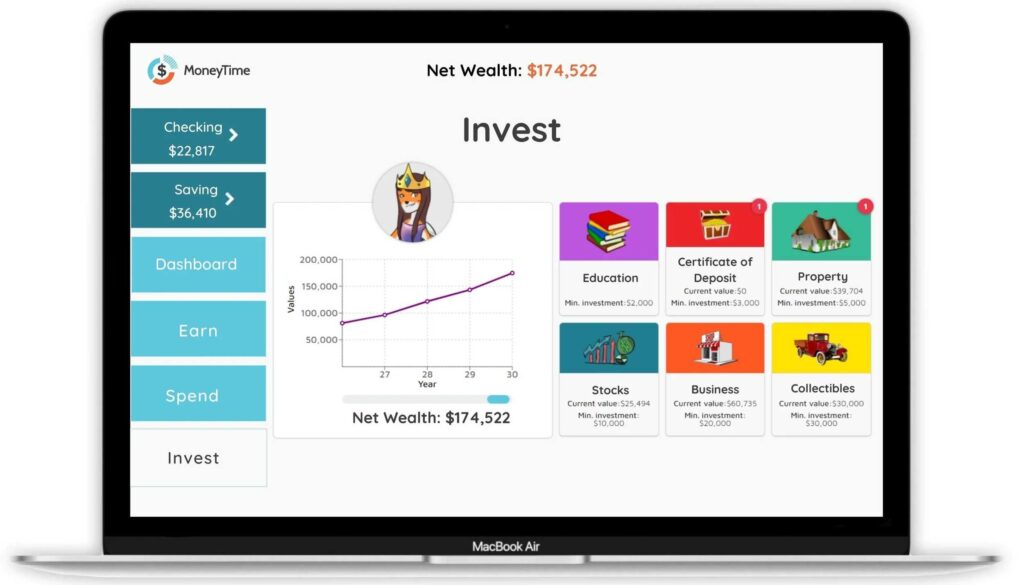
MoneyTime Kids takes a subject most schools ignore: personal finance. It turns money skills into a self paced online adventure for ages 10 to 14. The program includes 30 interactive modules on earning, saving, budgeting, borrowing and investing. Children work through step by step lessons and then apply what they learn in a money management game where their decisions shape their virtual finances. Parents receive progress reports and optional joint activities but no prior financial knowledge is required.
Homeschoolers rave about the balance between independence and guidance:
Ashley – Life with More Learning
“MoneyTime covers financial topics in depth but requires no prior knowledge. The modules take kids step by step through the information and include parent child activities that are easy to follow.”
Charlene Hess – Un-Hess Academy
“We have been searching for a thorough financial education resource for years. MoneyTime is the best online program we have found. Teaching children to be money smart while they are still under your financial responsibility sets them up for positive financial habits.”
Tonya Nolan
“You could spend hours hunting for the best investing course for kids or just head to MoneyTime. The helpful characters and games make this program one that kids actually ask to play while learning real life skills.”
Betsy Strauss – Family-Style Homeschooling
“This course gives kids ownership of their financial learning and lays an excellent foundation for future independence. Parents can download a free study guide with tips for guiding the program.”
Jessica May – Hill Country Homestead
“I love that they can practice financial decisions virtually first. They often lose track of time and complete more modules than I assign, so I know they are enjoying their lessons.”
Ashley – The Homeschool Resource Room
“I am always looking for programs that encourage independence. Minutes after we signed in my son took off on his own. The reward system keeps him engaged and directly connects to the concepts.”
Parents highlight MoneyTime’s clarity, game based motivation and real world relevance. The only common caution is that it requires an internet connection and a computer or tablet.
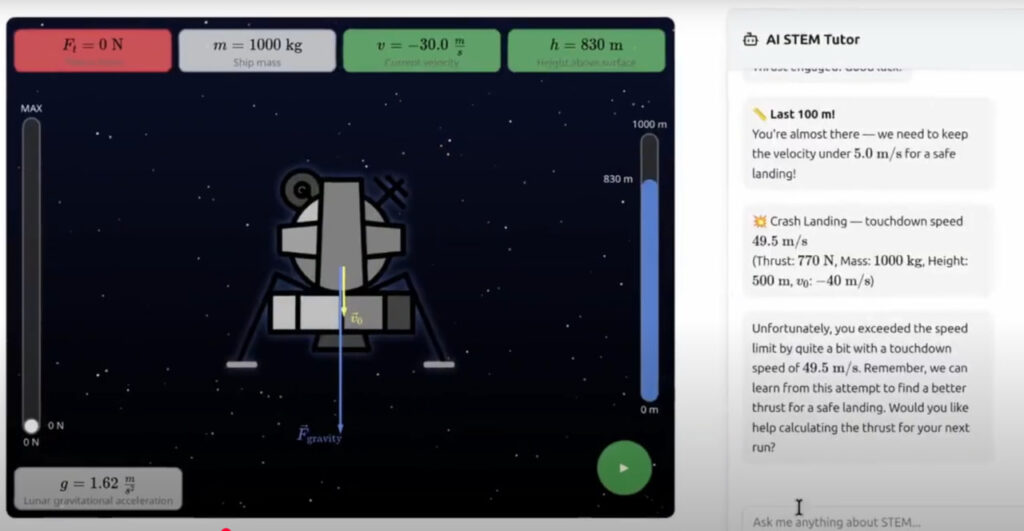
For families who want science to feel alive, XReady Lab delivers curriculum aligned VR and web simulation
s in physics, chemistry, biology and math. The platform supports major educational standards such as International Baccalaureate, Cambridge, NGSS, College Board and CBSE so lessons can fit into almost any homeschool plan. Students can enter a virtual cell to observe mitosis, adjust gravitational forces in an orbital mechanics simulation or solve progressive math challenges with an adaptive AI tutor. Every activity blends hands on interaction with rigorous scientific content.
Sarah Johnson – Physics Teacher
“The Lunar Landing simulation makes forces and acceleration tangible. My students finally understand Newton’s second law after seeing thrust versus gravity in action.”
Mike Chen – Parent of a 9th Grader
“My daughter was struggling with multiplication until we found XReady Lab. The progressive difficulty levels and AI tutor explain concepts in ways that finally make sense to her.”
Dr. Emily Rodriguez – Science Department Head
“The Orbital Mechanics simulation is perfect for advanced physics. Students can experiment with gravitational forces and see how velocity affects orbital stability in real time.”
Tom Williams – Homeschool Parent
“Perfect for homeschooling. The Math Bubbles and Match Maker games make arithmetic fun and the AI tutor adapts to my son’s pace.”
Give your child a head start in science with XReady Lab – the world’s largest library of interactive STEM games with a personal AI tutor trusted by 150,000+ students. Watch scores rise, memory improve, and exam stress disappear while learning stays fun from age six and up.
Each resource fills a different gap.
Used together they create a balanced homeschool curriculum: reading and narrative thinking, real world money skills and deep science exploration. A morning might start with a Papiroo story, continue with a MoneyTime budgeting module and finish with a VR physics experiment in XReady Lab. Parents can adjust pacing and supervision to match each child’s age and interest.
Homeschooling is no longer limited to textbooks and kitchen table worksheets. Platforms like Papiroo, MoneyTime Kids and XReady Lab give families powerful tools to build critical thinking, financial independence and scientific curiosity all from home.
Stories spark imagination, money games build practical confidence and virtual science labs turn theory into experience. Mix them to create a homeschool day that prepares kids not just for exams but for the complex, technology driven world waiting outside.
Frequently Asked
XReady Lab offers the largest K–12 STEM VR and Web/PC library with an AI Tutor. The packages include biology, physics, chemistry, and math, covering topics from primary school through high school.
All content is designed to align with major curricula and deliver engaging, interactive learning experiences. New simulations are added monthly.
XReady Lab’s simulations are aligned with IB, Cambridge IGCSE, AS & A Levels, NGSS, College Board, Common Core, TEKS, CBSE, BNCC, the National Curriculum for England, the Italian secondary school curriculum (Scuola Secondaria), and the National Curriculum of the Netherlands (VMBO, HAVO, VWO).
Career Packs are VR simulation bundles that let students explore STEM careers in practice. Current packs include: Future Doctor, Future Nurse, Future Engineer, Future HVAC Engineer, Future Biotechnologist, Future Astronomer, Future Neuroscientist.
New Career Packs are added regularly.
XReady Lab Superhuman AI Tutor works like a real tutor, guiding students step by step instead of giving ready-made answers. It focuses on reasoning, problem-solving, and explaining mistakes to build real understanding.
Created by international STEM Olympiad winners and coaches, it helps prepare for exams, increases memory retention by 40%, and works in real time in both VR and desktop formats with an internet connection.
XReady Lab packages include complimentary teacher training and ready-to-use Lesson Plans and Engagement Playbooks to support engaging lessons.
They guide teachers in integrating VR/web/PC simulations with clear objectives, step-by-step instructions, classroom management strategies, reflection activities, assessments, and technical checklists — helping teachers run effective lessons beyond the simulations themselves.
Simply fill out the free demo form here to get access to demo XReady Lab simulations.
We start with consultation: our team helps plan the VR classroom for your school. You need internet access and a suitable room — allocate about 5 x 5 feet (1.5 x 1.5 m) per student. One headset per two students works well.
Devices and licenses: schools can use existing Meta Quest or Pico devices and purchase licenses, or we can offer discounted devices or a turnkey solution with pre-installed content.
After purchase, we guide device setup and content installation and provide teacher training.
Teachers learn how to run VR lessons using Lesson Plans and Engagement Playbooks, manage screen casting and paired learning, and keep students engaged.
Ongoing support is always available.
VR lessons typically last 5–15 minutes, depending on the simulation, with a recommended class size of up to 20 students. Screen casting is supported and compatible with selected teacher management systems, allowing teachers to launch simulations remotely, monitor progress, and view all devices during lessons.
Teachers are supported with Lesson Plans and Engagement Playbooks that include learning objectives, step-by-step lesson flow, classroom scenarios, reflection questions, practical assignments, and assessment guidance.
XReady Lab is available worldwide and supports 75+ languages. Today, it is used by 800+ schools and 150,000+ students across the globe.
XReady Lab simulations are offered through flexible licensing packages, depending on the format and subjects you need:
If you already have VR headsets, you only purchase licenses. If not, we can also help you choose the most cost-effective setup and licensing model for your school or family.
XReady Lab works with the most widely used standalone VR headsets in schools:
All supported devices are standalone (no PC required), making them easy to deploy and manage in a school environment.
Yes. XReady Lab supports open ecosystems, not closed platforms. Schools can freely use third-party VR content alongside XReady Lab on Meta Quest and PICO headsets.
We encourage schools to diversify their VR classrooms with high-quality educational apps and can recommend tested solutions, helping expand learning beyond STEM into subjects like design, history, environmental studies, and soft skills.
XReady Lab follows school VR safety best practices. VR is recommended for students 10–12+, with short 5–15 minute sessions and seated or safe-zone use under teacher supervision, supported by screen casting.
First-time users adapt gradually. Students with medical conditions require parental and school approval, and hygiene is ensured through regular headset cleaning and replaceable face covers.
Families can access XReady Lab simulations at home in two ways:
