


Q: My students ignore every video I send them. What should I do?
You’re not alone. Teachers around the world are asking the same question: why can’t today’s students watch even a short educational video anymore? Ten years ago, a documentary on the Cold War felt like a break from classwork. Today, if a video lasts more than five minutes, half the class sighs, checks out, or starts whispering.
What happened? Did attention spans really shrink, or did the way we teach fail to adapt?
Educators on Reddit describe it perfectly:
“Even if it’s a 6-minute cultural clip or a short experiment demo, students lose interest the second they see the time bar stretch beyond five minutes.”
Another teacher adds:
“They won’t even watch videos that could replace entire lessons. I upload detailed tutorials with timestamps, and they skip everything.”
The phenomenon is everywhere. Students swipe through content in seconds. YouTube, TikTok, Instagram – all have trained the brain to expect instant stimulation and zero effort. When a video doesn’t change camera angles every few seconds, attention collapses.
But this isn’t just about laziness. It’s about format fatigue.
For decades, we’ve replaced textbooks with videos, thinking it would make education more engaging. And it worked… for a while.
Textbooks → Video lessons → Immersive 360° → Interactive VR and gamified labs
The problem is that every stage eventually becomes stale when it stays passive. Watching is not learning.
Even immersive 360° videos, including popular ClassVR experiences, create the same effect as long YouTube clips. The “wow” factor wears off quickly, leaving students disengaged again. They still can’t interact or test their understanding.
The Alpha generation is growing up inside interactive systems. They don’t absorb information linearly. They explore it.
When you give them a 7-minute video on photosynthesis, they zone out. But if you let them manipulate sunlight levels and see how plants react in real time – suddenly, they care.
That’s why the next step in education isn’t another flashy video format. It’s interactive simulations and AI tutors that turn lessons into active exploration.
AI tutors are changing the rules. Instead of feeding answers, they guide students through reasoning.
When a child struggles inside a virtual lab, the AI doesn’t explain everything immediately. It asks leading questions like,
“What happens if you double the force?” or “How does mass affect acceleration here?”
This approach keeps curiosity alive. Students stay focused not because they’re forced to, but because they want to see the result.
In XReady Lab’s AI STEM platform, this model works hand-in-hand with interactive science simulations. Students can play, experiment, and learn faster – with real understanding instead of passive watching.
👉 Try it for your child: XReady Lab AI STEM Tutor
👉 For schools: Request classroom demo
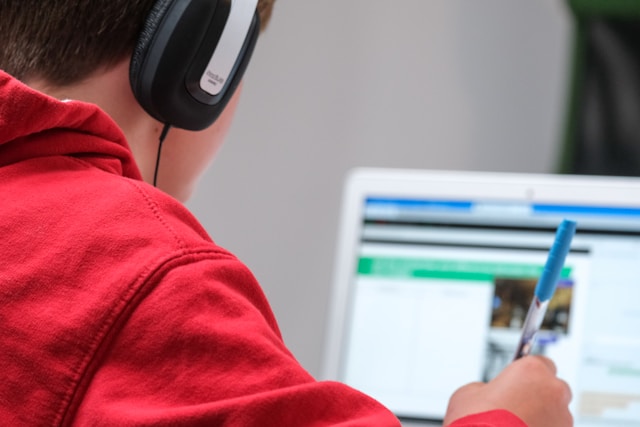
Modern learners don’t want to be told. They want to discover.
And gamified learning is built exactly around that.
Interactive VR and online labs combine science content with gaming logic:
Quick feedback loops (instant reaction to every move)
Levels of difficulty and visible progress
Competition with self or others
Clear rewards for understanding, not memorization
That’s why students can spend hours mastering a simulation – but not seven minutes on a video. It’s not shorter attention. It’s deeper interactivity.
A practical strategy teachers report success with:
Break every video into 1–2 minute fragments.
After each clip, ask a quick question or start a discussion.
Or better – switch from “watching” to “doing.”
Micro-learning keeps curiosity alive because each interaction resets the attention clock.
XReady Lab’s simulations and AI tutor are built around this principle: learn in short bursts, test instantly, move on.
If your child can’t watch a 10-minute educational video, don’t panic. It’s not that they’ve “lost focus.” It’s that the world they learn in has changed.

They’re not wired for long passive content anymore. They need stimulation, feedback, and the ability to experiment.
Platforms like XReady Lab make learning feel like play, with AI-guided science games that match the child’s level and pace.
That’s why 150,000+ students already use it and achieve 40% higher memory retention compared to traditional study formats.
We’re past the point where education can rely on watching videos. The next stage is active, adaptive learning – where every child learns by doing.
So when you see your students or children sigh at the sight of a 6-minute video, don’t get frustrated. They’re not broken. The method is.
Let them explore. Let them play. Let the lesson respond to them, not the other way around.
Because learning isn’t about sitting still anymore.
It’s about moving, testing, and creating knowledge that sticks.
👉 Try it for your child: XReady Lab AI STEM Tutor
👉 For schools: Request classroom demo
Frequently Asked
XReady Lab offers the largest K–12 STEM VR and Web/PC library with an AI Tutor. The packages include biology, physics, chemistry, and math, covering topics from primary school through high school.
All content is designed to align with major curricula and deliver engaging, interactive learning experiences. New simulations are added monthly.
XReady Lab’s simulations are aligned with IB, Cambridge IGCSE, AS & A Levels, NGSS, College Board, Common Core, TEKS, CBSE, BNCC, the National Curriculum for England, the Italian secondary school curriculum (Scuola Secondaria), and the National Curriculum of the Netherlands (VMBO, HAVO, VWO).
Career Packs are VR simulation bundles that let students explore STEM careers in practice. Current packs include: Future Doctor, Future Nurse, Future Engineer, Future HVAC Engineer, Future Biotechnologist, Future Astronomer, Future Neuroscientist.
New Career Packs are added regularly.
XReady Lab Superhuman AI Tutor works like a real tutor, guiding students step by step instead of giving ready-made answers. It focuses on reasoning, problem-solving, and explaining mistakes to build real understanding.
Created by international STEM Olympiad winners and coaches, it helps prepare for exams, increases memory retention by 40%, and works in real time in both VR and desktop formats with an internet connection.
XReady Lab packages include complimentary teacher training and ready-to-use Lesson Plans and Engagement Playbooks to support engaging lessons.
They guide teachers in integrating VR/web/PC simulations with clear objectives, step-by-step instructions, classroom management strategies, reflection activities, assessments, and technical checklists — helping teachers run effective lessons beyond the simulations themselves.
Simply fill out the free demo form here to get access to demo XReady Lab simulations.
We start with consultation: our team helps plan the VR classroom for your school. You need internet access and a suitable room — allocate about 5 x 5 feet (1.5 x 1.5 m) per student. One headset per two students works well.
Devices and licenses: schools can use existing Meta Quest or Pico devices and purchase licenses, or we can offer discounted devices or a turnkey solution with pre-installed content.
After purchase, we guide device setup and content installation and provide teacher training.
Teachers learn how to run VR lessons using Lesson Plans and Engagement Playbooks, manage screen casting and paired learning, and keep students engaged.
Ongoing support is always available.
VR lessons typically last 5–15 minutes, depending on the simulation, with a recommended class size of up to 20 students. Screen casting is supported and compatible with selected teacher management systems, allowing teachers to launch simulations remotely, monitor progress, and view all devices during lessons.
Teachers are supported with Lesson Plans and Engagement Playbooks that include learning objectives, step-by-step lesson flow, classroom scenarios, reflection questions, practical assignments, and assessment guidance.
XReady Lab is available worldwide and supports 75+ languages. Today, it is used by 800+ schools and 150,000+ students across the globe.
XReady Lab simulations are offered through flexible licensing packages, depending on the format and subjects you need:
If you already have VR headsets, you only purchase licenses. If not, we can also help you choose the most cost-effective setup and licensing model for your school or family.
XReady Lab works with the most widely used standalone VR headsets in schools:
All supported devices are standalone (no PC required), making them easy to deploy and manage in a school environment.
Yes. XReady Lab supports open ecosystems, not closed platforms. Schools can freely use third-party VR content alongside XReady Lab on Meta Quest and PICO headsets.
We encourage schools to diversify their VR classrooms with high-quality educational apps and can recommend tested solutions, helping expand learning beyond STEM into subjects like design, history, environmental studies, and soft skills.
XReady Lab follows school VR safety best practices. VR is recommended for students 10–12+, with short 5–15 minute sessions and seated or safe-zone use under teacher supervision, supported by screen casting.
First-time users adapt gradually. Students with medical conditions require parental and school approval, and hygiene is ensured through regular headset cleaning and replaceable face covers.
Families can access XReady Lab simulations at home in two ways:
