menu

7 Real Tricks to Wake Up a Sleepy Class That Actually Work

Q&A: What should I do if my students fall asleep during class?

Students often get sleepy not because they don’t care, but because they’re tired, overloaded, or the class energy is too low. The best fix is to change the rhythm, not to scold them. Start your lesson with something curious or unexpected to grab attention. Break the routine every 10–15 minutes with movement, discussion, or quick challenges. Use silence or small surprises to refocus attention. If students seem exhausted, give them a short reset instead of pushing harder. In short, don’t fight the energy – redirect it.
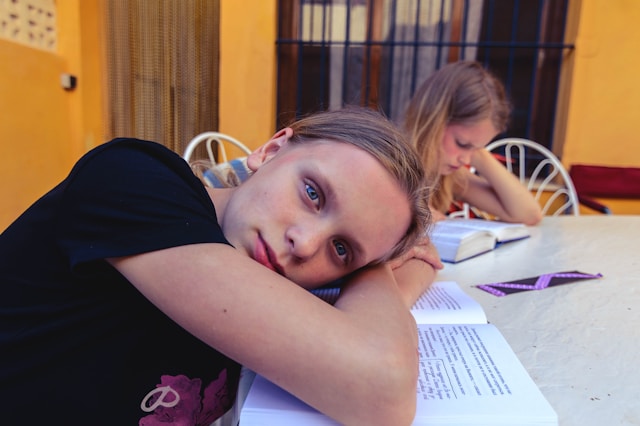
Below are their favorite techniques, tested in real classrooms and ready to use tomorrow.

1. OMAR AL-FAHAD (Saudi Arabia) – Start with Curiosity, Not Content

Omar teaches IGCSE Science in Riyadh and has one rule:

“If they’re bored in the first five minutes, I’ve lost them for the next forty.”

He starts every class with something unexpected – a quick question, a strange video clip, or an odd experiment idea.

  • What would happen if we dropped this phone on Mars?

  • Why does cold water taste different from warm water?

Omar says curiosity wakes the brain better than caffeine. When students start guessing, they’re suddenly engaged.

Try this: Start your next lesson with a puzzle, a surprising image, or a hands-on object. Curiosity beats caffeine every time.

2. LYNDA (California, USA) – Change the Energy Every Ten Minutes

Lynda, a science teacher from California, treats her class like a rhythm.

“Attention has waves. You ride them, or you lose them.”

She divides lessons into short energy blocks: talk for ten minutes, then switch. Discuss, move, or observe something. Even a two-minute stretch or short brainstorm helps.

The key is not constant excitement – it’s movement.

“You don’t have to gamify everything. Just change the energy before it collapses.”

3. FRIEDRICH (Germany) – Silence Is Louder Than Shouting
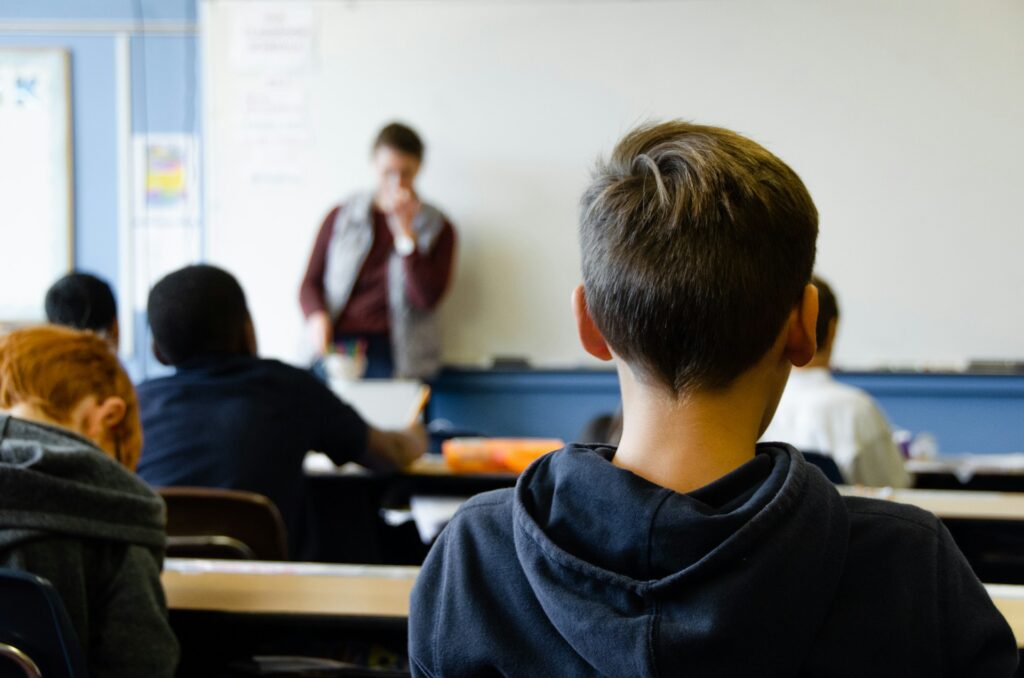
Friedrich, who teaches physics and astronomy in Munich, noticed something unusual. The louder he spoke, the quieter his students became. So he reversed it.

“I stopped talking for fifteen seconds. Total silence. They looked up immediately.”

He uses silence like punctuation. Sometimes he lowers his voice to a whisper or adds a tiny experiment without warning – a spark, a magnet trick, or a ball levitating above a pipe.

“It’s not entertainment. It’s tension. Curiosity wakes people up faster than noise.”

4. PAULA (Spain) – Movement Resets the Brain

Paula, an IB Biology teacher in Madrid, says it’s not laziness when students get sleepy – it’s physiology.

“After twenty minutes sitting still, their brains slow down. It’s just how we’re built.”

Her fix is small movement breaks:

  • Stand up and find a partner.

  • Write one idea on the board.

  • Form a quick circle and share one fact.

Even two minutes of physical change boosts oxygen flow and focus.

“You’ll see laughter, better answers, and suddenly, they’re awake again.”

5. SCOTT (New Mexico, USA) – Use Micro Challenges

Scott teaches middle school STEM. He knows his students love competition, but not in the childish sense. He turns learning into fast, smart challenges.

  • Who can explain this concept faster than me?

  • Who can find the lab mistake first?

  • Quick one-minute quiz race.

“They get sharp, focused, and loud – but in a good way. Even quiet students jump in.”

He adds a funny twist: if students win, they get to ask him one random personal question.

“It keeps them awake and curious about both the subject and the person teaching it.”

6. SAIRA (UAE) – Respect the Energy in the Room

Saira, an IB Biology teacher from Abu Dhabi, doesn’t shame students for feeling tired.

“Sometimes they’re not lazy. They’re overloaded – projects, screens, exams, no sleep.”

Instead of forcing energy, she resets it gently. She dims lights, plays a two-minute calming clip, or leads a quiet mindfulness exercise.

“Once they feel calm, they re-engage. Respect earns focus.”

Her point is simple: tired students don’t need punishment, they need restoration.

7. XREADY LAB – Let Tech Do the Heavy Lifting

Even the best teachers can’t fight fatigue forever. That’s where immersive tech helps.
Virtual Reality classrooms from XReady Lab transform passive learning into active discovery. Students explore, interact, and experiment in 3D.

  • Interactive content boosts memory retention by 40 percent

  • Works with Meta Quest and Pico headsets

  • Follows top curriculums: IB, NGSS, Cambridge, College Board, TEKS, CBSE and more

  • Trusted by 800+ schools and 150,000+ students worldwide

👉 Try it for your classroom here: Order a demo of XReady Lab

You’ll see engagement rise within minutes.

And if you want to go further, explore the full catalog of simulations for biology, physics, chemistry, and future career paths like Future Doctor, Future Biotechnologist, and Future Engineer:
https://xreadylab.com/simulations/

Final Thought

Every class is different. What wakes one group may bore another. But the rule is always the same – don’t fight the energy, redirect it.

Once students feel surprised, respected, and involved, they stop dozing off. They start thinking again.

And when that happens, learning becomes real.

02 / 05 / 2026

Frequently Asked

Your questions, Answered!

How large is the library of XReady Lab content in VR, Web, and PC formats?

XReady Lab offers the largest K–12 STEM VR and Web/PC library with an AI Tutor. The packages include biology, physics, chemistry, and math, covering topics from primary school through high school.


All content is designed to align with major curricula and deliver engaging, interactive learning experiences. New simulations are added monthly.

Which curriculum alignment do you have?

XReady Lab’s simulations are aligned with IB, Cambridge IGCSE, AS & A Levels, NGSS, College Board, Common Core, TEKS, CBSE, BNCC, the National Curriculum for England, the Italian secondary school curriculum (Scuola Secondaria), and the National Curriculum of the Netherlands (VMBO, HAVO, VWO).

What are Career Packs, and which careers do they cover?

Career Packs are VR simulation bundles that let students explore STEM careers in practice. Current packs include: Future Doctor, Future Nurse, Future Engineer, Future HVAC Engineer, Future Biotechnologist, Future Astronomer, Future Neuroscientist.


New Career Packs are added regularly.

What makes XReady Lab’s AI Tutor different from other AI tutors and AI tools?

XReady Lab Superhuman AI Tutor works like a real tutor, guiding students step by step instead of giving ready-made answers. It focuses on reasoning, problem-solving, and explaining mistakes to build real understanding.

Created by international STEM Olympiad winners and coaches, it helps prepare for exams, increases memory retention by 40%, and works in real time in both VR and desktop formats with an internet connection.

What are Lesson Plans, Engagement Playbooks, and classroom scenarios?

XReady Lab packages include complimentary teacher training and ready-to-use Lesson Plans and Engagement Playbooks to support engaging lessons.

They guide teachers in integrating VR/web/PC simulations with clear objectives, step-by-step instructions, classroom management strategies, reflection activities, assessments, and technical checklists — helping teachers run effective lessons beyond the simulations themselves.

How to try XReady Lab for free?

Simply fill out the free demo form here to get access to demo XReady Lab simulations.

How do we plan and purchase a VR classroom?

We start with consultation: our team helps plan the VR classroom for your school. You need internet access and a suitable room — allocate about 5 x 5 feet (1.5 x 1.5 m) per student. One headset per two students works well.

Devices and licenses: schools can use existing Meta Quest or Pico devices and purchase licenses, or we can offer discounted devices or a turnkey solution with pre-installed content.

What happens after purchasing a VR classroom?

After purchase, we guide device setup and content installation and provide teacher training.

Teachers learn how to run VR lessons using Lesson Plans and Engagement Playbooks, manage screen casting and paired learning, and keep students engaged.

Ongoing support is always available.

What technical requirements and internet access are needed?

  • For Desktop or Tablet: Simulations run directly from the personal account and work without internet. If you want the AI Tutor in real time, a stable internet connection is required.
  • For VR headsets (Meta Quest or Pico): Internet is needed only to activate licenses. After activation, simulations work autonomously offline. To use the AI Tutor in real time, internet is required. Make sure your room has power outlets to recharge devices.

VR lessons: duration, class size, screen casting and teacher tools?

VR lessons typically last 5–15 minutes, depending on the simulation, with a recommended class size of up to 20 students. Screen casting is supported and compatible with selected teacher management systems, allowing teachers to launch simulations remotely, monitor progress, and view all devices during lessons.

Teachers are supported with Lesson Plans and Engagement Playbooks that include learning objectives, step-by-step lesson flow, classroom scenarios, reflection questions, practical assignments, and assessment guidance.

In which countries and languages is XReady Lab offered?

XReady Lab is available worldwide and supports 75+ languages. Today, it is used by 800+ schools and 150,000+ students across the globe.

What licensing and pricing options are available?

XReady Lab simulations are offered through flexible licensing packages, depending on the format and subjects you need:

  • VR simulation packages with AI Tutor: simulations are sold in subject-based bundles with an annual license per device. VR Biology + Physics + Chemistry: $975 per year per device.
  • Web version with AI Tutor for home or classroom use without VR headsets: $9.99 per month per user.

If you already have VR headsets, you only purchase licenses. If not, we can also help you choose the most cost-effective setup and licensing model for your school or family.

Which VR headsets are supported?

XReady Lab works with the most widely used standalone VR headsets in schools:

  • Meta Quest: Quest 2, Quest Pro, Quest 3, Quest 3S
  • PICO: Neo 3, Neo 3 Pro, Neo 4, Neo 4 Enterprise

All supported devices are standalone (no PC required), making them easy to deploy and manage in a school environment.

Does XReady Lab allow third-party VR content?

Yes. XReady Lab supports open ecosystems, not closed platforms. Schools can freely use third-party VR content alongside XReady Lab on Meta Quest and PICO headsets.

We encourage schools to diversify their VR classrooms with high-quality educational apps and can recommend tested solutions, helping expand learning beyond STEM into subjects like design, history, environmental studies, and soft skills.

What are the safety guidelines for VR?

XReady Lab follows school VR safety best practices. VR is recommended for students 10–12+, with short 5–15 minute sessions and seated or safe-zone use under teacher supervision, supported by screen casting.

First-time users adapt gradually. Students with medical conditions require parental and school approval, and hygiene is ensured through regular headset cleaning and replaceable face covers.

For families: What home-use options are available?

Families can access XReady Lab simulations at home in two ways:

  • Web version: Here, families can use simulations on computers or tablets with a subscription—no VR headset required.
  • VR home use: To get started, fill out the form and select the role “Parent” to receive a free demo. Our team will then contact you to discuss access and purchase options.