menu

VR for Everyone: How just 10 goggles can create a full VR lab in a school for $299

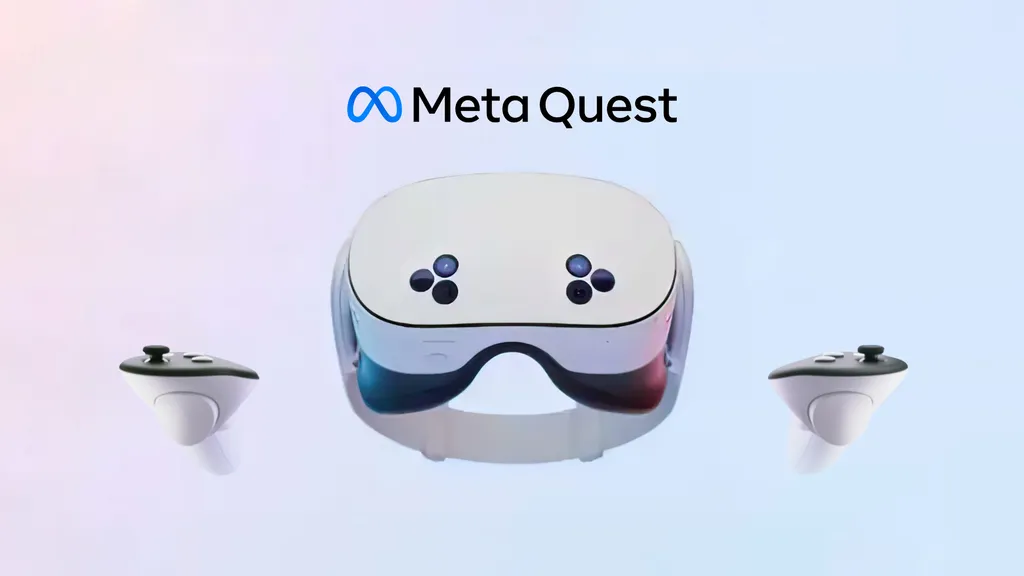
Imagine students exploring the human body at the cellular level or traveling through the solar system—all within the classroom. In today’s digital world, Virtual Reality (VR) is revolutionizing education, especially in STEM subjects. The affordability and accessibility of VR headsets make it easier than ever for schools to integrate this cutting-edge technology into their classrooms. With just 10 VR headsets, such as the Quest 3S, schools can create a fully immersive VR lab for only $299 per device, transforming traditional lessons into interactive, hands-on experiences.

Affordability of VR Glasses for Schools

The cost of VR headsets for education has dropped significantly over the past five years, making it more accessible for schools to adopt. In 2018, a high-quality VR headset could cost between $600 and $800, but now devices like the Quest 3S are available for just $299. This price drop, driven by companies like Meta lowering prices to increase adoption, allows schools to integrate VR classrooms without straining their budgets. Research shows that schools can improve engagement and retention by incorporating VR learning tools, making it a cost-effective investment for modern education.

Schools like Pioneer Middle School in Texas and King’s Academy in Jordan are already transforming their STEM labs with VR. At Pioneer, students safely conduct virtual dissections and simulate complex chemistry experiments. King’s Academy uses VR in physics classes, helping students visualize abstract concepts like electromagnetism and space travel, demonstrating how VR in education can revolutionize learning.

By investing in just 10 headsets, schools can create a VR lab where students rotate through immersive lessons, maximizing budget efficiency. This setup gives students access to experiences that would be difficult or costly in a traditional setting, such as virtual field trips and advanced science simulations.

Platforms like CoSpaces and Visible Body provide a wealth of VR educational content, compatible with the Quest 3S, allowing schools to explore a wide range of subjects, from anatomy to physics. CoSpaces lets students build their own virtual worlds, while Visible Body offers interactive 3D anatomy lessons.

At XReady Lab, we enhance the STEM curriculum by offering VR applications that align with international education standards. Our immersive experiences span molecular biology, anatomy, and physics, giving students hands-on opportunities to explore complex scientific concepts in virtual environments. Whether it’s DNA structure, human organ systems, or physics experiments in electromagnetism, our applications seamlessly integrate into classrooms, helping students worldwide engage with recognized scientific principles.

Comparing Quest 3S to Other VR Devices on the Market

When considering VR headsets for schools, the Quest 3S stands out for its affordability, versatility, and impressive technical specifications. Priced at just $299 per headset, it offers a VR classroom solution that is significantly more budget-friendly than many competing devices, such as the Pico 4 or HTC Vive. While the Pico 4 retails for around $400, and the HTC Vive starts at $599, the Quest 3S provides a more accessible option for schools looking to adopt virtual reality in education.

Tech Specs of the Quest 3S:

  • Processor: Snapdragon XR2 Gen 2, providing high performance and smooth experiences even in graphically demanding STEM simulations.
  • Display: Dual LCD displays with a resolution of 2064 x 2208 pixels per eye, delivering sharp and vivid visuals, essential for detailed VR learning programs like biology dissections or atomic models.
  • Storage: Comes in 128GB and 256GB options, ensuring plenty of room for storing multiple educational VR applications.
  • Refresh Rate: Up to 120 Hz, ensuring smooth, immersive experiences, which is crucial for long sessions of virtual reality education without causing fatigue.
  • Field of View (FOV): 105 degrees, offering a broad, immersive viewing experience for students as they explore virtual STEM labs.
  • Mixed Reality Support: The Quest 3S supports mixed reality (MR), allowing seamless transitions between virtual and real-world environments. For instance, students can see virtual atoms overlaid on their physical workspace or combine real lab tools with digital simulations, adding depth to interactive classroom activities.

Compared to other devices like the Pico 4, which lacks the same level of educational content and mixed reality capabilities, or the HTC Vive, which requires external sensors and more complex setup, the Quest 3S offers a hassle-free, all-in-one solution ideal for schools.

Benefits of Creating a VR Lab in Schools

The potential for VR education is vast, and by creating a VR lab with just 10 headsets, schools can revolutionize how students learn. Research has shown that virtual reality (VR) can significantly improve learning outcomes by enhancing engagement, retention, and understanding of complex subjects. A study conducted by Stanford University found that students using VR showed a 30% improvement in learning retention compared to traditional methods. VR enables learners to immerse themselves in the subject matter, improving both cognitive skills and overall academic performance.

Here are some key benefits:

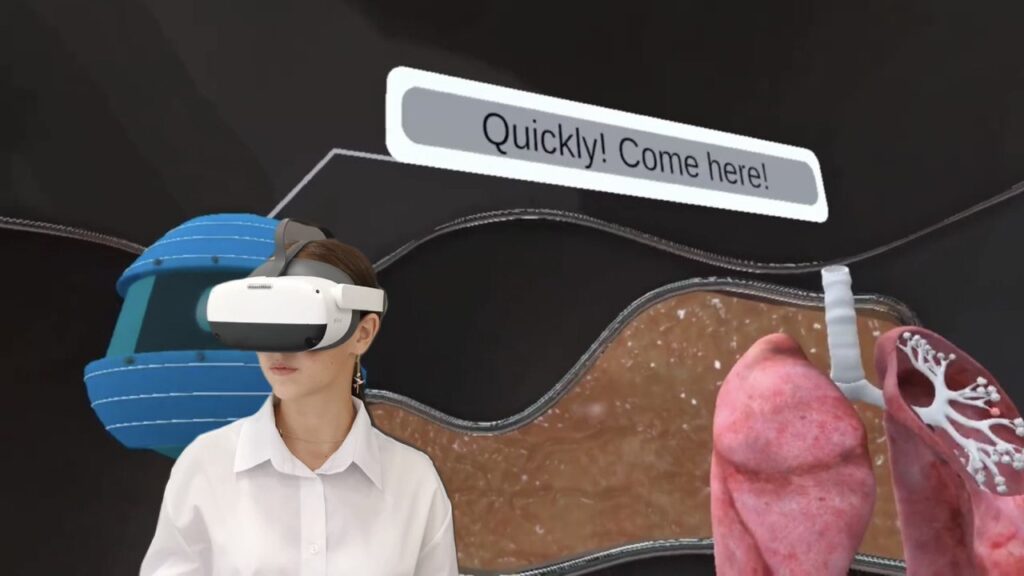
  • Virtual STEM Lessons: Imagine students conducting high-level experiments like mitosis and meiosis, observing gas exchange in the lungs, or understanding the structure of the eye through a fully immersive, hands-on experience. With VR, these advanced biology topics come to life in ways that textbooks and diagrams cannot replicate. For example, in a virtual lab, students can explore protein biosynthesis or simulate photosynthesis at the molecular level, gaining a deeper understanding of biological processes.
  • Access to High-Level Experiments: Many schools don’t have the budget or equipment to conduct advanced STEM experiments. VR in schools allows students to perform experiments like energy metabolism, analyze the human skeleton, or even simulate embryonic development, without requiring expensive or hazardous materials. This opens up access to a level of scientific exploration that was once only possible in university-level labs.
  • Hands-on Learning: VR classrooms provide students with an immersive experience, allowing them to interact with complex concepts like molecular biology or planetary motion in ways that a textbook cannot. For instance, students can visualize the intricate details of protein biosynthesis or take a virtual journey through the human body’s gas exchange system—making abstract ideas tangible and memorable.
  • Real-World Application: Students can explore real-world scenarios in VR education environments, such as performing virtual dissections of the human body or simulating dangerous chemical reactions, all in a safe and controlled setting. Through virtual reality, they can engage with practical applications of STEM concepts, from examining microscopic organisms to understanding the laws of physics through virtual experimentation. VR also offers the opportunity to simulate experiments that would be too dangerous or costly to perform in a traditional classroom.

By integrating virtual reality learning tools, schools can create a dynamic learning environment that fosters curiosity, promotes deeper understanding, and prepares students for the future of STEM fields.

Efficiency of Investment: How 10 VR Headsets Can Serve an Entire Class

Investing in just 10 VR headsets can significantly impact an entire class, making it a cost-effective solution for schools. A class of 30 students can be split into groups, with each group using the headsets in rotation. This setup not only ensures that every student experiences virtual reality for learning, but also makes the investment manageable for schools with limited budgets.

Moreover, schools can apply for grants and subsidies to purchase VR equipment. Many educational institutions are increasingly recognizing the value of VR in education, and funding opportunities are available to support the integration of technology in schools.

The Future of VR in Education

The integration of virtual reality in schools is just beginning. Like interactive whiteboards and tablets, VR is set to become a key part of modern education. Schools that invest in VR classrooms now will lead the way in educational technology.

Beyond engagement, VR in education fosters deeper understanding and retention by making complex concepts interactive and immersive. As VR equipment becomes more affordable, widespread classroom adoption is inevitable. By preparing students with VR tools today, schools are equipping them for success in a rapidly evolving, tech-driven world.

Ready to Transform Your Classroom with VR?

Give your students the opportunity to experience the future of education today! With just 10 VR headsets, you can create an immersive learning environment that brings STEM concepts to life.

Don’t wait—request your free demo now and see how virtual reality can revolutionize your classroom. Explore the possibilities of VR and give your students an unforgettable learning experience!

👉 Request your free demo today!

09 / 30 / 2024

You may like it

Frequently Asked

Your questions, Answered!

How large is the library of XReady Lab content in VR, Web, and PC formats?

XReady Lab offers the largest K–12 STEM VR and Web/PC library with an AI Tutor. The packages include biology, physics, chemistry, and math, covering topics from primary school through high school.


All content is designed to align with major curricula and deliver engaging, interactive learning experiences. New simulations are added monthly.

Which curriculum alignment do you have?

XReady Lab’s simulations are aligned with IB, Cambridge IGCSE, AS & A Levels, NGSS, College Board, Common Core, TEKS, CBSE, BNCC, the National Curriculum for England, the Italian secondary school curriculum (Scuola Secondaria), and the National Curriculum of the Netherlands (VMBO, HAVO, VWO).

What are Career Packs, and which careers do they cover?

Career Packs are VR simulation bundles that let students explore STEM careers in practice. Current packs include: Future Doctor, Future Nurse, Future Engineer, Future HVAC Engineer, Future Biotechnologist, Future Astronomer, Future Neuroscientist.


New Career Packs are added regularly.

What makes XReady Lab’s AI Tutor different from other AI tutors and AI tools?

XReady Lab Superhuman AI Tutor works like a real tutor, guiding students step by step instead of giving ready-made answers. It focuses on reasoning, problem-solving, and explaining mistakes to build real understanding.

Created by international STEM Olympiad winners and coaches, it helps prepare for exams, increases memory retention by 40%, and works in real time in both VR and desktop formats with an internet connection.

What are Lesson Plans, Engagement Playbooks, and classroom scenarios?

XReady Lab packages include complimentary teacher training and ready-to-use Lesson Plans and Engagement Playbooks to support engaging lessons.

They guide teachers in integrating VR/web/PC simulations with clear objectives, step-by-step instructions, classroom management strategies, reflection activities, assessments, and technical checklists — helping teachers run effective lessons beyond the simulations themselves.

How to try XReady Lab for free?

Simply fill out the free demo form here to get access to demo XReady Lab simulations.

How do we plan and purchase a VR classroom?

We start with consultation: our team helps plan the VR classroom for your school. You need internet access and a suitable room — allocate about 5 x 5 feet (1.5 x 1.5 m) per student. One headset per two students works well.

Devices and licenses: schools can use existing Meta Quest or Pico devices and purchase licenses, or we can offer discounted devices or a turnkey solution with pre-installed content.

What happens after purchasing a VR classroom?

After purchase, we guide device setup and content installation and provide teacher training.

Teachers learn how to run VR lessons using Lesson Plans and Engagement Playbooks, manage screen casting and paired learning, and keep students engaged.

Ongoing support is always available.

What technical requirements and internet access are needed?

  • For Desktop or Tablet: Simulations run directly from the personal account and work without internet. If you want the AI Tutor in real time, a stable internet connection is required.
  • For VR headsets (Meta Quest or Pico): Internet is needed only to activate licenses. After activation, simulations work autonomously offline. To use the AI Tutor in real time, internet is required. Make sure your room has power outlets to recharge devices.

VR lessons: duration, class size, screen casting and teacher tools?

VR lessons typically last 5–15 minutes, depending on the simulation, with a recommended class size of up to 20 students. Screen casting is supported and compatible with selected teacher management systems, allowing teachers to launch simulations remotely, monitor progress, and view all devices during lessons.

Teachers are supported with Lesson Plans and Engagement Playbooks that include learning objectives, step-by-step lesson flow, classroom scenarios, reflection questions, practical assignments, and assessment guidance.

In which countries and languages is XReady Lab offered?

XReady Lab is available worldwide and supports 75+ languages. Today, it is used by 800+ schools and 150,000+ students across the globe.

What licensing and pricing options are available?

XReady Lab simulations are offered through flexible licensing packages, depending on the format and subjects you need:

  • VR simulation packages with AI Tutor: simulations are sold in subject-based bundles with an annual license per device. VR Biology + Physics + Chemistry: $975 per year per device.
  • Web version with AI Tutor for home or classroom use without VR headsets: $9.99 per month per user.

If you already have VR headsets, you only purchase licenses. If not, we can also help you choose the most cost-effective setup and licensing model for your school or family.

Which VR headsets are supported?

XReady Lab works with the most widely used standalone VR headsets in schools:

  • Meta Quest: Quest 2, Quest Pro, Quest 3, Quest 3S
  • PICO: Neo 3, Neo 3 Pro, Neo 4, Neo 4 Enterprise

All supported devices are standalone (no PC required), making them easy to deploy and manage in a school environment.

Does XReady Lab allow third-party VR content?

Yes. XReady Lab supports open ecosystems, not closed platforms. Schools can freely use third-party VR content alongside XReady Lab on Meta Quest and PICO headsets.

We encourage schools to diversify their VR classrooms with high-quality educational apps and can recommend tested solutions, helping expand learning beyond STEM into subjects like design, history, environmental studies, and soft skills.

What are the safety guidelines for VR?

XReady Lab follows school VR safety best practices. VR is recommended for students 10–12+, with short 5–15 minute sessions and seated or safe-zone use under teacher supervision, supported by screen casting.

First-time users adapt gradually. Students with medical conditions require parental and school approval, and hygiene is ensured through regular headset cleaning and replaceable face covers.

For families: What home-use options are available?

Families can access XReady Lab simulations at home in two ways:

  • Web version: Here, families can use simulations on computers or tablets with a subscription—no VR headset required.
  • VR home use: To get started, fill out the form and select the role “Parent” to receive a free demo. Our team will then contact you to discuss access and purchase options.