


Everywhere you turn, headlines warn us about artificial intelligence taking over jobs and disrupting the modern world. Is artificial intelligence in teaching truly set to replace educators? The reality is far more positive. Rather than pushing teachers out, AI-based education tools can free them from routine tasks—enabling deeper connections and more personalized guidance for students.
Below, we’ll explore why this technology isn’t a threat, but a helping hand. Then, we’ll look at three cutting-edge solutions that allow teachers to delegate mundane tasks like presentations and tests, letting them focus on meaningful engagement with their class.
One of the biggest anxieties about AI education is job displacement. Will lesson planning or grading be done solely by algorithms, leaving educators redundant? In practice, AI learning solutions complement human expertise. Teachers remain invaluable for mentoring, empathy, and classroom dynamics—none of which machines can replicate. By automating repetitive work, AI-powered learning apps offer educators more bandwidth to design impactful lessons and mentor individual students.
Some worry that adopting these tools might diminish critical thinking in students. Yet it’s no different from past technological shifts: calculators or the internet didn’t eliminate intelligence; they redefined the skill sets needed. Educators who resist might struggle as the world of teaching evolves. On the other hand, those who welcome these solutions can leverage AI for personalized education and create richer experiences.
For a deeper look at this topic, read our article on 5 AI Tools for Teachers.
Let’s dive into three powerful tools that can simplify a teacher’s workload—especially when it comes to creating AI presentation materials and AI tests.
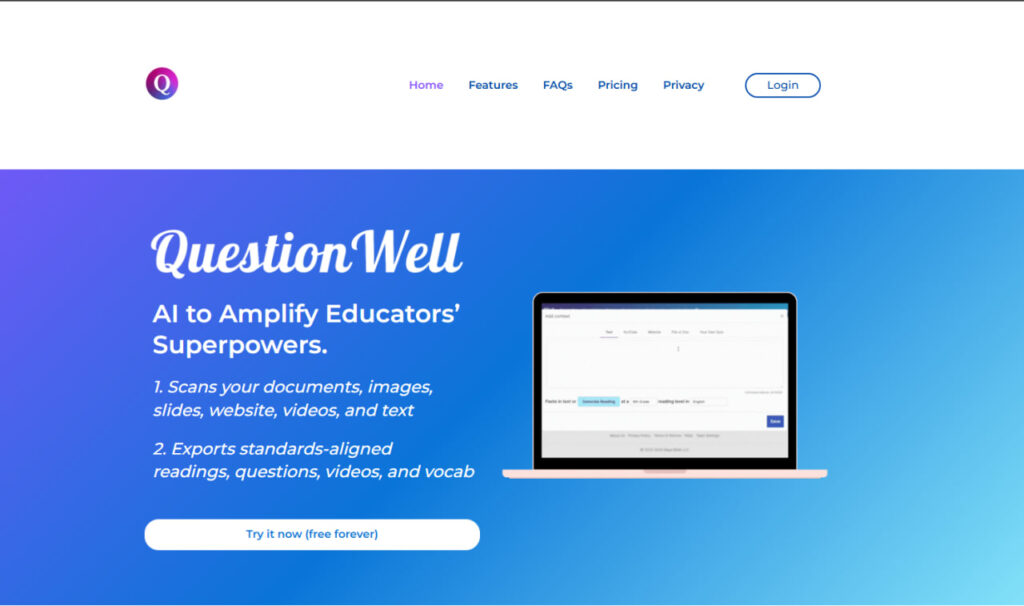
Question Well specializes in generating quizzes, worksheets, and even mini-exams tailored to your subject matter. You provide the key concepts or topics, and the system suggests question formats—multiple choice, short answer, or true/false. This approach lets you craft AI in K-12 education assessments quickly, ensuring variety in question styles while maintaining consistent difficulty levels.
Key Benefits:

Gamma transforms slides and lesson outlines into visually compelling material within minutes. For educators short on time (and budget), this is a game-changer. Upload your bullet points, and Gamma automatically designs a cohesive, interactive presentation. This tool helps teachers focus on content quality rather than graphic design, ensuring that every AI presentation is polished and effective.
Key Benefits:
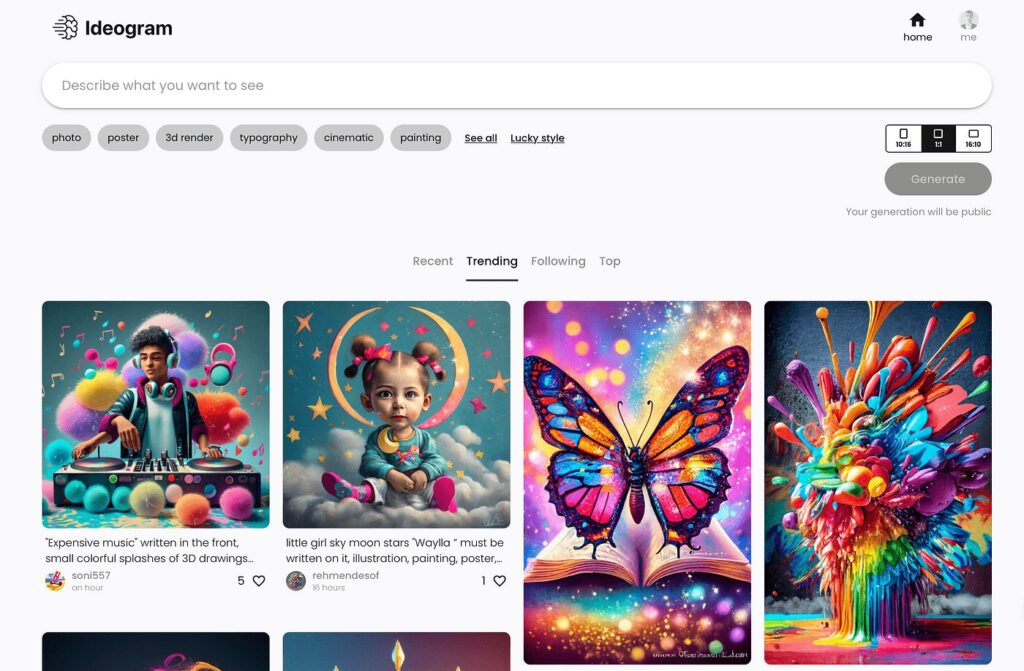
For brainstorming sessions, Ideogram suggests creative prompts, diagrams, or concept maps. Teachers can use Ideogram to develop new class activities or show connections between subjects. It’s especially useful for interdisciplinary lessons, where linking ideas is crucial. Ideogram can also produce short, visually guided outlines for more complex discussions—helping students grasp intricate topics step by step.
Key Benefits:
Tools like Question Well, Gamma, and Ideogram don’t aim to replace the human touch. Instead, they simplify repetitive tasks and let teachers shine where they’re most needed. By cutting down on admin work, educators can focus on classroom interaction, critical thinking exercises, and student mentorship.
Some worry that students might rely too heavily on automated solutions, losing essential skills. Yet the role of a skilled teacher remains central to guiding responsible tool usage. If used ethically, AI can enhance the depth and personalization of learning without undermining intellectual growth.
The promise of AI education lies in its potential to adapt to each learner. Imagine tracking how each student performs, where they struggle, and automatically adjusting the curriculum. This is just the beginning of how AI is transforming education. Teachers guide the emotional, social, and intellectual realms of growth; AI handles the mechanics of lesson presentation, data analytics, and test generation.
In the end, the fear that AI will “take over” is largely unfounded. The most likely outcome is a new era of teaching where educators and their digital counterparts coexist, creating richer, more flexible experiences for every student.
AI isn’t about pushing teachers aside—it’s about elevating them to focus on what truly matters: inspiring students, nurturing curiosity, and fostering meaningful interactions. Whether you need a quick quiz generator, a streamlined presentation tool, or an ideation platform, leveraging AI can help you do more with less stress.
Ready to explore the possibilities of AI-based teaching tools? Embrace these modern solutions and watch how they can transform your workload, freeing you to focus on real teaching, empathy, and human connection in the classroom.
Frequently Asked
XReady Lab offers the largest K–12 STEM VR and Web/PC library with an AI Tutor. The packages include biology, physics, chemistry, and math, covering topics from primary school through high school.
All content is designed to align with major curricula and deliver engaging, interactive learning experiences. New simulations are added monthly.
XReady Lab’s simulations are aligned with IB, Cambridge IGCSE, AS & A Levels, NGSS, College Board, Common Core, TEKS, CBSE, BNCC, the National Curriculum for England, the Italian secondary school curriculum (Scuola Secondaria), and the National Curriculum of the Netherlands (VMBO, HAVO, VWO).
Career Packs are VR simulation bundles that let students explore STEM careers in practice. Current packs include: Future Doctor, Future Nurse, Future Engineer, Future HVAC Engineer, Future Biotechnologist, Future Astronomer, Future Neuroscientist.
New Career Packs are added regularly.
XReady Lab Superhuman AI Tutor works like a real tutor, guiding students step by step instead of giving ready-made answers. It focuses on reasoning, problem-solving, and explaining mistakes to build real understanding.
Created by international STEM Olympiad winners and coaches, it helps prepare for exams, increases memory retention by 40%, and works in real time in both VR and desktop formats with an internet connection.
XReady Lab packages include complimentary teacher training and ready-to-use Lesson Plans and Engagement Playbooks to support engaging lessons.
They guide teachers in integrating VR/web/PC simulations with clear objectives, step-by-step instructions, classroom management strategies, reflection activities, assessments, and technical checklists — helping teachers run effective lessons beyond the simulations themselves.
Simply fill out the free demo form here to get access to demo XReady Lab simulations.
We start with consultation: our team helps plan the VR classroom for your school. You need internet access and a suitable room — allocate about 5 x 5 feet (1.5 x 1.5 m) per student. One headset per two students works well.
Devices and licenses: schools can use existing Meta Quest or Pico devices and purchase licenses, or we can offer discounted devices or a turnkey solution with pre-installed content.
After purchase, we guide device setup and content installation and provide teacher training.
Teachers learn how to run VR lessons using Lesson Plans and Engagement Playbooks, manage screen casting and paired learning, and keep students engaged.
Ongoing support is always available.
VR lessons typically last 5–15 minutes, depending on the simulation, with a recommended class size of up to 20 students. Screen casting is supported and compatible with selected teacher management systems, allowing teachers to launch simulations remotely, monitor progress, and view all devices during lessons.
Teachers are supported with Lesson Plans and Engagement Playbooks that include learning objectives, step-by-step lesson flow, classroom scenarios, reflection questions, practical assignments, and assessment guidance.
XReady Lab is available worldwide and supports 75+ languages. Today, it is used by 800+ schools and 150,000+ students across the globe.
XReady Lab simulations are offered through flexible licensing packages, depending on the format and subjects you need:
If you already have VR headsets, you only purchase licenses. If not, we can also help you choose the most cost-effective setup and licensing model for your school or family.
XReady Lab works with the most widely used standalone VR headsets in schools:
All supported devices are standalone (no PC required), making them easy to deploy and manage in a school environment.
Yes. XReady Lab supports open ecosystems, not closed platforms. Schools can freely use third-party VR content alongside XReady Lab on Meta Quest and PICO headsets.
We encourage schools to diversify their VR classrooms with high-quality educational apps and can recommend tested solutions, helping expand learning beyond STEM into subjects like design, history, environmental studies, and soft skills.
XReady Lab follows school VR safety best practices. VR is recommended for students 10–12+, with short 5–15 minute sessions and seated or safe-zone use under teacher supervision, supported by screen casting.
First-time users adapt gradually. Students with medical conditions require parental and school approval, and hygiene is ensured through regular headset cleaning and replaceable face covers.
Families can access XReady Lab simulations at home in two ways:


