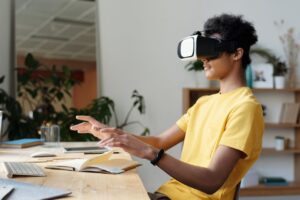
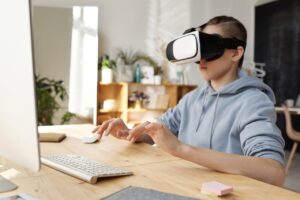
In today’s fast-paced world, the alpha generation, born after 2010, is growing up with technology integrated into every aspect of life. This generation, children of the digital age, has distinct characteristics that demand a rethinking of traditional educational approaches. Gadgets, online platforms, and constant connectivity define their daily routines, creating a generation that perceives information differently from those who came before them.
The alpha generation represents a new wave of learners, deeply immersed in the digital world from birth. These children are shaped by rapid technological advancements, the rise of social media, and the proliferation of smart devices. With unprecedented access to information, they are quick learners, highly adaptable, and visually oriented.
While the alpha generation enjoys many advantages, such as prioritizing a healthy lifestyle, emotional intelligence, and agility in a world of constant change, their learning needs differ significantly from previous generations.
Gadgets Are Central to Their Lives

From the moment they were born, gadgets like smartphones and tablets have been part of their environment. They are proficient in using these devices for various activities, from playing games to learning. This deep integration of technology affects their attention spans and learning habits.
Seamless Perception of Online and Offline Life
For alpha kids, there is no clear distinction between real life and online life. Whether they are participating in extracurricular activities, interacting with friends, or studying, they move effortlessly between physical and digital worlds. This requires schools to integrate digital tools into the classroom to reflect their hybrid reality.
The Speed of Information Matters
These children have had the internet at their fingertips since birth, making them accustomed to instant access to information. They thrive on the freedom to search for answers quickly, which can make traditional, slow-paced lessons less engaging.
Visual Learning is King
In a world of videos, memes, and interactive media, visuals are far more engaging for the alpha generation than text. This shift in preference means that education systems must incorporate more visual tools, such as virtual reality (VR) and digital simulations, to maintain their attention and optimize learning outcomes.
Short Attention Spans
The alpha generation is used to consuming information in quick bursts. Long lectures or extended reading sessions may not hold their focus. Instead, they benefit from dense, impactful lessons packed with visual and interactive content that keeps them engaged.
Given these characteristics, educators must rethink their approaches to better suit the alpha generation’s learning preferences. Traditional methods may no longer be sufficient, but modern tools like VR education and interactive classrooms offer solutions tailored to this generation.
Why Virtual Reality is Ideal for Alpha Learners
The immersive nature of VR in the classroom caters perfectly to alpha learners. Since they already embrace gadgets and digital tools, VR offers an engaging way to enhance their learning experience. Here’s why VR is particularly suited to the alpha generation:
Visually Engaging:
XReady Lab: Gas Exchange in Alveoli VR simulation
VR emphasizes visuals over text, offering an interactive way to explore complex concepts. For example, students can enter a VR chemistry lab to visualize molecules, or take a virtual field trip to historical landmarks, making abstract lessons come to life.
Capturing and Retaining Attention:
With short attention spans, alpha students need lessons that grab their interest quickly. Virtual reality education provides immersive environments that captivate learners, ensuring they remain engaged throughout the lesson.
Seamless Integration of Online and Offline Learning:
Since alpha kids naturally blend their digital and physical worlds, VR for education allows them to experience this same seamless integration during class, whether they’re participating in a STEM lab or engaging in VR learning platforms.
High-Density Information in Short Timeframes:
VR compresses hours of reading into quick, digestible experiences. For example, a VR biology class can teach anatomy through interactive 3D models, offering a comprehensive lesson in just minutes.
While older generations may question the shift toward technology-heavy teaching, the reality is that education must evolve. Alpha students are fundamentally different learners, and the old methods of instruction no longer suit their needs. It’s not that today’s students are better or worse; they are simply growing up in a world that operates at a different pace with different expectations.
Incorporating technologies like VR in education or transforming the classroom into a digital classroom is no longer optional—it’s essential for staying relevant. Adapting to these changes not only benefits students but also prepares them for a future where technology will continue to play a major role in every facet of life.
Curious about how VR can revolutionize education for the alpha generation? Explore immersive, interactive, and future-ready learning environments that cater to how today’s students engage with the world. From VR classrooms to smart educational tools, discover how these technologies can transform the way students learn and thrive.
Request a free demo from XReady Lab today and see firsthand how you can enhance student engagement and empower educators with cutting-edge VR solutions.
Frequently Asked
XReady Lab offers the largest K–12 STEM VR and Web/PC library with an AI Tutor. The packages include biology, physics, chemistry, and math, covering topics from primary school through high school.
All content is designed to align with major curricula and deliver engaging, interactive learning experiences. New simulations are added monthly.
XReady Lab’s simulations are aligned with IB, Cambridge IGCSE, AS & A Levels, NGSS, College Board, Common Core, TEKS, CBSE, BNCC, the National Curriculum for England, the Italian secondary school curriculum (Scuola Secondaria), and the National Curriculum of the Netherlands (VMBO, HAVO, VWO).
Career Packs are VR simulation bundles that let students explore STEM careers in practice. Current packs include: Future Doctor, Future Nurse, Future Engineer, Future HVAC Engineer, Future Biotechnologist, Future Astronomer, Future Neuroscientist.
New Career Packs are added regularly.
XReady Lab Superhuman AI Tutor works like a real tutor, guiding students step by step instead of giving ready-made answers. It focuses on reasoning, problem-solving, and explaining mistakes to build real understanding.
Created by international STEM Olympiad winners and coaches, it helps prepare for exams, increases memory retention by 40%, and works in real time in both VR and desktop formats with an internet connection.
XReady Lab packages include complimentary teacher training and ready-to-use Lesson Plans and Engagement Playbooks to support engaging lessons.
They guide teachers in integrating VR/web/PC simulations with clear objectives, step-by-step instructions, classroom management strategies, reflection activities, assessments, and technical checklists — helping teachers run effective lessons beyond the simulations themselves.
Simply fill out the free demo form here to get access to demo XReady Lab simulations.
We start with consultation: our team helps plan the VR classroom for your school. You need internet access and a suitable room — allocate about 5 x 5 feet (1.5 x 1.5 m) per student. One headset per two students works well.
Devices and licenses: schools can use existing Meta Quest or Pico devices and purchase licenses, or we can offer discounted devices or a turnkey solution with pre-installed content.
After purchase, we guide device setup and content installation and provide teacher training.
Teachers learn how to run VR lessons using Lesson Plans and Engagement Playbooks, manage screen casting and paired learning, and keep students engaged.
Ongoing support is always available.
VR lessons typically last 5–15 minutes, depending on the simulation, with a recommended class size of up to 20 students. Screen casting is supported and compatible with selected teacher management systems, allowing teachers to launch simulations remotely, monitor progress, and view all devices during lessons.
Teachers are supported with Lesson Plans and Engagement Playbooks that include learning objectives, step-by-step lesson flow, classroom scenarios, reflection questions, practical assignments, and assessment guidance.
XReady Lab is available worldwide and supports 75+ languages. Today, it is used by 800+ schools and 150,000+ students across the globe.
XReady Lab simulations are offered through flexible licensing packages, depending on the format and subjects you need:
If you already have VR headsets, you only purchase licenses. If not, we can also help you choose the most cost-effective setup and licensing model for your school or family.
XReady Lab works with the most widely used standalone VR headsets in schools:
All supported devices are standalone (no PC required), making them easy to deploy and manage in a school environment.
Yes. XReady Lab supports open ecosystems, not closed platforms. Schools can freely use third-party VR content alongside XReady Lab on Meta Quest and PICO headsets.
We encourage schools to diversify their VR classrooms with high-quality educational apps and can recommend tested solutions, helping expand learning beyond STEM into subjects like design, history, environmental studies, and soft skills.
XReady Lab follows school VR safety best practices. VR is recommended for students 10–12+, with short 5–15 minute sessions and seated or safe-zone use under teacher supervision, supported by screen casting.
First-time users adapt gradually. Students with medical conditions require parental and school approval, and hygiene is ensured through regular headset cleaning and replaceable face covers.
Families can access XReady Lab simulations at home in two ways: