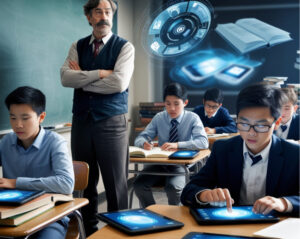
Everywhere you turn, headlines warn us about artificial intelligence taking over jobs, lowering human creativity, and thrusting the world into disarray. Is AI truly an unstoppable force that will upend everything we know—including our schools and classrooms?
Don’t panic. While it may seem ominous at first glance, this technology isn’t destined to replace teachers or eradicate meaningful work. Instead, it offers a huge advantage to those who learn how to harness it effectively. Below, we’ll explore the actual impact of AI in schools, how it benefits teachers, and why resisting it may be as futile as trying to stop the internet itself.
One of the biggest fears about artificial intelligence in schools—and in broader society—is job displacement. People worry that advanced algorithms will do the thinking for us, leaving teachers jobless and students incapable of independent thought.

In reality, AI-powered learning solutions aim to enhance, not eliminate, the human element. The role of a teacher remains invaluable for fostering empathy, creativity, and social skills—traits that algorithms can’t replicate. AI in the classroom often takes over repetitive tasks, allowing educators to spend more time on genuine teaching and personalized guidance.
This advantage isn’t about replacing teachers; it’s about augmenting their capabilities.
Check out our article on Top 5 AI Tools for Teachers to see how educators can streamline tasks and reclaim precious hours.

Another common concern: “If AI is readily available, won’t students just rely on it for homework, essays, and projects, never using their own brains?”
In a sense, yes—students are already turning to AI tutor for students apps to generate instant answers or produce essay drafts. However, this doesn’t have to spell disaster:
The real power of AI in K-12 education lies in customized learning paths. An AI-enhanced curriculum can track student performance, identify gaps, and adapt lessons accordingly. This adaptive learning technology ensures each student receives the right level of challenge and support.
EdTech AI solutions won’t vanish from education. Much like the internet, these technologies will continue evolving, influencing how we teach and learn.
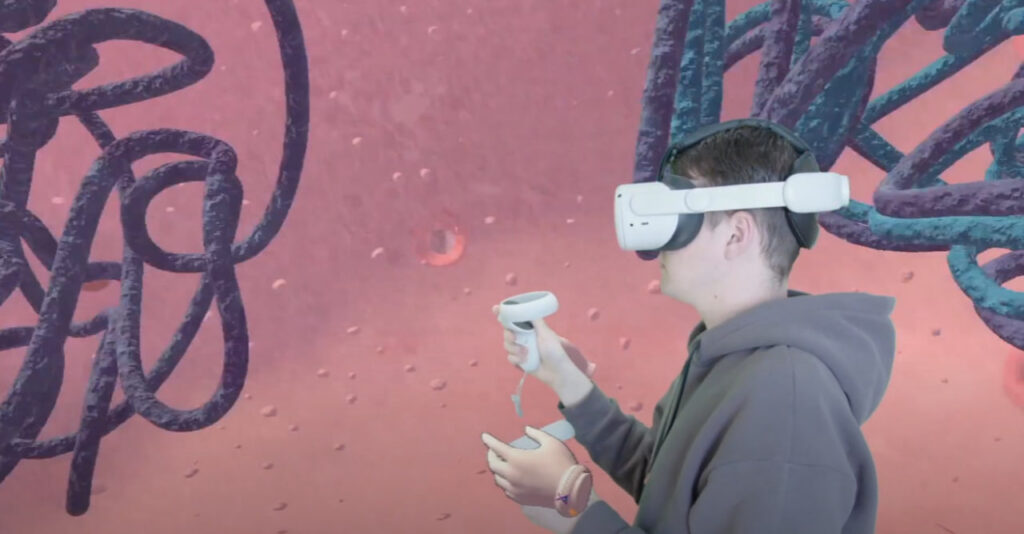
While we focus on AI’s influence, it’s worth noting that immersive tools—like advanced digital simulations—also shape modern learning. We at XReady Lab specialize in interactive modules for STEM labs, using cutting-edge tech to enhance academic engagement.
But the big question is: Do these technologies replace human interaction? The answer is no. Teachers maintain a crucial role in guiding, inspiring, and addressing complex emotional or social needs that no machine can fulfill.
In fact, combining AI for personalized learning with immersive digital methods can revolutionize how students approach difficult topics—particularly in STEM. Labs powered by advanced software help clarify complex phenomena, while AI-driven tutoring pinpoints student difficulties, offering real-time solutions.
Resistance is often rooted in fear. The internet once sparked worries about plagiarized research papers and the collapse of print media. Yet we’ve adapted. AI in the classroom follows a similar path: it won’t vanish, no matter how much we debate its downsides.
Rather than resist, educators and parents can explore AI for teachers to streamline administrative tasks. AI-powered learning platforms can supplement lessons, not replace them.
Despite alarmist headlines, the answer is likely no. AI is more akin to a powerful tool—like electricity or the internet—than an uncontrollable force. Yes, it will transform industries, including education, but it doesn’t herald a total meltdown. People who learn to use these algorithms effectively will thrive, while those who ignore them risk falling behind.
AI doesn’t nullify human creativity or replace compassionate teaching. Instead, it aids those who leverage it smartly, freeing them from tedious tasks and enabling them to focus on meaningful contributions.
“Humanity Has Created an AI That Will Plunge the World into Chaos!” may be a compelling headline, but the reality is far less dramatic. While AI in schools prompts us to reconsider traditional teaching methods, its primary impact is to automate repetitive work and provide personalized learning pathways.
If you’re still skeptical, consider how a teacher using AI can design lessons or analyze student performance in minutes, while another labors for hours. That’s not chaos; it’s progression.
No matter how advanced AI becomes, it remains a tool. Let’s adapt its capabilities for the greater good—empowering educators to do what they do best: guiding the next generation to think, innovate, and lead.
Interested in exploring AI-driven teaching tools that lighten your workload? Check out our article on Top 5 AI Tools for Teachers and see how to make the most of this new educational frontier.
Frequently Asked
XReady Lab offers the largest K–12 STEM VR and Web/PC library with an AI Tutor. The packages include biology, physics, chemistry, and math, covering topics from primary school through high school.
All content is designed to align with major curricula and deliver engaging, interactive learning experiences. New simulations are added monthly.
XReady Lab’s simulations are aligned with IB, Cambridge IGCSE, AS & A Levels, NGSS, College Board, Common Core, TEKS, CBSE, BNCC, the National Curriculum for England, the Italian secondary school curriculum (Scuola Secondaria), and the National Curriculum of the Netherlands (VMBO, HAVO, VWO).
Career Packs are VR simulation bundles that let students explore STEM careers in practice. Current packs include: Future Doctor, Future Nurse, Future Engineer, Future HVAC Engineer, Future Biotechnologist, Future Astronomer, Future Neuroscientist.
New Career Packs are added regularly.
XReady Lab Superhuman AI Tutor works like a real tutor, guiding students step by step instead of giving ready-made answers. It focuses on reasoning, problem-solving, and explaining mistakes to build real understanding.
Created by international STEM Olympiad winners and coaches, it helps prepare for exams, increases memory retention by 40%, and works in real time in both VR and desktop formats with an internet connection.
XReady Lab packages include complimentary teacher training and ready-to-use Lesson Plans and Engagement Playbooks to support engaging lessons.
They guide teachers in integrating VR/web/PC simulations with clear objectives, step-by-step instructions, classroom management strategies, reflection activities, assessments, and technical checklists — helping teachers run effective lessons beyond the simulations themselves.
Simply fill out the free demo form here to get access to demo XReady Lab simulations.
We start with consultation: our team helps plan the VR classroom for your school. You need internet access and a suitable room — allocate about 5 x 5 feet (1.5 x 1.5 m) per student. One headset per two students works well.
Devices and licenses: schools can use existing Meta Quest or Pico devices and purchase licenses, or we can offer discounted devices or a turnkey solution with pre-installed content.
After purchase, we guide device setup and content installation and provide teacher training.
Teachers learn how to run VR lessons using Lesson Plans and Engagement Playbooks, manage screen casting and paired learning, and keep students engaged.
Ongoing support is always available.
VR lessons typically last 5–15 minutes, depending on the simulation, with a recommended class size of up to 20 students. Screen casting is supported and compatible with selected teacher management systems, allowing teachers to launch simulations remotely, monitor progress, and view all devices during lessons.
Teachers are supported with Lesson Plans and Engagement Playbooks that include learning objectives, step-by-step lesson flow, classroom scenarios, reflection questions, practical assignments, and assessment guidance.
XReady Lab is available worldwide and supports 75+ languages. Today, it is used by 800+ schools and 150,000+ students across the globe.
XReady Lab simulations are offered through flexible licensing packages, depending on the format and subjects you need:
If you already have VR headsets, you only purchase licenses. If not, we can also help you choose the most cost-effective setup and licensing model for your school or family.
XReady Lab works with the most widely used standalone VR headsets in schools:
All supported devices are standalone (no PC required), making them easy to deploy and manage in a school environment.
Yes. XReady Lab supports open ecosystems, not closed platforms. Schools can freely use third-party VR content alongside XReady Lab on Meta Quest and PICO headsets.
We encourage schools to diversify their VR classrooms with high-quality educational apps and can recommend tested solutions, helping expand learning beyond STEM into subjects like design, history, environmental studies, and soft skills.
XReady Lab follows school VR safety best practices. VR is recommended for students 10–12+, with short 5–15 minute sessions and seated or safe-zone use under teacher supervision, supported by screen casting.
First-time users adapt gradually. Students with medical conditions require parental and school approval, and hygiene is ensured through regular headset cleaning and replaceable face covers.
Families can access XReady Lab simulations at home in two ways: