


Q: Which VR headset should I buy for a school classroom in 2025?
A: The best VR headsets for schools today are Meta Quest 2, Pico Neo 3, and Pico 4. They’re affordable, wireless, comfortable for students, and support open educational libraries instead of being locked into one provider’s content.
Teachers and school tech coordinators ask this question constantly: Which VR headset is best for the classroom?
It’s a fair question. VR in education is growing fast, but not every device that looks impressive in ads fits the reality of a busy classroom. You need something lightweight, autonomous, easy to manage, and affordable enough to buy several units without breaking the school budget.
We’ve already written a few reviews of VR headsets, but this time let’s focus specifically on what works for schools – not for gaming or entertainment.
Before choosing a headset, you need to think less like a gamer and more like a teacher who has to manage 20 students wearing headsets at once.
Here’s what actually matters:
Autonomy: A VR headset should work without wires or external PCs. Teachers can’t spend 15 minutes untangling cables or connecting each student to a laptop.
Openness: Avoid devices that only allow apps from one company. For example, ClassVR looks like an “educational headset,” but it locks you into a single content library. Open devices let schools install dozens of free or affordable apps from various developers.
Comfort: The headset should be light, adjustable, and easy to fit different students. Kids have different head sizes and interpupillary distances.
Battery Life: You don’t want to recharge after every class. A solid 2–3 hours of active use is a must.
Broadcasting Ability: Teachers should be able to see what students see. This helps with supervision and classroom control.
Content Library: The broader, the better. Students should be able to explore not just STEM, but also history, geography, and languages.
Let’s be realistic: most schools cannot afford ten Apple Vision Pros. Nor should they try to. The goal is balance – good graphics, comfort, open platform, and price.
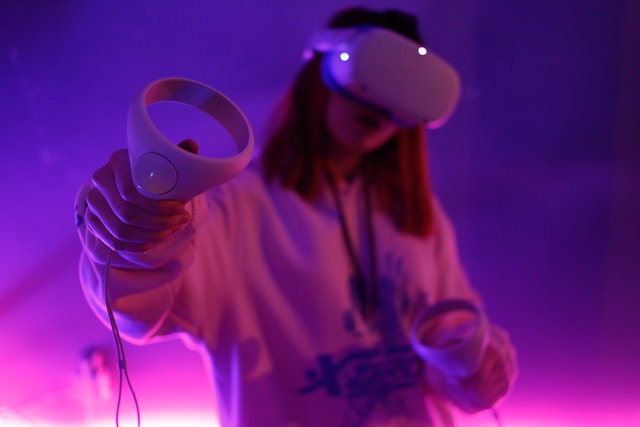
Still one of the best all-around options for schools.
Fully standalone (no cables, no PC needed once apps are installed).
Lightweight and comfortable for long sessions.
Adjustable lenses and straps for different students.
Strong library of educational apps in Meta Store: science, language, art, and geography experiences.
Battery lasts up to 2.5 hours of active use.
Teachers can also cast the view to a tablet or computer, allowing them to monitor the class or guide discussions.
Meta Quest 2 runs all major VR learning apps, including the AI-powered STEM labs from XReady Lab, already used by more than 150,000 students worldwide.
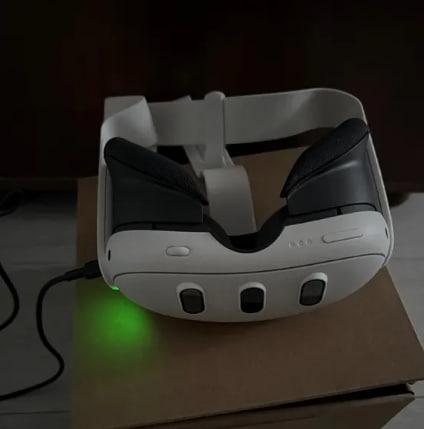
If your school budget allows a little more flexibility, the Meta Quest 3 is a smart long-term investment. Think of it as an upgraded version of the Quest 2 – better graphics, stronger performance, and an added mixed reality mode that blends the virtual and physical classroom together.
Students can see their real surroundings while still interacting with virtual objects, which adds an extra layer of safety and creativity during lessons. The visual clarity is noticeably higher, the processing speed faster, and the overall design slimmer and more balanced.
That said, the arrival of Quest 3 doesn’t make the Quest 2 obsolete. Just like older iPhones still work perfectly fine in classrooms – an iPhone 11 still does its job, but most people today choose at least a 13 or newer model because long-term support gradually fades for older ones. The same logic applies here.
If your school can afford it, go for Meta Quest 3. It’s future-proof and will stay relevant for years as VR education platforms evolve.
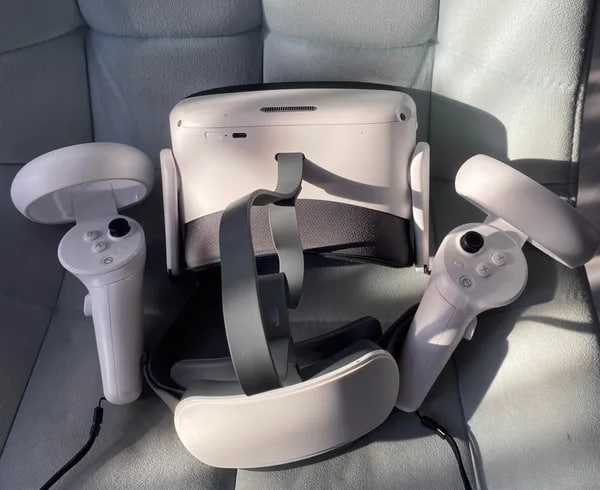
Pico’s Neo line became the go-to choice for schools that want flexibility without Meta accounts.
Fully wireless and independent.
Excellent image clarity and tracking.
Lighter than many competitors, so students can wear it longer without fatigue.
Easy to manage multiple devices simultaneously – perfect for classroom settings.
Works with Android-based content and supports most open educational platforms.
The price-to-performance ratio is one of the best on the market, making it ideal for schools buying several headsets.
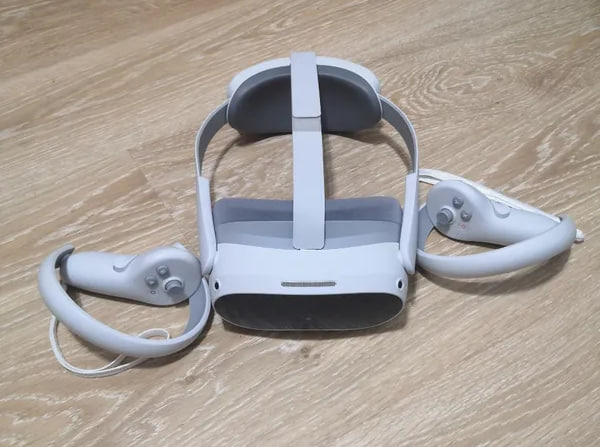
The newer Pico 4 improves everything that made Neo 3 good.
Even lighter and better balanced.
Higher resolution (2160×2160 per eye).
Wider field of view and more comfortable straps.
Smooth motion tracking and minimal lag – critical for science or anatomy apps.
Teachers often highlight its clean design and how easily it fits different age groups.
Pico 4 also supports casting to the teacher’s monitor for supervision.
Some headsets look impressive in tech reviews but fail in classrooms.
Headsets that require a PC connection, like HTC Vive or Valve Index, may have excellent performance, but they’re overkill for education. They require extra hardware, take longer to set up, and cost far more than a school needs to spend.
Yes, it’s the new shiny toy in the VR world. But let’s be honest – for education, it’s unnecessary.
Extremely expensive (around $3,500).
Limited educational content.
Heavy and not designed for group classroom use.
Complex setup and maintenance.
It’s great for innovation labs or research centers, not for everyday classrooms.
A reasonable budget per headset for education in 2025:
$300–$500 per device.
That’s the range for models like Meta Quest 2 or Pico Neo 3, which offer strong performance, long battery life, and access to thousands of apps.
Remember: you’re not just buying a gadget. You’re building a digital classroom. Even two or three headsets can transform science or history lessons.
Once the school has the devices, the possibilities expand fast.
You can install hundreds of educational experiences in science, art, languages, and history.
For example, in biology and physics, students can explore the AI-powered VR science labs from XReady Lab – from the animal cell to DNA replication.
They can see mitosis unfold in 3D, manipulate molecules, or explore the heart’s anatomy in motion.
Check our recent guide to Top 60 Educational VR Apps for more classroom ideas.
If you’re building a VR classroom, here’s a quick checklist:
5–10 autonomous headsets (Meta Quest 2 or Pico 4).
Central Wi-Fi connection for updates and teacher broadcasting.
Storage and charging station.
Pre-installed educational content across subjects.
Optional VR management software for classroom control.
If your school wants help choosing and setting up everything, contact us at XReady Lab.
We can help you build a custom VR learning package that includes STEM, geography, history, and even career exploration simulations.
VR is no longer the future of education – it’s the present.
The question isn’t if your school should adopt it, but how.
Choose devices that are light, open, affordable, and flexible.
Skip the hype. Focus on what actually helps students learn, stay curious, and interact.
And when you’re ready to bring VR into your classroom – we’ll help you make it happen.
Frequently Asked
XReady Lab offers the largest K–12 STEM VR and Web/PC library with an AI Tutor. The packages include biology, physics, chemistry, and math, covering topics from primary school through high school.
All content is designed to align with major curricula and deliver engaging, interactive learning experiences. New simulations are added monthly.
XReady Lab’s simulations are aligned with IB, Cambridge IGCSE, AS & A Levels, NGSS, College Board, Common Core, TEKS, CBSE, BNCC, the National Curriculum for England, the Italian secondary school curriculum (Scuola Secondaria), and the National Curriculum of the Netherlands (VMBO, HAVO, VWO).
Career Packs are VR simulation bundles that let students explore STEM careers in practice. Current packs include: Future Doctor, Future Nurse, Future Engineer, Future HVAC Engineer, Future Biotechnologist, Future Astronomer, Future Neuroscientist.
New Career Packs are added regularly.
XReady Lab Superhuman AI Tutor works like a real tutor, guiding students step by step instead of giving ready-made answers. It focuses on reasoning, problem-solving, and explaining mistakes to build real understanding.
Created by international STEM Olympiad winners and coaches, it helps prepare for exams, increases memory retention by 40%, and works in real time in both VR and desktop formats with an internet connection.
XReady Lab packages include complimentary teacher training and ready-to-use Lesson Plans and Engagement Playbooks to support engaging lessons.
They guide teachers in integrating VR/web/PC simulations with clear objectives, step-by-step instructions, classroom management strategies, reflection activities, assessments, and technical checklists — helping teachers run effective lessons beyond the simulations themselves.
Simply fill out the free demo form here to get access to demo XReady Lab simulations.
We start with consultation: our team helps plan the VR classroom for your school. You need internet access and a suitable room — allocate about 5 x 5 feet (1.5 x 1.5 m) per student. One headset per two students works well.
Devices and licenses: schools can use existing Meta Quest or Pico devices and purchase licenses, or we can offer discounted devices or a turnkey solution with pre-installed content.
After purchase, we guide device setup and content installation and provide teacher training.
Teachers learn how to run VR lessons using Lesson Plans and Engagement Playbooks, manage screen casting and paired learning, and keep students engaged.
Ongoing support is always available.
VR lessons typically last 5–15 minutes, depending on the simulation, with a recommended class size of up to 20 students. Screen casting is supported and compatible with selected teacher management systems, allowing teachers to launch simulations remotely, monitor progress, and view all devices during lessons.
Teachers are supported with Lesson Plans and Engagement Playbooks that include learning objectives, step-by-step lesson flow, classroom scenarios, reflection questions, practical assignments, and assessment guidance.
XReady Lab is available worldwide and supports 75+ languages. Today, it is used by 800+ schools and 150,000+ students across the globe.
XReady Lab simulations are offered through flexible licensing packages, depending on the format and subjects you need:
If you already have VR headsets, you only purchase licenses. If not, we can also help you choose the most cost-effective setup and licensing model for your school or family.
XReady Lab works with the most widely used standalone VR headsets in schools:
All supported devices are standalone (no PC required), making them easy to deploy and manage in a school environment.
Yes. XReady Lab supports open ecosystems, not closed platforms. Schools can freely use third-party VR content alongside XReady Lab on Meta Quest and PICO headsets.
We encourage schools to diversify their VR classrooms with high-quality educational apps and can recommend tested solutions, helping expand learning beyond STEM into subjects like design, history, environmental studies, and soft skills.
XReady Lab follows school VR safety best practices. VR is recommended for students 10–12+, with short 5–15 minute sessions and seated or safe-zone use under teacher supervision, supported by screen casting.
First-time users adapt gradually. Students with medical conditions require parental and school approval, and hygiene is ensured through regular headset cleaning and replaceable face covers.
Families can access XReady Lab simulations at home in two ways:
