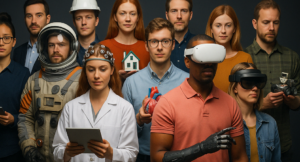
Picture the class of 2035. Some graduates will work in industries that do not yet exist; others will watch today’s “dream jobs” disappear beneath waves of automation. In this climate, students need a transferable toolkit—skills that pivot as quickly as the labour market. At the top of that list sits communication: the art of structuring a clear argument, listening without bias, and sparring respectfully in high-pressure moments. When schools weave debate drills into everyday lessons, they give learners a professional edge that no algorithm can replace.

Static content: Slides and worksheets rarely force students to defend an idea in real time.
One-direction feedback: Teachers talk; pupils absorb. Employers, meanwhile, demand two-way collaboration and agile thinking.
Rapid change: A curriculum updated every few years cannot keep pace with emerging roles in biotech, AI, or immersive-tech marketing—yet persuasive language is evergreen.

Meta-skills (adaptability, resilience) form a learner’s core operating system.
Soft-skills (public speaking, negotiation) are the applications that run on top.
When meta-skills are strong, students install new soft-skills—like advanced debate techniques—faster and with deeper retention.
Divide and assign
Two balanced teams receive a provocative statement—“Single-use plastics should be banned worldwide.” Each team must champion one side, even if members disagree personally.
Rapid-research sprint
Ten minutes to outline three bulletproof arguments plus one emotional appeal. Students learn concise research under a ticking clock—mirroring real workplace deadlines.
Live debate
Opening statements, timed rebuttals, cross-examination, closing summaries. A student-moderator tracks speaking order and time.
Plot twist
Midway, the teacher announces a side-switch. Arguments flip, forcing teams to empathise and discover new evidence fast.
Reflection circle
Learners share which stance felt tougher, which persuasive tactics landed, and how empathy reshaped their view. This metacognitive wrap-up cements growth.
Tip for busy teachers: The full cycle fits a 45-minute period when prompts and timers are prepared in advance.
Environmental science: Debate carbon-tax policy after analysing data gathered in a VR physics carbon-capture simulation.
Biology: Argue bioethical pros and cons of CRISPR edits, immediately following a VR biology gene-splicing walkthrough.
Chemistry: After exploring an acid–base titration in a VR chemistry lab, students defend or oppose replacing real reagents with virtual ones to cut school-lab waste.
These integrations prove that argumentation is not an “extra” lesson but a lens through which every discipline becomes more relevant and memorable.
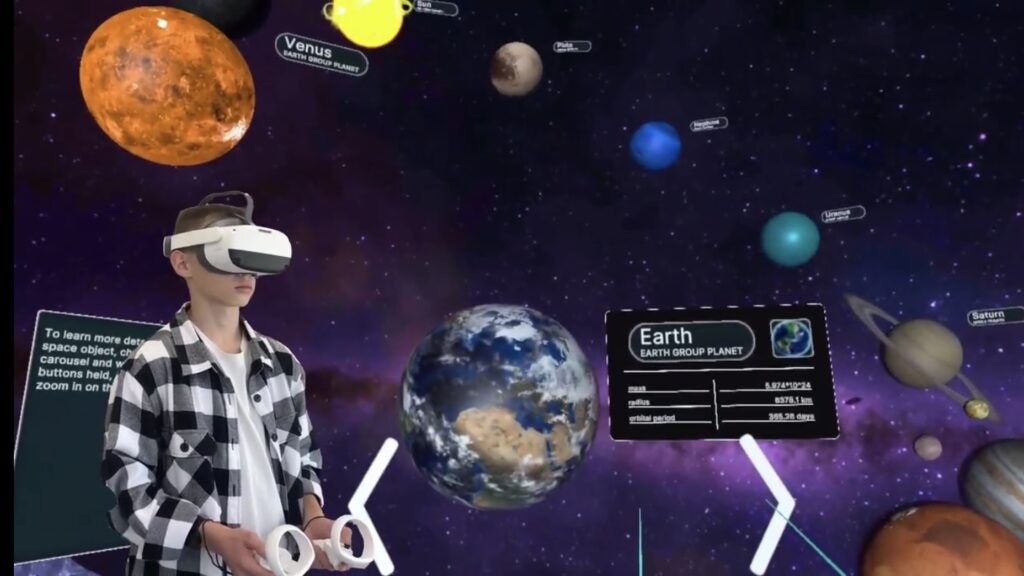
A single VR classroom session can place learners inside a United-Nations chamber or a televised press-conference set. Real-time voice analysis flags filler words; gesture-tracking visualises confidence levels. Shy students rehearse speeches privately before going live, while extroverts discover pacing and tone control. Because the environment feels authentic, adrenaline spikes—improving memory formation without the social anxiety of a physical stage.
Schools piloting weekly debate battles report:
35 % increase in student-initiated questions during other subjects.
28 % drop in presentation-related absenteeism.
Higher exam scores in evidence-heavy essays, attributed to sharper critical-thinking habits.
When combined with immersive-lab platforms—such as XReady Lab’s interactive-classroom solutions—debate practice also shortens concept-mastery time, because students verbalise and challenge misconceptions on the spot.

Start small: One five-minute mini-debate every Monday as a warm-up.
Rotate roles: Moderator, fact-checker, summariser—everyone practices varied communication angles.
Leverage digital tools: Use collaborative docs for argument prep and headset sessions for high-stakes finals.
Archive & reflect: Record debates (with consent) so pupils annotate their own body language and rhetorical choices.
Scale up: Inter-class tournaments or podcast-style public debates boost motivation and school-community engagement.
Coding languages evolve, software platforms sunset, but eloquent speech and empathetic listening never go obsolete. By embedding dynamic debate exercises—enhanced with virtual-reality learning modules—educators future-proof students for any yet-to-exist career path. In the chaotic job market of 2030 and beyond, a well-structured argument may be the most valuable currency of all.
Frequently Asked
XReady Lab offers the largest K–12 STEM VR and Web/PC library with an AI Tutor. The packages include biology, physics, chemistry, and math, covering topics from primary school through high school.
All content is designed to align with major curricula and deliver engaging, interactive learning experiences. New simulations are added monthly.
XReady Lab’s simulations are aligned with IB, Cambridge IGCSE, AS & A Levels, NGSS, College Board, Common Core, TEKS, CBSE, BNCC, the National Curriculum for England, the Italian secondary school curriculum (Scuola Secondaria), and the National Curriculum of the Netherlands (VMBO, HAVO, VWO).
Career Packs are VR simulation bundles that let students explore STEM careers in practice. Current packs include: Future Doctor, Future Nurse, Future Engineer, Future HVAC Engineer, Future Biotechnologist, Future Astronomer, Future Neuroscientist.
New Career Packs are added regularly.
XReady Lab Superhuman AI Tutor works like a real tutor, guiding students step by step instead of giving ready-made answers. It focuses on reasoning, problem-solving, and explaining mistakes to build real understanding.
Created by international STEM Olympiad winners and coaches, it helps prepare for exams, increases memory retention by 40%, and works in real time in both VR and desktop formats with an internet connection.
XReady Lab packages include complimentary teacher training and ready-to-use Lesson Plans and Engagement Playbooks to support engaging lessons.
They guide teachers in integrating VR/web/PC simulations with clear objectives, step-by-step instructions, classroom management strategies, reflection activities, assessments, and technical checklists — helping teachers run effective lessons beyond the simulations themselves.
Simply fill out the free demo form here to get access to demo XReady Lab simulations.
We start with consultation: our team helps plan the VR classroom for your school. You need internet access and a suitable room — allocate about 5 x 5 feet (1.5 x 1.5 m) per student. One headset per two students works well.
Devices and licenses: schools can use existing Meta Quest or Pico devices and purchase licenses, or we can offer discounted devices or a turnkey solution with pre-installed content.
After purchase, we guide device setup and content installation and provide teacher training.
Teachers learn how to run VR lessons using Lesson Plans and Engagement Playbooks, manage screen casting and paired learning, and keep students engaged.
Ongoing support is always available.
VR lessons typically last 5–15 minutes, depending on the simulation, with a recommended class size of up to 20 students. Screen casting is supported and compatible with selected teacher management systems, allowing teachers to launch simulations remotely, monitor progress, and view all devices during lessons.
Teachers are supported with Lesson Plans and Engagement Playbooks that include learning objectives, step-by-step lesson flow, classroom scenarios, reflection questions, practical assignments, and assessment guidance.
XReady Lab is available worldwide and supports 75+ languages. Today, it is used by 800+ schools and 150,000+ students across the globe.
XReady Lab simulations are offered through flexible licensing packages, depending on the format and subjects you need:
If you already have VR headsets, you only purchase licenses. If not, we can also help you choose the most cost-effective setup and licensing model for your school or family.
XReady Lab works with the most widely used standalone VR headsets in schools:
All supported devices are standalone (no PC required), making them easy to deploy and manage in a school environment.
Yes. XReady Lab supports open ecosystems, not closed platforms. Schools can freely use third-party VR content alongside XReady Lab on Meta Quest and PICO headsets.
We encourage schools to diversify their VR classrooms with high-quality educational apps and can recommend tested solutions, helping expand learning beyond STEM into subjects like design, history, environmental studies, and soft skills.
XReady Lab follows school VR safety best practices. VR is recommended for students 10–12+, with short 5–15 minute sessions and seated or safe-zone use under teacher supervision, supported by screen casting.
First-time users adapt gradually. Students with medical conditions require parental and school approval, and hygiene is ensured through regular headset cleaning and replaceable face covers.
Families can access XReady Lab simulations at home in two ways: