


“I’m afraid that AI tutors give ready-made answers,” parents often say.
Fair. Most AI tools are made exactly for that – to give fast results. You ask, they solve. You upload, they generate. Perfect for work, not for learning.
But an AI tutor isn’t supposed to do your homework. It’s supposed to teach you how to think.
And that’s where the story of our AI STEM Tutor at XReady Lab begins.
At one point, our AI tutor looked brilliant. You’d enter the numbers, and before you could blink, it would say:
“The optimal orbital speed is 9.32 km/s.”
Accurate. Precise. Impressive, but completely wrong for learning.
Students stopped thinking. They didn’t test different values, didn’t question why the answer was 9.32, didn’t experiment at all. The AI had turned into a calculator instead of a guide.
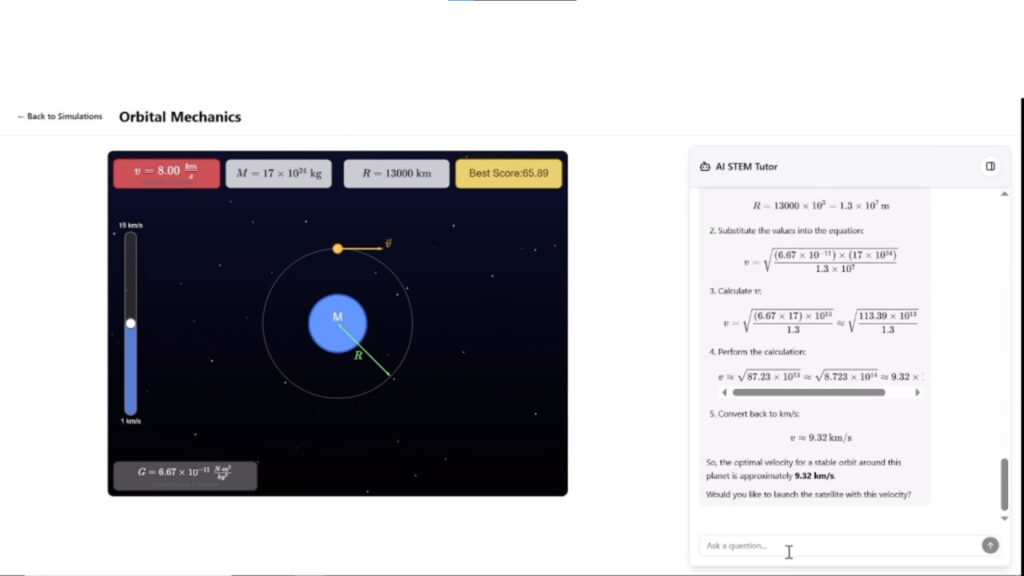
That was the moment we understood: the worst thing an AI tutor can do is give answers too quickly.
Real understanding happens in that small pause of curiosity when the student has to connect the dots on their own.
So before releasing the product, we rebuilt the logic from scratch. Now, the tutor doesn’t just calculate. It asks, “What do you think happens if the velocity increases?” and lets the student discover the law behind the number.
We trained our tutor to guide, not solve.
To ask leading questions.
To provoke thought instead of feeding conclusions.
Inside a virtual lab, if a student keeps increasing velocity and getting the wrong result, the AI no longer says “the correct formula is F = ma.”
Now it says:
“Try changing the mass instead of the velocity. What happens to acceleration?”
That small shift changes everything.
Because the student is still in control. The AI is just a quiet mentor on the side, nudging the mind forward.
We call it the art of not answering – and it took months of training data, testing, and classroom pilots to get right.
AI’s biggest strength is instant output.
But in education, that’s also its biggest trap.
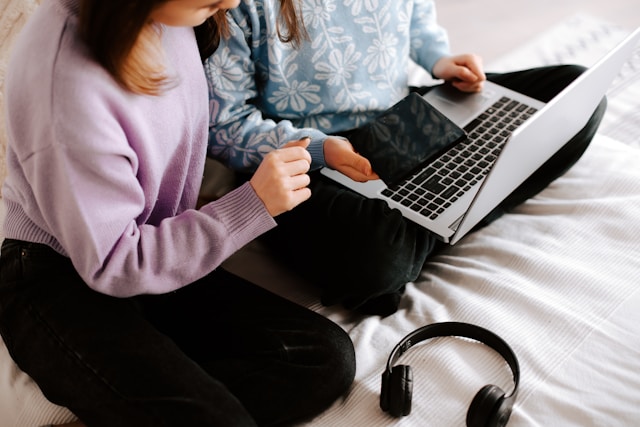
Most tools are built to make life easier – presentations, code, essays, even math. But learning isn’t about easy. It’s about friction, mistakes, discovery.
A student who gets the right answer too quickly never remembers it.
A student who struggles a bit – and finds the logic behind it – remembers for life.
That’s why we decided: our tutor must never act like a search engine.
Now, in every biology, chemistry, and physics module, our AI follows a single rule:
Never give the full answer if the student hasn’t tried yet.
Instead, it observes actions, looks for hesitation, and adjusts in real time.
If the student repeats the same error, the AI doesn’t correct – it guides.
If the student gets it right, it asks why.
This loop builds reasoning, not dependency.
And it works: memory retention in our trials grew by 40%, and over 150,000 students worldwide already use the tutor across VR and web platforms.
Because when learning feels like play – and curiosity drives progress – knowledge stays.
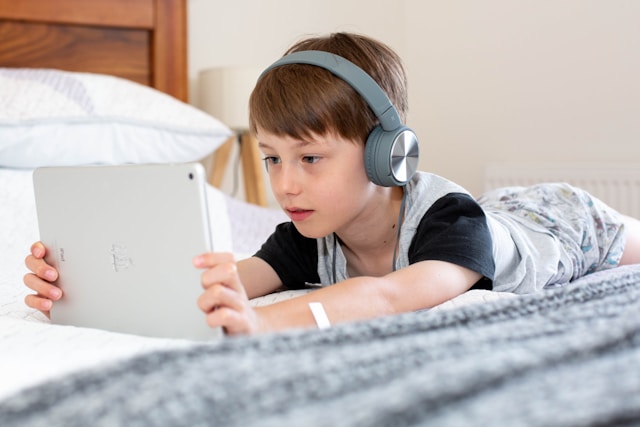
The world doesn’t need another chatbot that spits out correct formulas.
It needs something that helps kids understand them.
That’s what we built:
We didn’t invent a teacher replacement.
We built a thinking partner.
When we first saw how easily AI could answer everything, we thought we’d built the perfect tutor.
Turns out, we built the perfect cheat.
The real success came only when we stopped optimizing for speed and started optimizing for curiosity.
That’s the story of our AI tutor – not one that gives ready-made answers, but one that makes kids ask better questions.
See how it feels when AI doesn’t tell, but teaches.
👉 Try the XReady Lab AI Tutor
It’s available in both VR and web format, used by schools and families worldwide.
Biology, chemistry, math, physics – everything explained through action, not memorization.
Because the future of learning isn’t about instant answers.
It’s about the questions that stay with you.
Frequently Asked
XReady Lab offers the largest K–12 STEM VR and Web/PC library with an AI Tutor. The packages include biology, physics, chemistry, and math, covering topics from primary school through high school.
All content is designed to align with major curricula and deliver engaging, interactive learning experiences. New simulations are added monthly.
XReady Lab’s simulations are aligned with IB, Cambridge IGCSE, AS & A Levels, NGSS, College Board, Common Core, TEKS, CBSE, BNCC, the National Curriculum for England, the Italian secondary school curriculum (Scuola Secondaria), and the National Curriculum of the Netherlands (VMBO, HAVO, VWO).
Career Packs are VR simulation bundles that let students explore STEM careers in practice. Current packs include: Future Doctor, Future Nurse, Future Engineer, Future HVAC Engineer, Future Biotechnologist, Future Astronomer, Future Neuroscientist.
New Career Packs are added regularly.
XReady Lab Superhuman AI Tutor works like a real tutor, guiding students step by step instead of giving ready-made answers. It focuses on reasoning, problem-solving, and explaining mistakes to build real understanding.
Created by international STEM Olympiad winners and coaches, it helps prepare for exams, increases memory retention by 40%, and works in real time in both VR and desktop formats with an internet connection.
XReady Lab packages include complimentary teacher training and ready-to-use Lesson Plans and Engagement Playbooks to support engaging lessons.
They guide teachers in integrating VR/web/PC simulations with clear objectives, step-by-step instructions, classroom management strategies, reflection activities, assessments, and technical checklists — helping teachers run effective lessons beyond the simulations themselves.
Simply fill out the free demo form here to get access to demo XReady Lab simulations.
We start with consultation: our team helps plan the VR classroom for your school. You need internet access and a suitable room — allocate about 5 x 5 feet (1.5 x 1.5 m) per student. One headset per two students works well.
Devices and licenses: schools can use existing Meta Quest or Pico devices and purchase licenses, or we can offer discounted devices or a turnkey solution with pre-installed content.
After purchase, we guide device setup and content installation and provide teacher training.
Teachers learn how to run VR lessons using Lesson Plans and Engagement Playbooks, manage screen casting and paired learning, and keep students engaged.
Ongoing support is always available.
VR lessons typically last 5–15 minutes, depending on the simulation, with a recommended class size of up to 20 students. Screen casting is supported and compatible with selected teacher management systems, allowing teachers to launch simulations remotely, monitor progress, and view all devices during lessons.
Teachers are supported with Lesson Plans and Engagement Playbooks that include learning objectives, step-by-step lesson flow, classroom scenarios, reflection questions, practical assignments, and assessment guidance.
XReady Lab is available worldwide and supports 75+ languages. Today, it is used by 800+ schools and 150,000+ students across the globe.
XReady Lab simulations are offered through flexible licensing packages, depending on the format and subjects you need:
If you already have VR headsets, you only purchase licenses. If not, we can also help you choose the most cost-effective setup and licensing model for your school or family.
XReady Lab works with the most widely used standalone VR headsets in schools:
All supported devices are standalone (no PC required), making them easy to deploy and manage in a school environment.
Yes. XReady Lab supports open ecosystems, not closed platforms. Schools can freely use third-party VR content alongside XReady Lab on Meta Quest and PICO headsets.
We encourage schools to diversify their VR classrooms with high-quality educational apps and can recommend tested solutions, helping expand learning beyond STEM into subjects like design, history, environmental studies, and soft skills.
XReady Lab follows school VR safety best practices. VR is recommended for students 10–12+, with short 5–15 minute sessions and seated or safe-zone use under teacher supervision, supported by screen casting.
First-time users adapt gradually. Students with medical conditions require parental and school approval, and hygiene is ensured through regular headset cleaning and replaceable face covers.
Families can access XReady Lab simulations at home in two ways:
