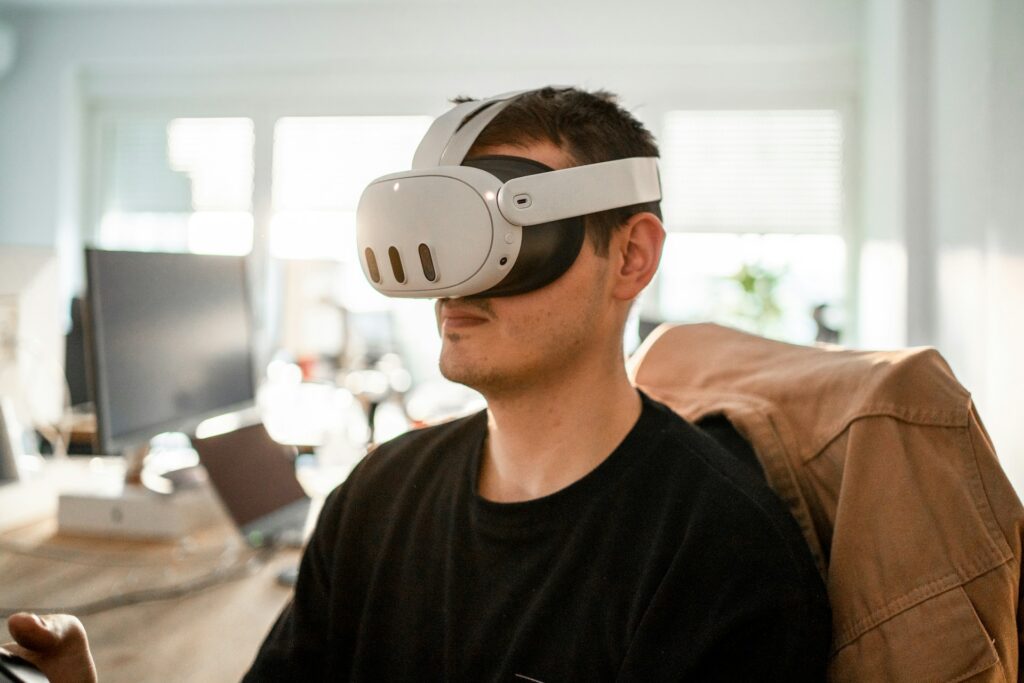
My Child Wants a VR Headset: Trusted, Budget-Smart Recommendations for Parents
Question: Which headset gives a ten-year-old both fun and solid learning for under $500? Answer: Pick a Quest 3S or Pico 4, add a comfort strap, switch on parental filters, and load XReady Lab’s Mitosis Lab. That single combo brings games, STEM labs, and future-proof upgrades without blowing the budget.
1. Start With the “Why,” Not the Specs
Ask your kid what thrills them. Is it swinging a lightsaber, dissecting a virtual cell, or hanging out with cousins in Rec Room? Knowing the goal narrows the field fast. Fun only? You can go cheaper. Fun plus school support? You want solid optics, clear text, and an easy way to install educational titles.
2. Standalone Versus PC-Tethered
Standalone (Quest, Pico): boots in seconds, no cables, perfect for small bedrooms.
PC-Tethered (Valve Index, HP Reverb): sharper visuals but demands pricey graphics cards. Your daughter’s i5 with a 3050 will run most entry-level titles, yet a cord can limit movement and raise setup fuss. Most teachers on Reddit wave parents toward standalone first. Less hassle, fewer broken USB ports.3. Age and Safety Pointers Teachers Keep Repeating
Set guardian boundaries so a spin move does not meet the coffee table.
Limit sessions to thirty minutes, then water break, then stretch.
Enable purchase PINs on day one. Ten-year-olds click shiny buttons fast.
Clean lenses with microfiber only; shirt sleeves grind scratches.
Is virtual reality safe? With boundaries, yes. Treat it like biking: a defined play zone, helmet equivalent (guardian), and daylight supervision.
4. Five Headsets That Hit the Parent Sweet Spot
Headset
Street Price
Battery Time
Display Clarity
Weight
Why It Works for School
Quest 3S
$249
2–3 h
2064×2208 per eye
515 g
Runs XReady Lab’s biology and physics sims smoothly, streams PC content later
Quest 3
$499
~2 h
Pancake optics, wide color
522 g
Best mixed-reality pass-through; costlier but future-proof
Quest 2
$199
~2 h
1832×1920
503 g
Cheapest gateway into virtual reality learning
Pico Neo 3
$259
2–2.5 h
1832×1920
482 g
Built-in kid mode; simple family sharing
Pico 4
$369
2.5 h
2160×2160
560 g (balanced halo strap)
Light on the nose; clear text for chemistry formulas
All five accept a five-metre USB-C link if she later craves PC-exclusive flight sims.
5. Flip the Gift Into a Home Science Lab
Turn playtime into real learning with XReady Lab’s Mitosis Lab (see it here: https://xreadylab.com/simulations/ai-tutor/ ). The built-in Superhuman AI STEM Tutor flags errors, tailors hints, and has lifted practice-exam scores by about forty percent. One affordable license unlocks future units like electricity circuits and optics, so the headset grows with your child’s curriculum while still feeling like pure fun.
6. Comfort Upgrades That Stretch Playtime
Battery strap: weight shifts to the back; adds an extra hour.
Silicon face gasket: wipes clean after sweaty Beatsaber rounds.
Lens protectors: cheap insurance against sibling fingerprints.
Spend twenty dollars here and the headset feels new two years from now.
7. Content Roadmap: Balance Play and Learning
First week: free social games like Gorilla Tag. Build confidence, test nausea threshold.
Week two: install XReady Lab’s Mitosis Lab; run one fifteen-minute session after homework.
Week three: add physics sandboxes where she measures gravity pulls.
Month two: mix in Pico’s free art studio or Meta’s 3-D painting app for creativity muscles.
Keep a kitchen-timer rule. Two leisure titles unlock one educational session. Kids adapt fast when the rule is clear.
8. Longevity and Resale Thoughts
Quest and Pico push frequent firmware upgrades which add new virtual reality classroom tricks without new hardware. Average lifespan is five years; resale value holds if lenses stay scratch-free. Save the original box if you might trade up later.
Total cost still comes in under the price of two new consoles while covering gaming, biology VR, and at-home physics labs with a guided AI tutor that supports real learning outcomes.
Final Takeaway
A headset is not just a toy. With the right model and five minutes of parental setup you gift your kid a portable STEM lab, a creativity studio, and a social playground that fits in a backpack. Choose a Quest 3S or Pico 4, lock the filters, load XReady Lab, then watch her curiosity spiral up while the budget stays grounded.
08 / 11 / 2025
Frequently Asked
Your questions, Answered!
How large is the library of XReady Lab content in VR, Web, and PC formats?
XReady Lab offers the largest K–12 STEM VR and Web/PC library with an AI Tutor. The packages include biology, physics, chemistry, and math, covering topics from primary school through high school.
All content is designed to align with major curricula and deliver engaging, interactive learning experiences. New simulations are added monthly.
Which curriculum alignment do you have?
XReady Lab’s simulations are aligned with IB, Cambridge IGCSE, AS & A Levels, NGSS, College Board, Common Core, TEKS, CBSE, BNCC, the National Curriculum for England, the Italian secondary school curriculum (Scuola Secondaria), and the National Curriculum of the Netherlands (VMBO, HAVO, VWO).
What are Career Packs, and which careers do they cover?
Career Packs are VR simulation bundles that let students explore STEM careers in practice. Current packs include: Future Doctor, Future Nurse, Future Engineer, Future HVAC Engineer, Future Biotechnologist, Future Astronomer, Future Neuroscientist.
New Career Packs are added regularly.
What makes XReady Lab’s AI Tutor different from other AI tutors and AI tools?
XReady Lab Superhuman AI Tutor works like a real tutor, guiding students step by step instead of giving ready-made answers. It focuses on reasoning, problem-solving, and explaining mistakes to build real understanding.
Created by international STEM Olympiad winners and coaches, it helps prepare for exams, increases memory retention by 40%, and works in real time in both VR and desktop formats with an internet connection.
What are Lesson Plans, Engagement Playbooks, and classroom scenarios?
XReady Lab packages include complimentary teacher training and ready-to-use Lesson Plans and Engagement Playbooks to support engaging lessons.
They guide teachers in integrating VR/web/PC simulations with clear objectives, step-by-step instructions, classroom management strategies, reflection activities, assessments, and technical checklists — helping teachers run effective lessons beyond the simulations themselves.
How to try XReady Lab for free?
Simply fill out the free demo form here to get access to demo XReady Lab simulations.
How do we plan and purchase a VR classroom?
We start with consultation: our team helps plan the VR classroom for your school. You need internet access and a suitable room — allocate about 5 x 5 feet (1.5 x 1.5 m) per student. One headset per two students works well.
Devices and licenses: schools can use existing Meta Quest or Pico devices and purchase licenses, or we can offer discounted devices or a turnkey solution with pre-installed content.
What happens after purchasing a VR classroom?
After purchase, we guide device setup and content installation and provide teacher training.
Teachers learn how to run VR lessons using Lesson Plans and Engagement Playbooks, manage screen casting and paired learning, and keep students engaged.
Ongoing support is always available.
What technical requirements and internet access are needed?
For Desktop or Tablet: Simulations run directly from the personal account and work without internet. If you want the AI Tutor in real time, a stable internet connection is required.
For VR headsets (Meta Quest or Pico): Internet is needed only to activate licenses. After activation, simulations work autonomously offline. To use the AI Tutor in real time, internet is required. Make sure your room has power outlets to recharge devices.
VR lessons: duration, class size, screen casting and teacher tools?
VR lessons typically last 5–15 minutes, depending on the simulation, with a recommended class size of up to 20 students. Screen casting is supported and compatible with selected teacher management systems, allowing teachers to launch simulations remotely, monitor progress, and view all devices during lessons.
Teachers are supported with Lesson Plans and Engagement Playbooks that include learning objectives, step-by-step lesson flow, classroom scenarios, reflection questions, practical assignments, and assessment guidance.
In which countries and languages is XReady Lab offered?
XReady Lab is available worldwide and supports 75+ languages. Today, it is used by 800+ schools and 150,000+ students across the globe.
What licensing and pricing options are available?
XReady Lab simulations are offered through flexible licensing packages, depending on the format and subjects you need:
VR simulation packages with AI Tutor: simulations are sold in subject-based bundles with an annual license per device. VR Biology + Physics + Chemistry: $975 per year per device.
Web version with AI Tutor for home or classroom use without VR headsets: $9.99 per month per user.
If you already have VR headsets, you only purchase licenses. If not, we can also help you choose the most cost-effective setup and licensing model for your school or family.
Which VR headsets are supported?
XReady Lab works with the most widely used standalone VR headsets in schools:
Meta Quest: Quest 2, Quest Pro, Quest 3, Quest 3S
PICO: Neo 3, Neo 3 Pro, Neo 4, Neo 4 Enterprise
All supported devices are standalone (no PC required), making them easy to deploy and manage in a school environment.
Does XReady Lab allow third-party VR content?
Yes. XReady Lab supports open ecosystems, not closed platforms. Schools can freely use third-party VR content alongside XReady Lab on Meta Quest and PICO headsets.
We encourage schools to diversify their VR classrooms with high-quality educational apps and can recommend tested solutions, helping expand learning beyond STEM into subjects like design, history, environmental studies, and soft skills.
What are the safety guidelines for VR?
XReady Lab follows school VR safety best practices. VR is recommended for students 10–12+, with short 5–15 minute sessions and seated or safe-zone use under teacher supervision, supported by screen casting.
First-time users adapt gradually. Students with medical conditions require parental and school approval, and hygiene is ensured through regular headset cleaning and replaceable face covers.
For families: What home-use options are available?
Families can access XReady Lab simulations at home in two ways:
Web version:Here, families can use simulations on computers or tablets with a subscription—no VR headset required.
VR home use: To get started, fill out the form and select the role “Parent” to receive a free demo. Our team will then contact you to discuss access and purchase options.