


Search for “digital natives” and you will still find the same idea repeated: today’s children are naturally fluent in technology. They were born into it. They move through apps instinctively. They do not need instruction.
The phrase sounds logical. It feels modern. It is also misleading.
Students may be confident with devices. That part is true. They swipe quickly. They download without hesitation. They switch between platforms in seconds. Watching them navigate an interface can be impressive.
But confidence in use is not the same as understanding.
And this distinction matters more than ever in education.
When we talk about digital literacy, we often mix together very different abilities. It helps to separate them.
Click. Swipe. Download. Open. Scroll.
This is surface-level interaction. Most children master it early. They do not fear new interfaces. They experiment freely.
Finding information. Searching. Moving between tools with purpose.
This requires slightly more structure. Some students are strong here, others less so. The ability to locate relevant information varies widely.
Understanding how systems work.
Applying knowledge.
Building something original.
Explaining processes.
This is where the difference becomes visible.
Many students are confident users. Fewer are systems thinkers. Even fewer can explain the logic behind what they are doing.
In VR lessons, the difference is obvious.
When a new group puts on headsets for the first time, students adapt almost immediately. They move confidently. They experiment. They learn the controls faster than many adults.
At the same time, a teacher might hesitate over something simple, such as pushing the joystick correctly to move forward.
It is easy to look at that moment and conclude that children are “naturally digital.”
But interface fluency does not mean:
Understanding principles
Transferable knowledge
The ability to explain a system
Scientific reasoning
Students may move confidently through a simulation without fully grasping the mechanisms behind it.
That is not a flaw. It simply reflects the difference between operating a tool and understanding it.
Digital literacy goes deeper than comfort with technology.
It includes:
Cause-and-effect thinking
Verification of sources
Awareness of algorithmic bias
Understanding technological limitations
The ability to apply knowledge beyond one specific interface
These are not automatic outcomes of screen exposure.
They are educational goals.
And they require deliberate teaching.
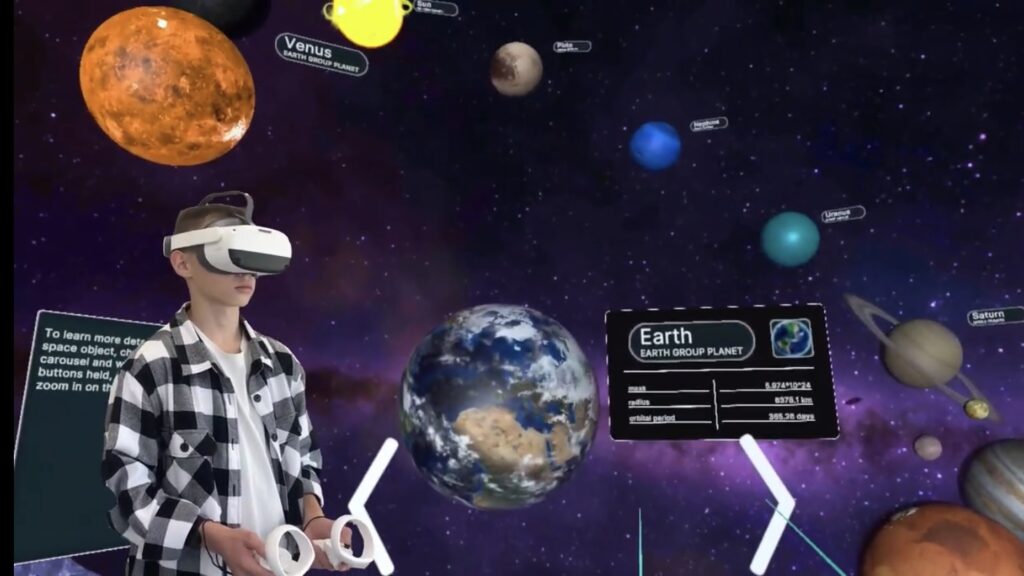
Virtual reality makes the distinction very visible.
VR helps students:
See the invisible, such as cellular processes or physical phenomena
Interact with abstract concepts
Experience cause-and-effect relationships directly
When a student moves a structure in a mitosis simulation and watches chromosomes separate, something powerful happens. Action and consequence connect.
But completing a simulation does not guarantee understanding.
A student might say, “I moved this part and then it split.”
At that moment, they may not remember the scientific term. They may not fully articulate the biological process involved. Still, they are beginning to understand through interaction.
That is the starting point.
What happens next determines whether learning becomes durable.
The most valuable part of a VR lesson often occurs after the headset comes off.
During discussion.
During reflection.
When students attempt to explain in their own words.
When knowledge transfers to a new task.
This is where the teacher structures experience.
The teacher:
Introduces precise terminology
Connects action to concept
Corrects misconceptions
Reinforces understanding
If students are confident digital users, the teacher remains the architect of meaning.
Technology provides experience.
Pedagogy provides depth.
The myth of digital natives is convenient.
It suggests children do not need guidance. It implies they are self-sufficient in digital environments. It reduces the urgency of teaching digital reasoning.
In reality, students need structured support more than ever.
Exposure to tools does not automatically produce:
Algorithmic thinking
Scientific understanding
Critical analysis
Systems reasoning
These are developed through guided learning.
Technology, including VR, accelerates engagement. It captures attention. It visualizes complexity.
But depth depends on lesson design.
Support materials such as a structured mitosis video and a detailed playbook guide teachers through:
What to do before VR
How to guide students during the simulation
How to structure post-VR discussion
How to reinforce knowledge formation
This layered approach transforms interaction into understanding.
Schools that want to structure this process thoughtfully can explore implementation support here
Without structure, experience remains fragmented. With structure, it becomes learning.
The idea that students are naturally digitally literate can unintentionally lower expectations.
It assumes competence where instruction is still needed.
Students are fluent in interaction. That is not trivial. It is an advantage. They are comfortable experimenting.
But literacy is not the same as fluency.
Literacy involves interpretation, evaluation, and creation.
It requires thinking about systems rather than simply navigating them.
The challenge for schools is not teaching students how to swipe.
It is teaching them:
How digital systems influence information
How algorithms shape visibility
How to verify credibility
How to transfer knowledge beyond one platform
How to explain what they observe
These are cognitive skills. They require dialogue, feedback, and reflection.
Technology supports this work. It does not replace it.
Children are not passive consumers of technology. They are active users.
At the same time, they are not automatically equipped with deep digital understanding.
The difference between clicking and comprehending is subtle but significant.
Recognizing that difference allows educators to design learning intentionally.
Confidence with devices is a starting point. It is not the finish line.
True digital literacy grows when experience is structured, discussed, and connected to larger systems of knowledge.
Frequently Asked
XReady Lab offers the largest K–12 STEM VR and Web/PC library with an AI Tutor. The packages include biology, physics, chemistry, and math, covering topics from primary school through high school.
All content is designed to align with major curricula and deliver engaging, interactive learning experiences. New simulations are added monthly.
XReady Lab’s simulations are aligned with IB, Cambridge IGCSE, AS & A Levels, NGSS, College Board, Common Core, TEKS, CBSE, BNCC, the National Curriculum for England, the Italian secondary school curriculum (Scuola Secondaria), and the National Curriculum of the Netherlands (VMBO, HAVO, VWO).
Career Packs are VR simulation bundles that let students explore STEM careers in practice. Current packs include: Future Doctor, Future Nurse, Future Engineer, Future HVAC Engineer, Future Biotechnologist, Future Astronomer, Future Neuroscientist.
New Career Packs are added regularly.
XReady Lab Superhuman AI Tutor works like a real tutor, guiding students step by step instead of giving ready-made answers. It focuses on reasoning, problem-solving, and explaining mistakes to build real understanding.
Created by international STEM Olympiad winners and coaches, it helps prepare for exams, increases memory retention by 40%, and works in real time in both VR and desktop formats with an internet connection.
XReady Lab packages include complimentary teacher training and ready-to-use Lesson Plans and Engagement Playbooks to support engaging lessons.
They guide teachers in integrating VR/web/PC simulations with clear objectives, step-by-step instructions, classroom management strategies, reflection activities, assessments, and technical checklists — helping teachers run effective lessons beyond the simulations themselves.
Simply fill out the free demo form here to get access to demo XReady Lab simulations.
We start with consultation: our team helps plan the VR classroom for your school. You need internet access and a suitable room — allocate about 5 x 5 feet (1.5 x 1.5 m) per student. One headset per two students works well.
Devices and licenses: schools can use existing Meta Quest or Pico devices and purchase licenses, or we can offer discounted devices or a turnkey solution with pre-installed content.
After purchase, we guide device setup and content installation and provide teacher training.
Teachers learn how to run VR lessons using Lesson Plans and Engagement Playbooks, manage screen casting and paired learning, and keep students engaged.
Ongoing support is always available.
VR lessons typically last 5–15 minutes, depending on the simulation, with a recommended class size of up to 20 students. Screen casting is supported and compatible with selected teacher management systems, allowing teachers to launch simulations remotely, monitor progress, and view all devices during lessons.
Teachers are supported with Lesson Plans and Engagement Playbooks that include learning objectives, step-by-step lesson flow, classroom scenarios, reflection questions, practical assignments, and assessment guidance.
XReady Lab is available worldwide and supports 75+ languages. Today, it is used by 800+ schools and 150,000+ students across the globe.
XReady Lab simulations are offered through flexible licensing packages, depending on the format and subjects you need:
If you already have VR headsets, you only purchase licenses. If not, we can also help you choose the most cost-effective setup and licensing model for your school or family.
XReady Lab works with the most widely used standalone VR headsets in schools:
All supported devices are standalone (no PC required), making them easy to deploy and manage in a school environment.
Yes. XReady Lab supports open ecosystems, not closed platforms. Schools can freely use third-party VR content alongside XReady Lab on Meta Quest and PICO headsets.
We encourage schools to diversify their VR classrooms with high-quality educational apps and can recommend tested solutions, helping expand learning beyond STEM into subjects like design, history, environmental studies, and soft skills.
XReady Lab follows school VR safety best practices. VR is recommended for students 10–12+, with short 5–15 minute sessions and seated or safe-zone use under teacher supervision, supported by screen casting.
First-time users adapt gradually. Students with medical conditions require parental and school approval, and hygiene is ensured through regular headset cleaning and replaceable face covers.
Families can access XReady Lab simulations at home in two ways:
