


Search for “screens harm children” and you’ll find no shortage of confident headlines. Strong language. Clear villains. Urgent warnings.
The anxiety is real. Anyone who works with students can see changes.
Concentration feels more fragile.
Working memory seems less stable.
Sustained reading takes more effort than it used to.
Parents notice it at home. Teachers feel it in classrooms. School leaders sense it in assessment results.
So the explanation “screens are harmful” sounds reasonable. It gives shape to concern. It offers a clear cause.
And yet, when that sentence becomes the full answer, something important gets lost.
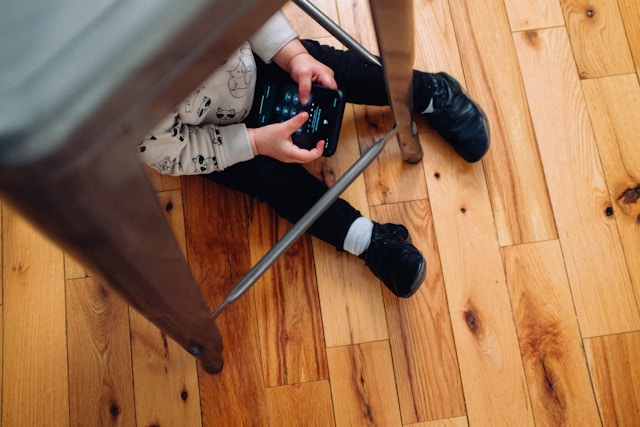
The term itself is too broad to be precise.
A screen can mean a video call with a teacher.
It can mean scrolling social media for hours.
It can mean collaborative writing.
It can mean watching a short explanation before a discussion.
It can mean gaming.
It can mean coding.
Treating all of these as one category creates clarity, but not accuracy.
Before concluding that screens damage cognition, several questions deserve attention:
Which type of screen use are we discussing?
In what context?
Replacing which activity?
For how long?
Designed by whom?
Without these distinctions, the conversation becomes simplified to the point of distortion.
Blaming technology has a certain appeal.

Devices do not defend themselves.
They do not complicate the narrative.
They do not ask us to revisit curriculum structure or assessment models.
When screens are identified as the primary cause, systemic design choices remain untouched. The responsibility shifts outward rather than inward.
This does not mean technology has no impact. It clearly does. But isolating it from the broader educational ecosystem prevents meaningful analysis.
Several structural elements influence attention and cognition, yet they rarely appear in headlines:
Highly standardized curricula with limited flexibility
Large class sizes that restrict individualized guidance
Assessment systems that reward recognition over explanation
Pressure to cover extensive material quickly
Reduced depth in tasks in favor of measurable outcomes
These are not failures of individual teachers. They are features of larger systems shaped by policy, accountability frameworks, and resource constraints.
When depth decreases and pace increases, attention patterns shift. When tasks emphasize selecting correct answers rather than constructing reasoning, cognitive habits adjust accordingly.
It becomes difficult to attribute changes in concentration solely to screen exposure.
Instead of asking whether technology harms learning, it may be more productive to ask:
What kind of learning design are we amplifying through technology?

Technology rarely creates pedagogy. It scales existing approaches.
When digital tools are layered onto shallow task design, they can accelerate superficial engagement. When integrated into structured inquiry and discussion, they can extend depth and interaction.
The device itself does not determine the outcome. The instructional design surrounding it does.
This statement captures an important truth. Human interaction shapes cognition. Dialogue fosters understanding. Emotional presence supports engagement.
At the same time, a screen does not automatically eliminate human interaction.
A teacher guiding a digital discussion remains a teacher.
A student responding to feedback through an online platform is still engaged in a relationship.
Narratives delivered through media still activate perspective-taking and imagination.
Medium alone does not define cognitive depth. Design and context do.
Technology tends to amplify the dominant features of a learning environment.
In environments where tasks prioritize speed and surface recognition, digital tools can intensify those patterns.
In environments where tasks demand reasoning, explanation, and sustained thinking, digital tools can support and extend those processes.
It is not neutral. It shapes experience. Yet it does not operate independently of adult decisions.
The structure of assignments, the clarity of goals, and the expectations set by educators matter more than the presence of a screen.

When screens are framed as the sole problem, attention drifts away from learning architecture.
Questions about curriculum depth, assessment philosophy, and classroom culture become secondary.
A more constructive approach involves examining:
Whether tasks require explanation or simply answer selection
Whether students are asked to build arguments or choose from options
Whether time is allocated for reflection or primarily for completion
Whether technology is used to deepen understanding or to accelerate coverage
These considerations move the discussion from blame to design.
The common framing of “technology is harmful” versus “technology is transformative” narrows the conversation.
Educational reality is more complex.
Students are influenced by multiple variables: social context, task design, adult modeling of attention, and institutional expectations.
Screens play a role within that system, but they are not the system itself.
Oversimplified explanations may feel decisive. They rarely address root causes.
While debates focus on whether screens damage cognition, a deeper issue remains:
Are learning environments structured to require sustained thinking?
When assignments demand careful reasoning and structured explanation, students adapt. When they emphasize speed and surface-level recognition, students adapt to that as well.
Technology will reinforce whichever pattern is embedded in the design.
The conversation about screens is not unnecessary. It simply cannot stand alone.
The more demanding conversation concerns how learning is structured, how attention is cultivated, and how responsibility is shared between systems, educators, and families.
That discussion is less dramatic. It requires nuance. It does not produce easy headlines.
It is also the one most likely to improve outcomes.
Frequently Asked
XReady Lab offers the largest K–12 STEM VR and Web/PC library with an AI Tutor. The packages include biology, physics, chemistry, and math, covering topics from primary school through high school.
All content is designed to align with major curricula and deliver engaging, interactive learning experiences. New simulations are added monthly.
XReady Lab’s simulations are aligned with IB, Cambridge IGCSE, AS & A Levels, NGSS, College Board, Common Core, TEKS, CBSE, BNCC, the National Curriculum for England, the Italian secondary school curriculum (Scuola Secondaria), and the National Curriculum of the Netherlands (VMBO, HAVO, VWO).
Career Packs are VR simulation bundles that let students explore STEM careers in practice. Current packs include: Future Doctor, Future Nurse, Future Engineer, Future HVAC Engineer, Future Biotechnologist, Future Astronomer, Future Neuroscientist.
New Career Packs are added regularly.
XReady Lab Superhuman AI Tutor works like a real tutor, guiding students step by step instead of giving ready-made answers. It focuses on reasoning, problem-solving, and explaining mistakes to build real understanding.
Created by international STEM Olympiad winners and coaches, it helps prepare for exams, increases memory retention by 40%, and works in real time in both VR and desktop formats with an internet connection.
XReady Lab packages include complimentary teacher training and ready-to-use Lesson Plans and Engagement Playbooks to support engaging lessons.
They guide teachers in integrating VR/web/PC simulations with clear objectives, step-by-step instructions, classroom management strategies, reflection activities, assessments, and technical checklists — helping teachers run effective lessons beyond the simulations themselves.
Simply fill out the free demo form here to get access to demo XReady Lab simulations.
We start with consultation: our team helps plan the VR classroom for your school. You need internet access and a suitable room — allocate about 5 x 5 feet (1.5 x 1.5 m) per student. One headset per two students works well.
Devices and licenses: schools can use existing Meta Quest or Pico devices and purchase licenses, or we can offer discounted devices or a turnkey solution with pre-installed content.
After purchase, we guide device setup and content installation and provide teacher training.
Teachers learn how to run VR lessons using Lesson Plans and Engagement Playbooks, manage screen casting and paired learning, and keep students engaged.
Ongoing support is always available.
VR lessons typically last 5–15 minutes, depending on the simulation, with a recommended class size of up to 20 students. Screen casting is supported and compatible with selected teacher management systems, allowing teachers to launch simulations remotely, monitor progress, and view all devices during lessons.
Teachers are supported with Lesson Plans and Engagement Playbooks that include learning objectives, step-by-step lesson flow, classroom scenarios, reflection questions, practical assignments, and assessment guidance.
XReady Lab is available worldwide and supports 75+ languages. Today, it is used by 800+ schools and 150,000+ students across the globe.
XReady Lab simulations are offered through flexible licensing packages, depending on the format and subjects you need:
If you already have VR headsets, you only purchase licenses. If not, we can also help you choose the most cost-effective setup and licensing model for your school or family.
XReady Lab works with the most widely used standalone VR headsets in schools:
All supported devices are standalone (no PC required), making them easy to deploy and manage in a school environment.
Yes. XReady Lab supports open ecosystems, not closed platforms. Schools can freely use third-party VR content alongside XReady Lab on Meta Quest and PICO headsets.
We encourage schools to diversify their VR classrooms with high-quality educational apps and can recommend tested solutions, helping expand learning beyond STEM into subjects like design, history, environmental studies, and soft skills.
XReady Lab follows school VR safety best practices. VR is recommended for students 10–12+, with short 5–15 minute sessions and seated or safe-zone use under teacher supervision, supported by screen casting.
First-time users adapt gradually. Students with medical conditions require parental and school approval, and hygiene is ensured through regular headset cleaning and replaceable face covers.
Families can access XReady Lab simulations at home in two ways:
