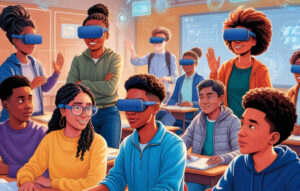
When you picture the classroom of 2025, you might see sleek headsets, holographic atoms, and students waving controllers through digital air. Yet even with all that tech, one element remains irreplaceable: the teacher. Educators are still the beating heart of learning—mentors who spark curiosity, build confidence, and shape how kids navigate an increasingly complex world. The difference today is that cutting-edge tools like VR physics labs give passionate teachers new ways to ignite that spark.
Children mirror the adults they trust. A math lesson turns thrilling when the instructor’s eyes light up over a clever proof; history feels alive when a teacher connects ancient Rome to last night’s soccer match. The same rule holds for STEM lab subjects once labeled “too hard.” Picture a teacher guiding a class through a virtual-reality classroom, letting students feel inertia as they launch virtual rockets—suddenly Newton’s laws stick.
In countries with top-ranked schools—Finland is the classic example—educators receive professional autonomy, solid pay, and widespread respect. That support empowers them to act not just as lecturers but as role-models who cultivate grit, empathy, and lifelong learning.
Despite endless studies—85 % of job success hinges on soft skills, says Harvard-Carnegie-Stanford research—many systems still overload teachers with paperwork and underfund mental-health resources. Our deep-dive Teacher Mental Health: Who Really Cares? revealed a troubling trend: burnout pushes great educators out of the field just when students need human guidance against AI-driven misinformation.
Investing in teacher wellness isn’t fluff; it’s a direct line to student achievement. When educators feel valued, they channel that energy into richer lessons and stronger mentorship.
Virtual-reality education doesn’t replace great teaching—it amplifies it. Imagine walking an eighth-grader through a gravity-slingshot maneuver inside a VR physics simulation. They see momentum arcs, tweak mass in real-time, and feel the concept rather than memorizing a formula. Research shows immersive, interactive classroom activities can double retention compared to textbook-only lessons.
XReady-Lab’s digital-classroom modules cover everything from VR biology dissections to VR chemistry reactions, but physics is where sensory feedback truly shines. Students toss virtual objects, measure trajectories in a safe sandbox, and immediately grasp why force equals mass times acceleration.
Great technology without great teachers is a flashy gadget collecting dust. Great teachers without supportive tools are superheroes fighting with one hand tied. Fuse the two, and you get classrooms where complex ideas become adventures and every student feels seen by a mentor who has the time—and excitement—to guide them.
Give your educators the power to turn abstract laws into living, breathing lessons. Request a free demo of XReady-Lab’s VR physics module and watch curiosity ignite overnight.
👉 Book your immersive demo now and let teachers lead the charge into a more engaging, more humane era of education.
Frequently Asked
XReady Lab offers the largest K–12 STEM VR and Web/PC library with an AI Tutor. The packages include biology, physics, chemistry, and math, covering topics from primary school through high school.
All content is designed to align with major curricula and deliver engaging, interactive learning experiences. New simulations are added monthly.
XReady Lab’s simulations are aligned with IB, Cambridge IGCSE, AS & A Levels, NGSS, College Board, Common Core, TEKS, CBSE, BNCC, the National Curriculum for England, the Italian secondary school curriculum (Scuola Secondaria), and the National Curriculum of the Netherlands (VMBO, HAVO, VWO).
Career Packs are VR simulation bundles that let students explore STEM careers in practice. Current packs include: Future Doctor, Future Nurse, Future Engineer, Future HVAC Engineer, Future Biotechnologist, Future Astronomer, Future Neuroscientist.
New Career Packs are added regularly.
XReady Lab Superhuman AI Tutor works like a real tutor, guiding students step by step instead of giving ready-made answers. It focuses on reasoning, problem-solving, and explaining mistakes to build real understanding.
Created by international STEM Olympiad winners and coaches, it helps prepare for exams, increases memory retention by 40%, and works in real time in both VR and desktop formats with an internet connection.
XReady Lab packages include complimentary teacher training and ready-to-use Lesson Plans and Engagement Playbooks to support engaging lessons.
They guide teachers in integrating VR/web/PC simulations with clear objectives, step-by-step instructions, classroom management strategies, reflection activities, assessments, and technical checklists — helping teachers run effective lessons beyond the simulations themselves.
Simply fill out the free demo form here to get access to demo XReady Lab simulations.
We start with consultation: our team helps plan the VR classroom for your school. You need internet access and a suitable room — allocate about 5 x 5 feet (1.5 x 1.5 m) per student. One headset per two students works well.
Devices and licenses: schools can use existing Meta Quest or Pico devices and purchase licenses, or we can offer discounted devices or a turnkey solution with pre-installed content.
After purchase, we guide device setup and content installation and provide teacher training.
Teachers learn how to run VR lessons using Lesson Plans and Engagement Playbooks, manage screen casting and paired learning, and keep students engaged.
Ongoing support is always available.
VR lessons typically last 5–15 minutes, depending on the simulation, with a recommended class size of up to 20 students. Screen casting is supported and compatible with selected teacher management systems, allowing teachers to launch simulations remotely, monitor progress, and view all devices during lessons.
Teachers are supported with Lesson Plans and Engagement Playbooks that include learning objectives, step-by-step lesson flow, classroom scenarios, reflection questions, practical assignments, and assessment guidance.
XReady Lab is available worldwide and supports 75+ languages. Today, it is used by 800+ schools and 150,000+ students across the globe.
XReady Lab simulations are offered through flexible licensing packages, depending on the format and subjects you need:
If you already have VR headsets, you only purchase licenses. If not, we can also help you choose the most cost-effective setup and licensing model for your school or family.
XReady Lab works with the most widely used standalone VR headsets in schools:
All supported devices are standalone (no PC required), making them easy to deploy and manage in a school environment.
Yes. XReady Lab supports open ecosystems, not closed platforms. Schools can freely use third-party VR content alongside XReady Lab on Meta Quest and PICO headsets.
We encourage schools to diversify their VR classrooms with high-quality educational apps and can recommend tested solutions, helping expand learning beyond STEM into subjects like design, history, environmental studies, and soft skills.
XReady Lab follows school VR safety best practices. VR is recommended for students 10–12+, with short 5–15 minute sessions and seated or safe-zone use under teacher supervision, supported by screen casting.
First-time users adapt gradually. Students with medical conditions require parental and school approval, and hygiene is ensured through regular headset cleaning and replaceable face covers.
Families can access XReady Lab simulations at home in two ways: