In the rapidly evolving landscape of education, Virtual Reality (VR) has emerged as a game-changer, particularly in STEM subjects. As a leading VR education company, XReady Lab is at the forefront of this revolution, constantly exploring and developing innovative VR education software. Today, we’re excited to share our top picks for VR education apps that are transforming STEM classes and redefining what a science lesson can be.
Before we dive into our top picks, let’s briefly explore how VR is reshaping education. VR provides immersive, interactive experiences that bring abstract concepts to life. It offers safe environments for virtual school experiments, enables virtual field trips, and allows students to manipulate 3D models of complex systems. This technology is particularly powerful for science experiment lesson plans, offering practical lessons that engage students in ways traditional methods simply can’t match.
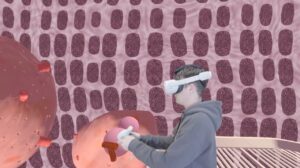
As a leading VR education company, we’re proud to include our own Eduverse in this list. Our platform offers unparalleled visualization of scientific concepts across STEM subjects. Students can interactively work at the cellular level, manipulate lasers and elementary particles, and even journey inside the human body. With XReady Lab’s Eduverse, science becomes tangible in ways traditional learning can’t match. Ready to revolutionize your STEM classes?
Request a free demo of our VR education apps here and experience the future of learning!
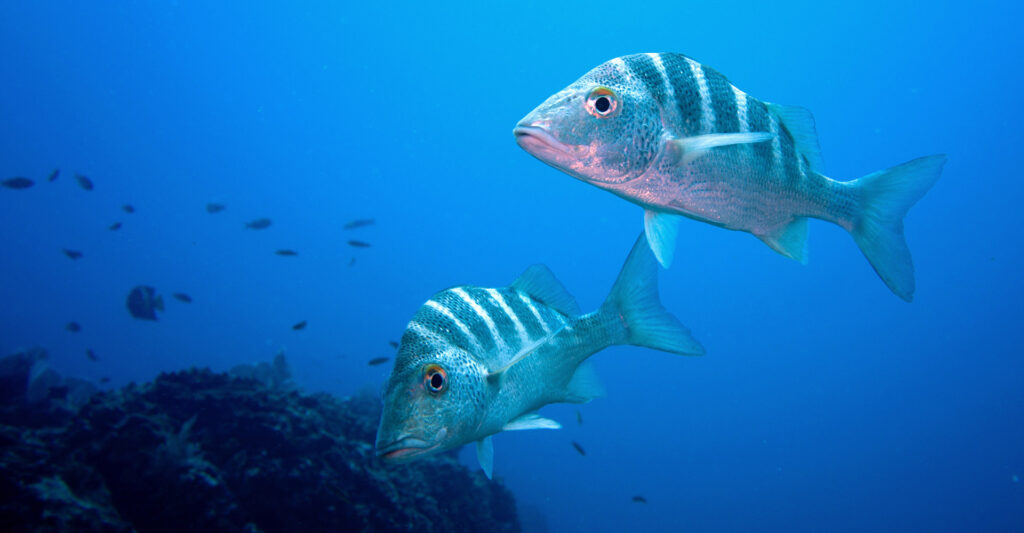
Ocean Rift transforms biology lessons into underwater adventures. Students can explore 14 diverse marine habitats, encountering various species from dolphins to prehistoric creatures. The education mode provides narrated information points, making it an excellent tool for geography and Earth science lessons too.

Perfect for physics and astronomy classes, Star Chart offers a real-time simulation of the night sky. Students can explore the Solar System, witness celestial events, and even walk on the Moon’s surface. It’s an ideal complement to any astronomy-focused science lesson plan.
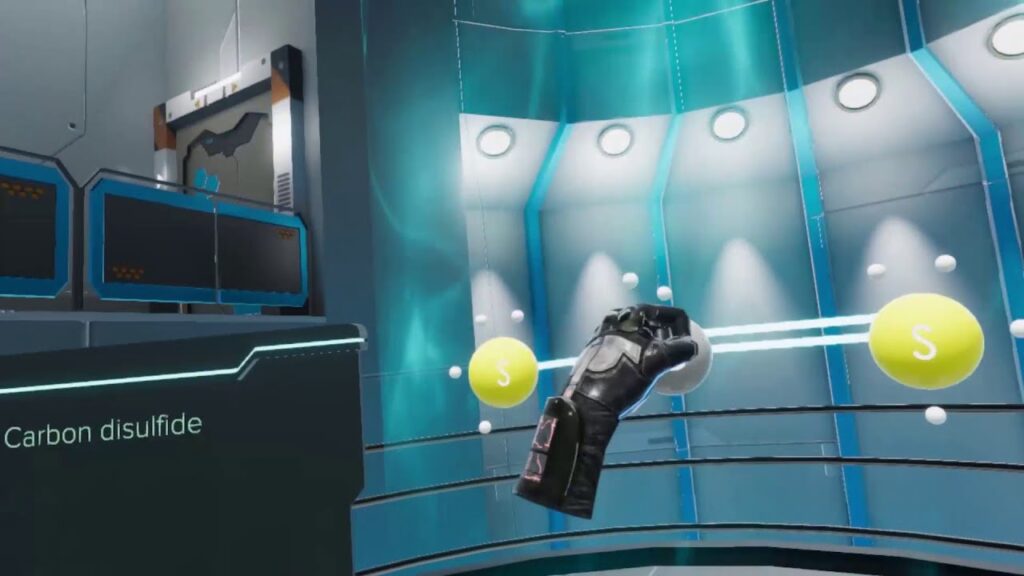
This interactive app brings chemistry to life, allowing students to build 3D molecules and predict their geometry. It’s a fantastic tool for practical lessons in chemical bonding and molecular structure, reinforcing textbook concepts through hands-on virtual experiences.
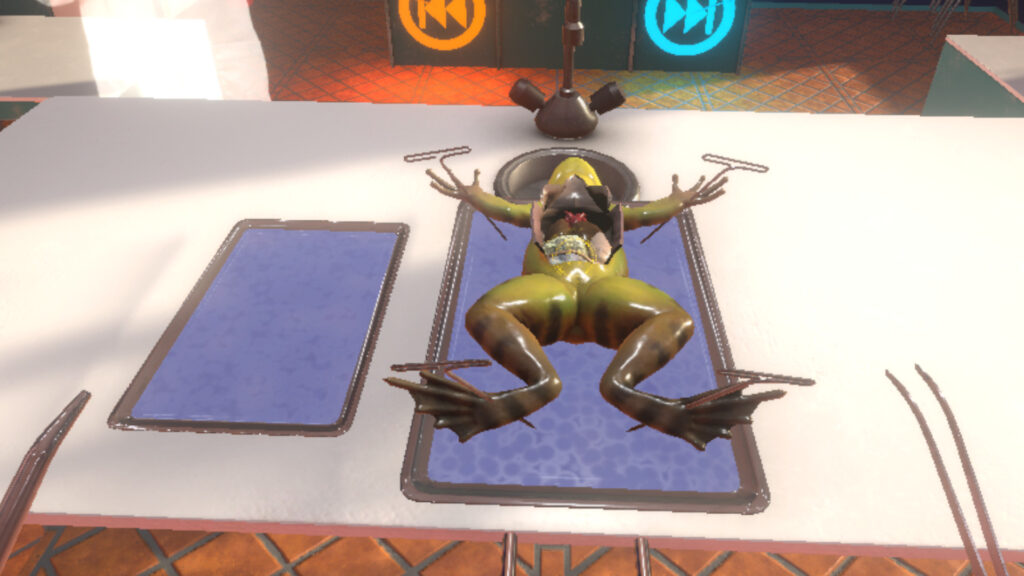
For biology classes, this app offers a realistic, ethical alternative to traditional dissections. Guided by a holographic teacher, students can perform every step of a frog dissection, making it an excellent addition to any biology science lesson plan template.
VR education games and apps offer compelling benefits for modern learners. They provide immersive experiences that significantly increase engagement and retention of complex concepts. VR creates safe environments for conducting potentially dangerous experiments, allowing students to explore scenarios impossible in traditional classrooms.
Abstract STEM concepts become tangible in VR, with students able to interact with 3D models and walk through virtual environments. This hands-on approach reinforces learning through physical engagement. VR also enables personalized learning, adapting to individual paces and catering to different learning styles.
The technology enhances spatial understanding, crucial in many STEM fields, and increases motivation through interactive, gamified experiences. VR bridges the gap between theory and practice, preparing students for real-world challenges. It also promotes collaborative learning in shared virtual spaces and makes educational experiences more accessible, regardless of physical or geographical limitations.
By transforming passive learning into active, engaging experiences, VR inspires curiosity and drives deeper understanding in STEM subjects, preparing learners for future challenges in these fields.
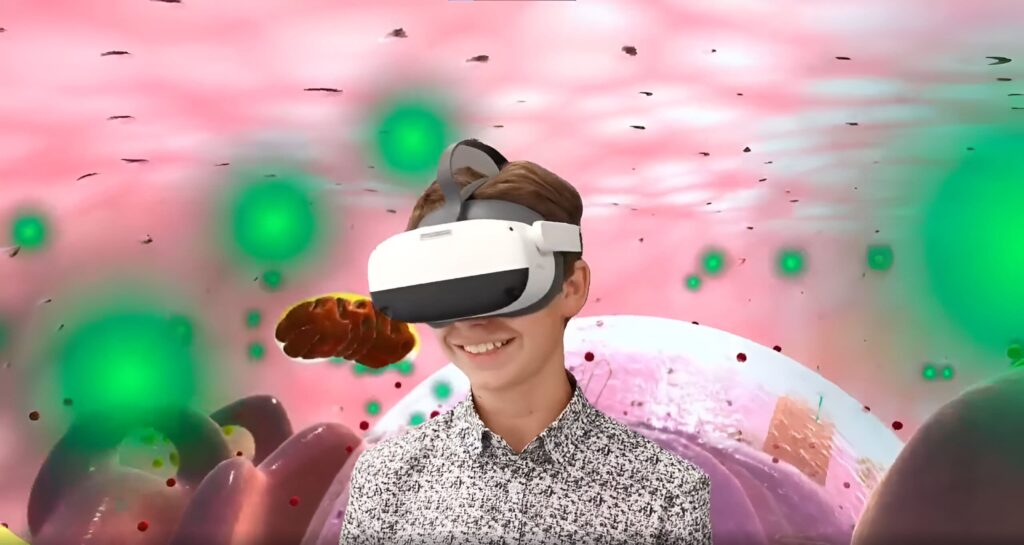
VR is transforming education by:
As these examples demonstrate, VR education services are reshaping what a science lesson can be. From diving into ocean ecosystems to manipulating molecules and exploring the cosmos, VR offers unparalleled opportunities for engaging, interactive learning.
At XReady Lab, we’re committed to pushing the boundaries of VR in education. Our Eduverse platform is designed to complement and enhance traditional science lesson plans, offering short, impactful experiences that align with curriculum standards.
Ready to take your STEM classes to the next level? Don’t miss out on the opportunity to transform your teaching with our free VR education apps. Click here to request a demo and discover how XReady Lab can revolutionize your science experiment lesson plans today!
Frequently Asked
XReady Lab offers the largest K–12 STEM VR and Web/PC library with an AI Tutor. The packages include biology, physics, chemistry, and math, covering topics from primary school through high school.
All content is designed to align with major curricula and deliver engaging, interactive learning experiences. New simulations are added monthly.
XReady Lab’s simulations are aligned with IB, Cambridge IGCSE, AS & A Levels, NGSS, College Board, Common Core, TEKS, CBSE, BNCC, the National Curriculum for England, the Italian secondary school curriculum (Scuola Secondaria), and the National Curriculum of the Netherlands (VMBO, HAVO, VWO).
Career Packs are VR simulation bundles that let students explore STEM careers in practice. Current packs include: Future Doctor, Future Nurse, Future Engineer, Future HVAC Engineer, Future Biotechnologist, Future Astronomer, Future Neuroscientist.
New Career Packs are added regularly.
XReady Lab Superhuman AI Tutor works like a real tutor, guiding students step by step instead of giving ready-made answers. It focuses on reasoning, problem-solving, and explaining mistakes to build real understanding.
Created by international STEM Olympiad winners and coaches, it helps prepare for exams, increases memory retention by 40%, and works in real time in both VR and desktop formats with an internet connection.
XReady Lab packages include complimentary teacher training and ready-to-use Lesson Plans and Engagement Playbooks to support engaging lessons.
They guide teachers in integrating VR/web/PC simulations with clear objectives, step-by-step instructions, classroom management strategies, reflection activities, assessments, and technical checklists — helping teachers run effective lessons beyond the simulations themselves.
Simply fill out the free demo form here to get access to demo XReady Lab simulations.
We start with consultation: our team helps plan the VR classroom for your school. You need internet access and a suitable room — allocate about 5 x 5 feet (1.5 x 1.5 m) per student. One headset per two students works well.
Devices and licenses: schools can use existing Meta Quest or Pico devices and purchase licenses, or we can offer discounted devices or a turnkey solution with pre-installed content.
After purchase, we guide device setup and content installation and provide teacher training.
Teachers learn how to run VR lessons using Lesson Plans and Engagement Playbooks, manage screen casting and paired learning, and keep students engaged.
Ongoing support is always available.
VR lessons typically last 5–15 minutes, depending on the simulation, with a recommended class size of up to 20 students. Screen casting is supported and compatible with selected teacher management systems, allowing teachers to launch simulations remotely, monitor progress, and view all devices during lessons.
Teachers are supported with Lesson Plans and Engagement Playbooks that include learning objectives, step-by-step lesson flow, classroom scenarios, reflection questions, practical assignments, and assessment guidance.
XReady Lab is available worldwide and supports 75+ languages. Today, it is used by 800+ schools and 150,000+ students across the globe.
XReady Lab simulations are offered through flexible licensing packages, depending on the format and subjects you need:
If you already have VR headsets, you only purchase licenses. If not, we can also help you choose the most cost-effective setup and licensing model for your school or family.
XReady Lab works with the most widely used standalone VR headsets in schools:
All supported devices are standalone (no PC required), making them easy to deploy and manage in a school environment.
Yes. XReady Lab supports open ecosystems, not closed platforms. Schools can freely use third-party VR content alongside XReady Lab on Meta Quest and PICO headsets.
We encourage schools to diversify their VR classrooms with high-quality educational apps and can recommend tested solutions, helping expand learning beyond STEM into subjects like design, history, environmental studies, and soft skills.
XReady Lab follows school VR safety best practices. VR is recommended for students 10–12+, with short 5–15 minute sessions and seated or safe-zone use under teacher supervision, supported by screen casting.
First-time users adapt gradually. Students with medical conditions require parental and school approval, and hygiene is ensured through regular headset cleaning and replaceable face covers.
Families can access XReady Lab simulations at home in two ways: