Optics often ranks among the most fascinating yet complex parts of physics. From understanding how light bends and reflects to exploring the phenomenon of diffraction, students can easily get lost in mathematical abstractions without hands-on experiences. Fortunately, emerging technologies now offer new approaches to teaching and learning optics in engaging, memorable ways.
Typical optics experiments require precise equipment and time-consuming setups—lasers, lenses, slits, screens, and safety measures. For educators, this can become overwhelming:
These hurdles often leave teachers rushing through key lessons. However, XReady Lab is exploring how immersive physics classrooms can simplify these challenges. By simulating advanced experiments (like diffraction) in a digital environment, educators can shift their focus from managing gear to actual teaching.
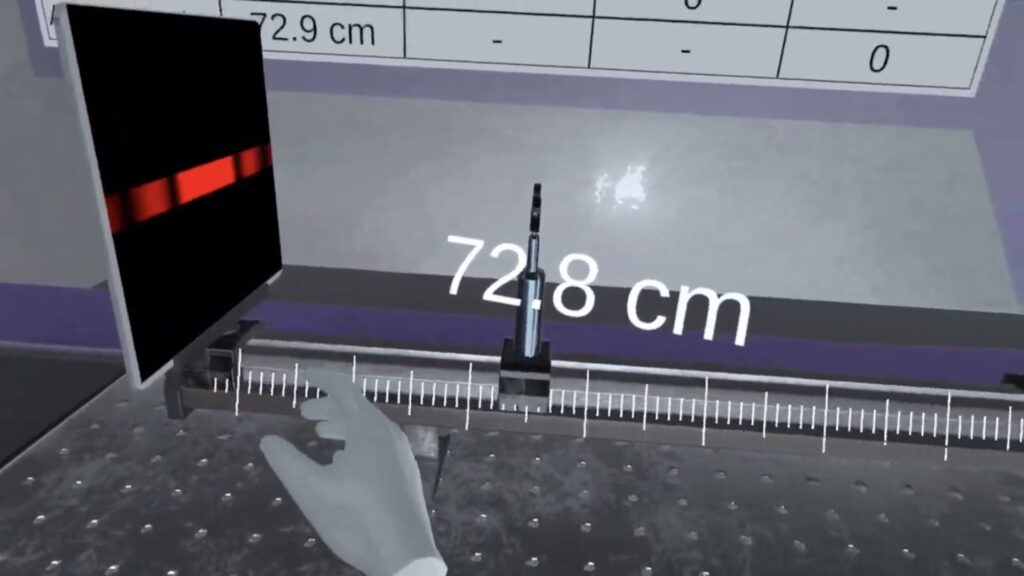
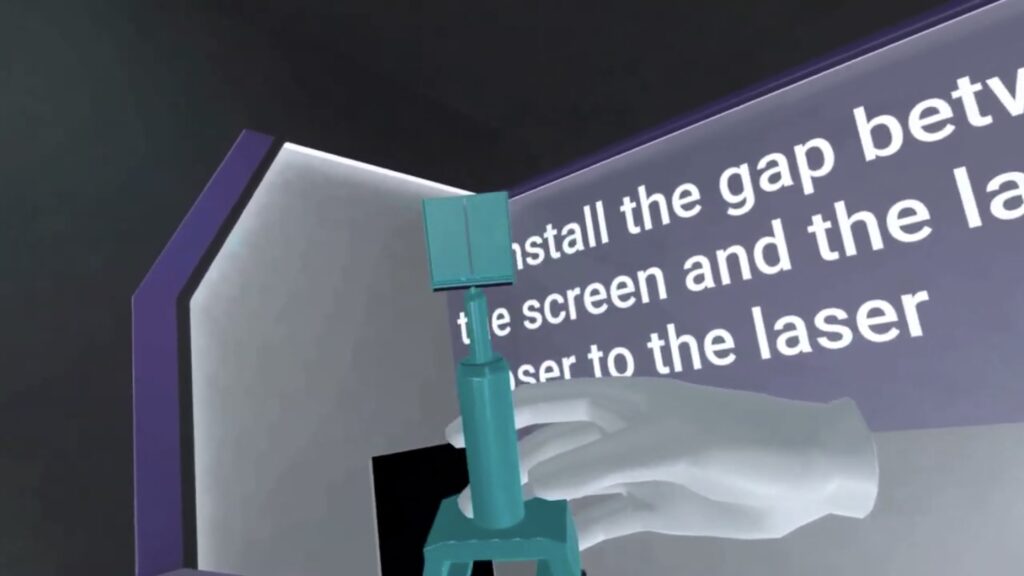
XReady Lab’s new simulation takes the complexities of diffraction—one of the core topics in wave optics—and brings them into a single, user-friendly module:
This simulation isn’t just a neat trick; it’s carefully designed to match international standards. Whether students follow the physics Cambridge curriculum, IB guidelines, or the Next-Generation Science Standards, the simulation addresses essential optics competencies. Below are some highlights:
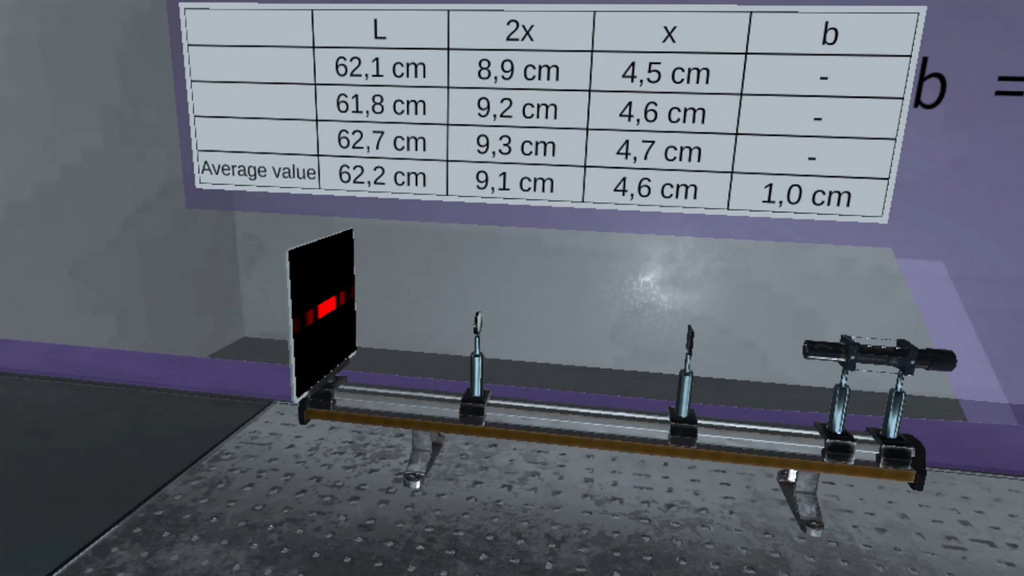
One educator might spend hours setting up multiple optics benches, ensuring each lens is aligned. Another, however, could rely on a digital environment—needing just minutes to start a virtual reality physics simulation. With no equipment to calibrate or store, they can dedicate more class time to explaining the principles of diffraction.
No real lasers, no risk of mishandling fragile apparatus—just a simulation that demonstrates the same concepts. Students can experiment freely, adjusting parameters like slit width or lens position without worry.
A single digital suite can simulate multiple experiments. Instead of investing in separate kits for interference, diffraction, and other wave phenomena, schools can set up a virtual reality classroom to cover them all.
Physical labs might deliver inconsistent results due to equipment wear or alignment. In a virtual physics environment, each student sees the same phenomena, making teaching more uniform and less frustrating.
While real labs remain invaluable for tactile experiences, a STEM lab that integrates digital methods expands possibilities. Instead of removing physical experiments entirely, educators can combine them with advanced simulations to reinforce learning. This blend—often called a “hybrid lab”—exposes students to both real-world instrumentation and digital mastery.
XReady Lab encourages teachers to explore how AI-driven tools can reduce planning burdens too. For instance, if you’re spending hours making presentations, check out Top 5 AI Tools for Teachers to delegate routine tasks. Freeing up that time allows you to focus on guiding students through meaningful interactive classroom activities.
Adolescents sometimes see optics as too abstract. Visualizing wave interference can be challenging, and setting up actual apparatus for each child is often impossible. In a digital classroom, however:
These advantages highlight the benefits of virtual reality in education, especially for complex topics like diffraction. It’s no surprise that many educators now see digital labs as an integral part of technology in schools.

Curious about how XReady Lab’s virtual reality diffraction module can energize your classroom? Sample the demo package, which includes the simulation covering diffraction on a slit with a laser source. Enhance your lesson plans and spark students’ interest in optics:
Teaching optics often demands intricate demonstrations that consume time, budgets, and patience. By integrating digital tools, educators can deliver powerful lessons on diffraction and other wave phenomena without the logistical headaches. The result? A streamlined physics classroom where students truly focus on learning.
“Set up and tidy up” need no longer eat away at valuable teaching minutes. A single simulation in a virtual reality environment can replicate multiple experiments, each with clearer visuals and real-time analytics. That’s the key to ensuring every student gets hands-on experience—no matter the class size or school budget.
As AI and digital solutions grow in education, the opportunities to build immersive, intuitive physics lessons multiply. Now is the time to explore these advances, harnessing them to foster curiosity, deep understanding, and genuine excitement for science in every student’s mind.
Frequently Asked
XReady Lab offers the largest K–12 STEM VR and Web/PC library with an AI Tutor. The packages include biology, physics, chemistry, and math, covering topics from primary school through high school.
All content is designed to align with major curricula and deliver engaging, interactive learning experiences. New simulations are added monthly.
XReady Lab’s simulations are aligned with IB, Cambridge IGCSE, AS & A Levels, NGSS, College Board, Common Core, TEKS, CBSE, BNCC, the National Curriculum for England, the Italian secondary school curriculum (Scuola Secondaria), and the National Curriculum of the Netherlands (VMBO, HAVO, VWO).
Career Packs are VR simulation bundles that let students explore STEM careers in practice. Current packs include: Future Doctor, Future Nurse, Future Engineer, Future HVAC Engineer, Future Biotechnologist, Future Astronomer, Future Neuroscientist.
New Career Packs are added regularly.
XReady Lab Superhuman AI Tutor works like a real tutor, guiding students step by step instead of giving ready-made answers. It focuses on reasoning, problem-solving, and explaining mistakes to build real understanding.
Created by international STEM Olympiad winners and coaches, it helps prepare for exams, increases memory retention by 40%, and works in real time in both VR and desktop formats with an internet connection.
XReady Lab packages include complimentary teacher training and ready-to-use Lesson Plans and Engagement Playbooks to support engaging lessons.
They guide teachers in integrating VR/web/PC simulations with clear objectives, step-by-step instructions, classroom management strategies, reflection activities, assessments, and technical checklists — helping teachers run effective lessons beyond the simulations themselves.
Simply fill out the free demo form here to get access to demo XReady Lab simulations.
We start with consultation: our team helps plan the VR classroom for your school. You need internet access and a suitable room — allocate about 5 x 5 feet (1.5 x 1.5 m) per student. One headset per two students works well.
Devices and licenses: schools can use existing Meta Quest or Pico devices and purchase licenses, or we can offer discounted devices or a turnkey solution with pre-installed content.
After purchase, we guide device setup and content installation and provide teacher training.
Teachers learn how to run VR lessons using Lesson Plans and Engagement Playbooks, manage screen casting and paired learning, and keep students engaged.
Ongoing support is always available.
VR lessons typically last 5–15 minutes, depending on the simulation, with a recommended class size of up to 20 students. Screen casting is supported and compatible with selected teacher management systems, allowing teachers to launch simulations remotely, monitor progress, and view all devices during lessons.
Teachers are supported with Lesson Plans and Engagement Playbooks that include learning objectives, step-by-step lesson flow, classroom scenarios, reflection questions, practical assignments, and assessment guidance.
XReady Lab is available worldwide and supports 75+ languages. Today, it is used by 800+ schools and 150,000+ students across the globe.
XReady Lab simulations are offered through flexible licensing packages, depending on the format and subjects you need:
If you already have VR headsets, you only purchase licenses. If not, we can also help you choose the most cost-effective setup and licensing model for your school or family.
XReady Lab works with the most widely used standalone VR headsets in schools:
All supported devices are standalone (no PC required), making them easy to deploy and manage in a school environment.
Yes. XReady Lab supports open ecosystems, not closed platforms. Schools can freely use third-party VR content alongside XReady Lab on Meta Quest and PICO headsets.
We encourage schools to diversify their VR classrooms with high-quality educational apps and can recommend tested solutions, helping expand learning beyond STEM into subjects like design, history, environmental studies, and soft skills.
XReady Lab follows school VR safety best practices. VR is recommended for students 10–12+, with short 5–15 minute sessions and seated or safe-zone use under teacher supervision, supported by screen casting.
First-time users adapt gradually. Students with medical conditions require parental and school approval, and hygiene is ensured through regular headset cleaning and replaceable face covers.
Families can access XReady Lab simulations at home in two ways: