


What should I do if my child avoids books or struggles with reading?
Reading is the master skill behind every subject. Start by modeling reading yourself so your child sees it as normal, not a chore. Build short, daily routines in a cozy space, use playful tools like an animal speed chart to track progress, and begin with topics your child already loves. Expect setbacks and talk about them openly. Confidence grows when kids feel safe, celebrate small wins, and realize that words unlock the things they truly care about.
Reading is not just language arts. It is how kids decode math word problems, follow science-lab instructions, grasp history sources, and even navigate VR or app interfaces. If reading and comprehension are shaky, everything else becomes heavier. Fix reading early and other subjects get lighter.
What this means at home:
Treat reading like brushing teeth: short, daily, non-negotiable.
Praise the process (trying strategies, rereading, asking questions), not just perfect outcomes.
Keep the text level comfortable so effort feels doable and success shows up fast.

If no one reads at home, it is hard to convince a child to read. Kids copy what they see.
Try this 7-day reset:
Put one book or magazine face-out in a visible spot. Covers invite curiosity.
Read for 10 quiet minutes where your child can see you. No speeches. Just read.
Narrate tiny choices: “I’m checking the table of contents first.” That is modeling strategy without a lecture.
Micro-habits that help:
A small basket of books in the living room.
A “bring a book to the couch” rule after dinner three nights a week.
Screens off during the first 10 minutes of reading time so attention does not split.
Turn progress into a friendly game. Draw a poster with fun animals and let your child track words per minute for a short, easy passage. Keep it playful, not a test.
Suggested tiers:
40–60 words per minute – turtle
60–80 words per minute – hedgehog
80–100 words per minute – rabbit
100+ words per minute – cheetah
How to run it:
Time one minute of reading aloud from a just-right book.
Mark the level with a sticker. Celebrate the effort.
Rotate texts so the child is not memorizing the page.
Important:
Consider age and the starting point. The first animal should feel cute and proud, not “you are slow.”
Track three things once a week: speed, accuracy, and a 2-sentence retell. That keeps comprehension in the picture.
Expect plateaus. Say it out loud: “Skills grow in jumps. A flat week is normal.”
A quick script for setbacks:
“Today the words felt sticky. That happens. Tomorrow we try a shorter page and I’ll read the first line with you.”
Motivation beats nagging. If your child loves gaming, read guides, lore, character bios, or fan comics. If they are into sports, pull up player profiles or match recaps. If they like space, grab mission stories and simple articles about rockets.
Your role:
Be a co-explorer. Ask, “Show me the part you like most.”
Validate the format. Lyrics, blogs, captions, manuals, subtitles, recipes, VR prompts in a science simulation – it all counts as real reading.
Build from short to longer: headlines → short paragraphs → one full page → a chapter.
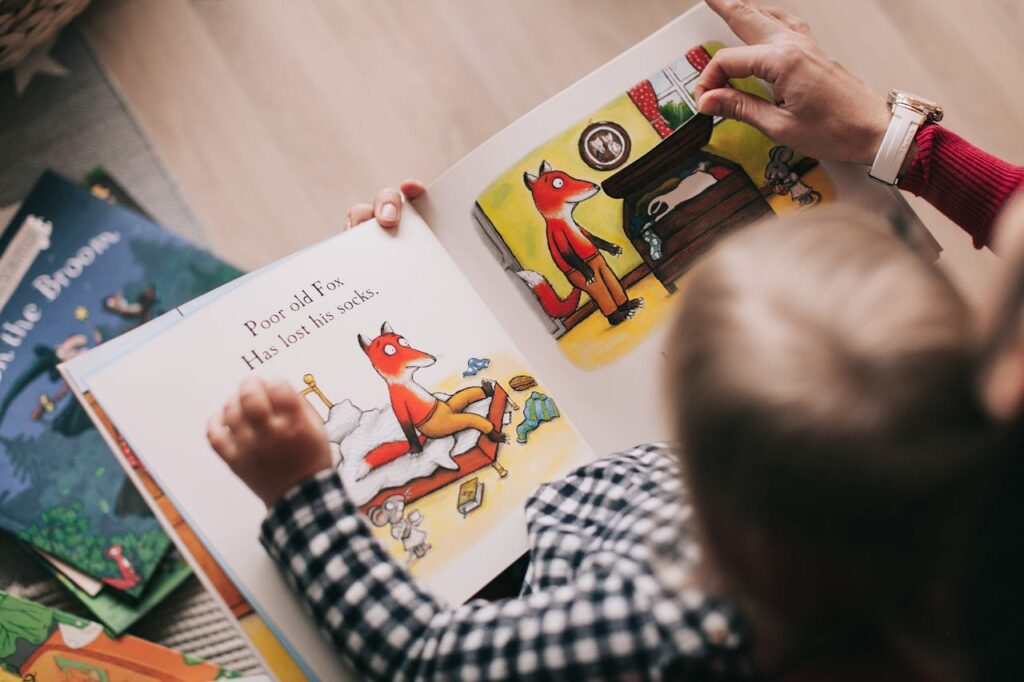
A cozy space reduces resistance.
Soft lamp, two cushions, a small shelf. Nothing fancy.
A “pride wall” for drawings, new words learned, or finished books.
Gentle background music for quiet reading, or total silence if your child prefers.
Weekly rituals: Library Saturday, Cocoa-and-Comics Sunday, Read-and-Snack Wednesday.
Want a deeper dive into setup ideas? See Creating a Learning Atmosphere at Home or in the Classroom on our blog.
Goals: letter-sound confidence, short-word blending, joy.
Shared reading: you read most, your child reads a bolded word at the end of each sentence.
Echo reading: you read a line, they echo it. Keeps rhythm and builds courage.
Repetition is your friend. Predictable texts help kids feel “I can.”
Sessions short and sweet: 5 minutes focused beats 20 minutes of struggle.

Goals: fluency, vocabulary, comprehension habits.
Series fiction and graphic novels build momentum. Familiar characters lower the “start cost.”
The animal speed chart once a week, not daily. Progress should feel like a celebration, not surveillance.
Teach two simple comprehension moves:
Stop-and-Sum: pause every page, say the main thing in one sentence.
Why-Signal: circle or note the word that tells you why something happened.
Start a mini reading journal: title, favorite line, one question.

Goals: stamina, critical thinking, ownership.
Respect choice: sports stats, music journalism, fashion history, tech blogs, biographies.
Alternate formats: audiobook while following the print copy for tough chapters.
Discussion over correction: “What surprised you most?” opens more than “What was the theme?”
Tie reading to real projects: building a PC from a parts list, cooking from a recipe, analyzing game patch notes.
Week 1: Atmosphere and Modeling
Create the reading nook.
You read in sight of your child 10 minutes daily.
Two shared read-alouds of anything they pick.
Week 2: Choice and Gamification
Visit the library and choose 5 short, high-interest texts.
Run the first animal chart timing. Record speed, accuracy, and a 2-sentence retell.
One family reading night with everyone sharing a favorite line.
Week 3: Routines That Stick
Three school-night sessions of 8–12 minutes each.
Teach Stop-and-Sum and Why-Signal.
One practical reading task: recipe, project guide, or simple VR prompt to follow.
Week 4: Confidence and Stretch
Choose one slightly longer piece and chunk it across three days.
Second timing on the chart. Celebrate effort and any improvement.
End the month with a mini “book party” and add the title to the pride wall.
The text is too hard. Drop a level so the child wins more often.
It is too noisy or too bright. Adjust lighting and sound. Comfort helps.
They say it is boring. Switch topics and format. Interest first, always.
They rush and miss meaning. Use Stop-and-Sum after each page.
Mood is low. Cut the session to 3 minutes and end on a win.
You are both frustrated. Trade lines. You read one, they read one.
If struggle persists for months, talk to the teacher about a school reading check. Ask what text level is comfortable and which strategies work in class.
To invite reading: “Pick anything for 5 minutes. I’ll read next to you.”
To praise effort: “You kept your eyes moving line by line. That is real progress.”
To normalize dips: “Today was sticky. Skills grow in steps. We try again tomorrow.”
To build purpose: “Find one fact here that helps you beat the next level.”
How long should daily reading be?
Short and consistent wins. For most kids, 10–15 minutes a day beats a long weekend cram.
Do comics or blogs count?
Yes. If the words pull your child in, they count. Depth can grow once the habit sticks.
What matters more, speed or understanding?
Understanding. Track speed for motivation, but always pair it with a quick retell.
What if my teen only reads about hobbies?
Great. Leverage that. Then branch from the hobby to related topics and longer features.
Frequently Asked
XReady Lab offers the largest K–12 STEM VR and Web/PC library with an AI Tutor. The packages include biology, physics, chemistry, and math, covering topics from primary school through high school.
All content is designed to align with major curricula and deliver engaging, interactive learning experiences. New simulations are added monthly.
XReady Lab’s simulations are aligned with IB, Cambridge IGCSE, AS & A Levels, NGSS, College Board, Common Core, TEKS, CBSE, BNCC, the National Curriculum for England, the Italian secondary school curriculum (Scuola Secondaria), and the National Curriculum of the Netherlands (VMBO, HAVO, VWO).
Career Packs are VR simulation bundles that let students explore STEM careers in practice. Current packs include: Future Doctor, Future Nurse, Future Engineer, Future HVAC Engineer, Future Biotechnologist, Future Astronomer, Future Neuroscientist.
New Career Packs are added regularly.
XReady Lab Superhuman AI Tutor works like a real tutor, guiding students step by step instead of giving ready-made answers. It focuses on reasoning, problem-solving, and explaining mistakes to build real understanding.
Created by international STEM Olympiad winners and coaches, it helps prepare for exams, increases memory retention by 40%, and works in real time in both VR and desktop formats with an internet connection.
XReady Lab packages include complimentary teacher training and ready-to-use Lesson Plans and Engagement Playbooks to support engaging lessons.
They guide teachers in integrating VR/web/PC simulations with clear objectives, step-by-step instructions, classroom management strategies, reflection activities, assessments, and technical checklists — helping teachers run effective lessons beyond the simulations themselves.
Simply fill out the free demo form here to get access to demo XReady Lab simulations.
We start with consultation: our team helps plan the VR classroom for your school. You need internet access and a suitable room — allocate about 5 x 5 feet (1.5 x 1.5 m) per student. One headset per two students works well.
Devices and licenses: schools can use existing Meta Quest or Pico devices and purchase licenses, or we can offer discounted devices or a turnkey solution with pre-installed content.
After purchase, we guide device setup and content installation and provide teacher training.
Teachers learn how to run VR lessons using Lesson Plans and Engagement Playbooks, manage screen casting and paired learning, and keep students engaged.
Ongoing support is always available.
VR lessons typically last 5–15 minutes, depending on the simulation, with a recommended class size of up to 20 students. Screen casting is supported and compatible with selected teacher management systems, allowing teachers to launch simulations remotely, monitor progress, and view all devices during lessons.
Teachers are supported with Lesson Plans and Engagement Playbooks that include learning objectives, step-by-step lesson flow, classroom scenarios, reflection questions, practical assignments, and assessment guidance.
XReady Lab is available worldwide and supports 75+ languages. Today, it is used by 800+ schools and 150,000+ students across the globe.
XReady Lab simulations are offered through flexible licensing packages, depending on the format and subjects you need:
If you already have VR headsets, you only purchase licenses. If not, we can also help you choose the most cost-effective setup and licensing model for your school or family.
XReady Lab works with the most widely used standalone VR headsets in schools:
All supported devices are standalone (no PC required), making them easy to deploy and manage in a school environment.
Yes. XReady Lab supports open ecosystems, not closed platforms. Schools can freely use third-party VR content alongside XReady Lab on Meta Quest and PICO headsets.
We encourage schools to diversify their VR classrooms with high-quality educational apps and can recommend tested solutions, helping expand learning beyond STEM into subjects like design, history, environmental studies, and soft skills.
XReady Lab follows school VR safety best practices. VR is recommended for students 10–12+, with short 5–15 minute sessions and seated or safe-zone use under teacher supervision, supported by screen casting.
First-time users adapt gradually. Students with medical conditions require parental and school approval, and hygiene is ensured through regular headset cleaning and replaceable face covers.
Families can access XReady Lab simulations at home in two ways:
