Education has always mirrored the world’s technological progress. In the past, knowledge was passed down through handwritten manuscripts and scrolls. Then came the printing press, leading to the widespread use of textbooks. Today, digital devices have largely taken over this role. But the journey doesn’t end there—the next significant leap in educational content is happening right now with immersive simulations. Below, we explore how these new methods are revolutionizing learning, especially through interactive 3D experiences.

For centuries, textbooks were the backbone of formal instruction. They offered organized chapters, illustrations, and consistent curriculum standards. However, many students found purely text-based materials dry and unengaging. While reading is crucial, traditional books often lacked the hands-on element needed to fully understand complex phenomena.
As computers and tablets became more affordable, classrooms began to adopt e-books, online lectures, and multimedia lessons. This format improved accessibility—students could instantly search for terms or watch embedded videos. Yet digital solutions sometimes still left students feeling passive. Clicking through slides or scanning text on a screen wasn’t always enough to bring challenging subjects to life.
Modern education relies on technology in schools to keep pace with the fast-changing job market. Although digital classrooms introduced interactivity, a new wave of immersive solutions is pushing boundaries even further. Instead of reading about a concept or watching a video, students can now experience it.
For instance, when exploring a STEM lab, learners might have previously been limited by the lab’s equipment or safety constraints. Today’s immersive technology breaks these barriers, letting students undertake virtual experiments in biology, physics, or chemistry with minimal risk.
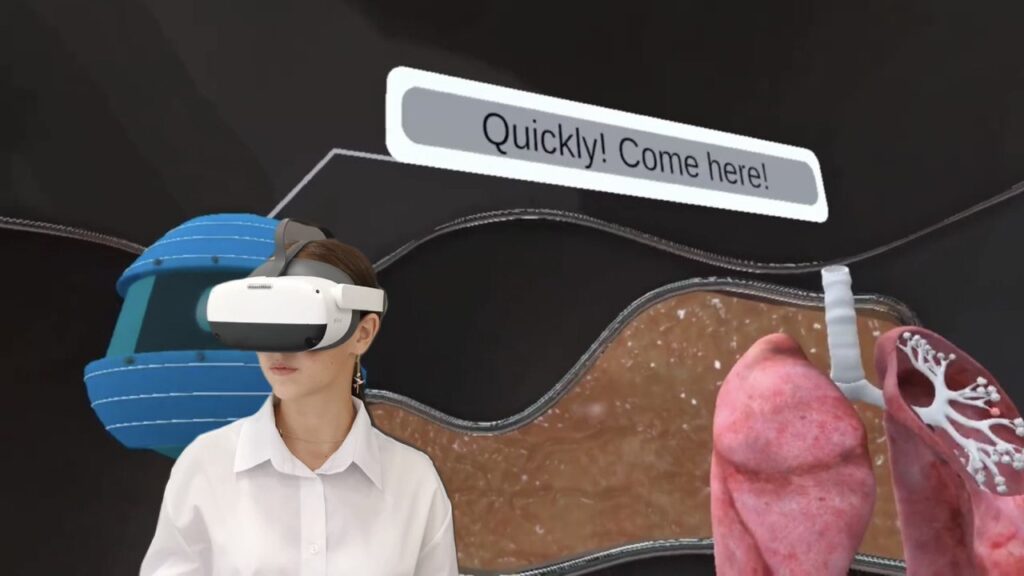
Immersive settings, often delivered via specialized headsets, produce lifelike simulations that merge real-world tasks with digital content. These experiences enable interactive classroom activities where students manipulate objects, collaborate in real time, and gain deeper understanding through active involvement rather than passive observation.
Today’s learners grow up surrounded by smartphones, tablets, and apps. Many educators notice students respond best to technology that encourages active exploration—just reading text on a screen no longer impresses them. By incorporating interactive labs or digitized tasks, schools can align with these evolving expectations.
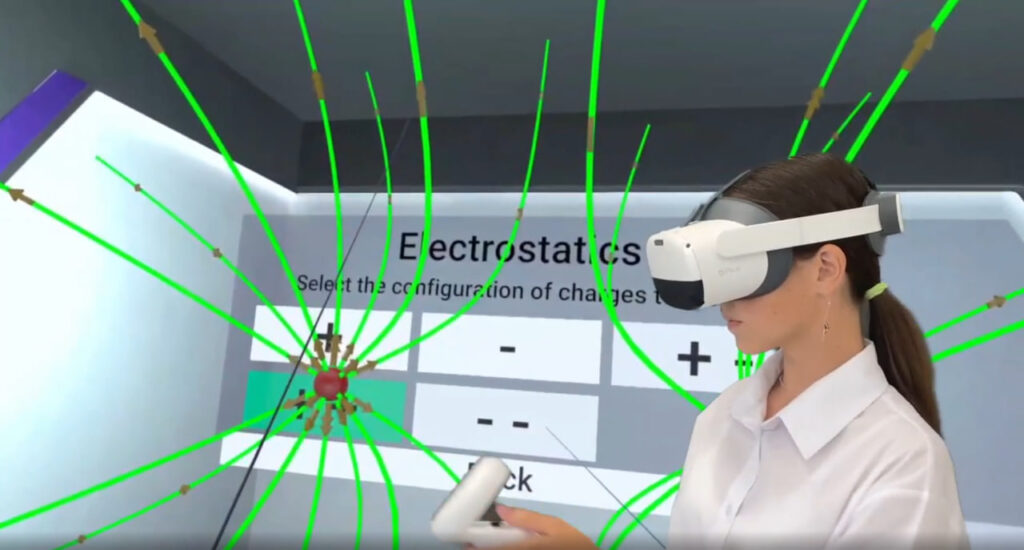
Though advanced simulations come in various formats, virtual reality stands out for its deeply engaging potential. A well-designed environment can turn a dry concept into a captivating, hands-on experience, making the benefits of virtual reality in education a hot topic.
As immersive methods become part of daily lessons, the gap between theoretical knowledge and real-world application narrows. Students accustomed to exploring wave optics in a digital environment are more likely to show enthusiasm for advanced research or STEM careers. Meanwhile, teachers can feel more confident guiding experiments in a safe, efficient way.
Ultimately, these tools don’t eliminate textbooks or hands-on labs. They supplement and enhance them, making lessons more enjoyable and increasing comprehension. After all, the synergy between past methods and modern innovations often yields the best results.
From dusty textbooks to sophisticated digital resources, education has come a long way. Today, immersive experiences offer a new dimension where learners aren’t confined to reading about complex ideas—they can live them. As technology continues to evolve, so will our approaches to teaching, ensuring that knowledge transfer remains dynamic, inclusive, and truly transformative.
Interested in bringing immersive experiences to your students? Discover how our advanced simulations can revolutionize your lessons, making even the most complex subjects feel intuitive and interactive. At XReady Lab, we believe in a future where every learner has access to engaging, real-world applications of scientific knowledge.
Ready to see the possibilities firsthand? 👉 Request your free demo and explore how immersive simulations can transform your classroom today!
Frequently Asked
XReady Lab offers the largest K–12 STEM VR and Web/PC library with an AI Tutor. The packages include biology, physics, chemistry, and math, covering topics from primary school through high school.
All content is designed to align with major curricula and deliver engaging, interactive learning experiences. New simulations are added monthly.
XReady Lab’s simulations are aligned with IB, Cambridge IGCSE, AS & A Levels, NGSS, College Board, Common Core, TEKS, CBSE, BNCC, the National Curriculum for England, the Italian secondary school curriculum (Scuola Secondaria), and the National Curriculum of the Netherlands (VMBO, HAVO, VWO).
Career Packs are VR simulation bundles that let students explore STEM careers in practice. Current packs include: Future Doctor, Future Nurse, Future Engineer, Future HVAC Engineer, Future Biotechnologist, Future Astronomer, Future Neuroscientist.
New Career Packs are added regularly.
XReady Lab Superhuman AI Tutor works like a real tutor, guiding students step by step instead of giving ready-made answers. It focuses on reasoning, problem-solving, and explaining mistakes to build real understanding.
Created by international STEM Olympiad winners and coaches, it helps prepare for exams, increases memory retention by 40%, and works in real time in both VR and desktop formats with an internet connection.
XReady Lab packages include complimentary teacher training and ready-to-use Lesson Plans and Engagement Playbooks to support engaging lessons.
They guide teachers in integrating VR/web/PC simulations with clear objectives, step-by-step instructions, classroom management strategies, reflection activities, assessments, and technical checklists — helping teachers run effective lessons beyond the simulations themselves.
Simply fill out the free demo form here to get access to demo XReady Lab simulations.
We start with consultation: our team helps plan the VR classroom for your school. You need internet access and a suitable room — allocate about 5 x 5 feet (1.5 x 1.5 m) per student. One headset per two students works well.
Devices and licenses: schools can use existing Meta Quest or Pico devices and purchase licenses, or we can offer discounted devices or a turnkey solution with pre-installed content.
After purchase, we guide device setup and content installation and provide teacher training.
Teachers learn how to run VR lessons using Lesson Plans and Engagement Playbooks, manage screen casting and paired learning, and keep students engaged.
Ongoing support is always available.
VR lessons typically last 5–15 minutes, depending on the simulation, with a recommended class size of up to 20 students. Screen casting is supported and compatible with selected teacher management systems, allowing teachers to launch simulations remotely, monitor progress, and view all devices during lessons.
Teachers are supported with Lesson Plans and Engagement Playbooks that include learning objectives, step-by-step lesson flow, classroom scenarios, reflection questions, practical assignments, and assessment guidance.
XReady Lab is available worldwide and supports 75+ languages. Today, it is used by 800+ schools and 150,000+ students across the globe.
XReady Lab simulations are offered through flexible licensing packages, depending on the format and subjects you need:
If you already have VR headsets, you only purchase licenses. If not, we can also help you choose the most cost-effective setup and licensing model for your school or family.
XReady Lab works with the most widely used standalone VR headsets in schools:
All supported devices are standalone (no PC required), making them easy to deploy and manage in a school environment.
Yes. XReady Lab supports open ecosystems, not closed platforms. Schools can freely use third-party VR content alongside XReady Lab on Meta Quest and PICO headsets.
We encourage schools to diversify their VR classrooms with high-quality educational apps and can recommend tested solutions, helping expand learning beyond STEM into subjects like design, history, environmental studies, and soft skills.
XReady Lab follows school VR safety best practices. VR is recommended for students 10–12+, with short 5–15 minute sessions and seated or safe-zone use under teacher supervision, supported by screen casting.
First-time users adapt gradually. Students with medical conditions require parental and school approval, and hygiene is ensured through regular headset cleaning and replaceable face covers.
Families can access XReady Lab simulations at home in two ways: