


Textbooks list equations; bunsen burners collect dust. Today’s students crave interactive-classroom experiences that feel as dynamic as TikTok and as safe as a sandbox. The good news? A new wave of virtual-reality chemistry apps turns any digital-classroom into a fully kitted lab—no fume hood required. Below are six of the best tools educators can deploy right now, including an XReady Lab partner you’ll want on your radar.
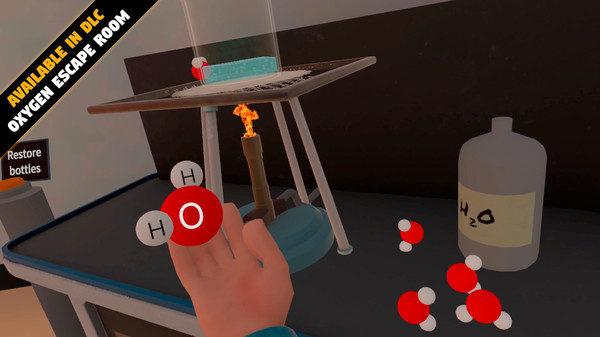
Quest (App Lab) • $7.99 per home module or school subscription
Short, gamified lessons—Reaction Balancing, Atomic Structure, Salt Factory—run 10–15 minutes and give instant feedback as students grab molecules or fire protons at nuclei. Everything aligns with Grades 7-9 curricula and ships with teacher guides plus an optional six-week mentoring program (English, German, Dutch, Estonian, Latvian). Just note it’s single-user, so plan a separate whiteboard debrief for group reflection.
A friendly avatar leads learners through household-compound demos, then drops a quiz at the exit door. Bright visuals and spill-proof beakers make it perfect for KS3/GCSE revision—or family science night. The February 2023 patch added new room-scale labs on acids, bases, and everyday plastics.
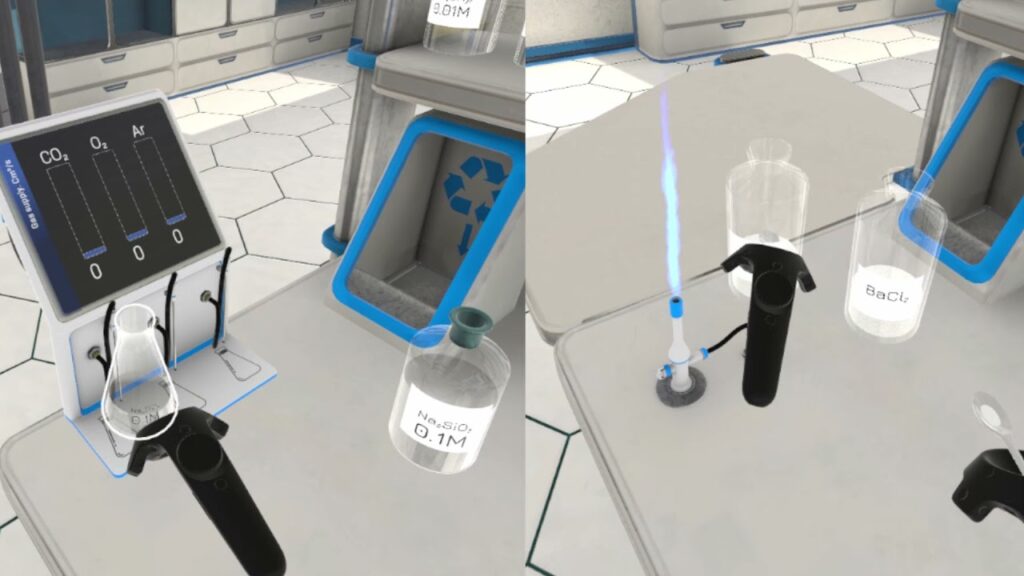
Born from a Columbia-University research project, this simulation recreates a U.S. high-school lab—safety shower, gas taps, goggles, the works. Switch to “zoom-inside” mode to inspect molecules after running flame tests or thermite reactions. Updated in 2025 to support room-scale walking or standing play, making it flexible for tight spaces.
Developed by an XReady Lab partner, this 100-plus-task suite lets students handle acids, bases, and salts that real classrooms often ban for safety or budget reasons. A robust chemical-physical engine models reactions almost at real-world fidelity, so learners plan, execute, and analyze both qualitative and quantitative experiments. Teachers track progress through a web dashboard, assign problem-based tasks, and access a deep knowledge base filled with videos and handouts. Compatible with everything from Quest 2 to Vive XR Elite, it’s ideal for blended or remote science programs.
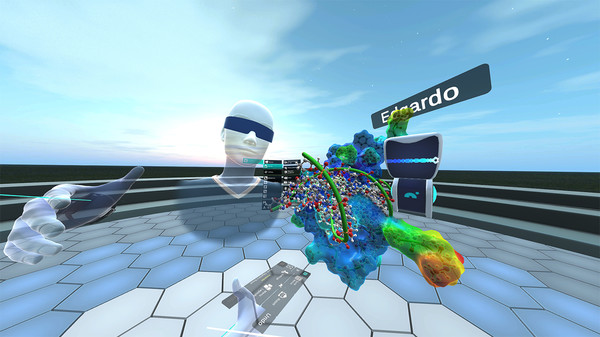
Professional chemists use Nanome to import PDB structures, mutate residues, and measure bond angles in multi-user sessions. This year’s MARA AI update adds voice-prompted analysis—ask, “Highlight hydrophobic pockets,” and it does. Perfect for advanced placement or university students ready to bridge classroom theory with real drug-design workflows.
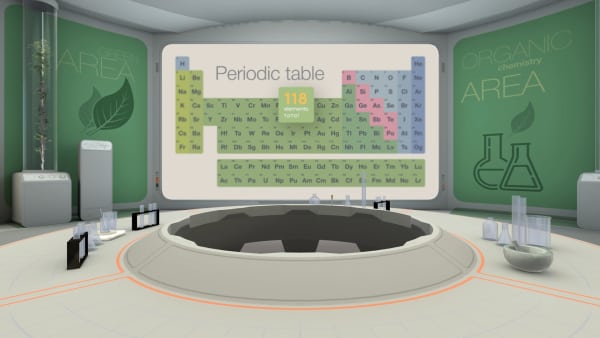
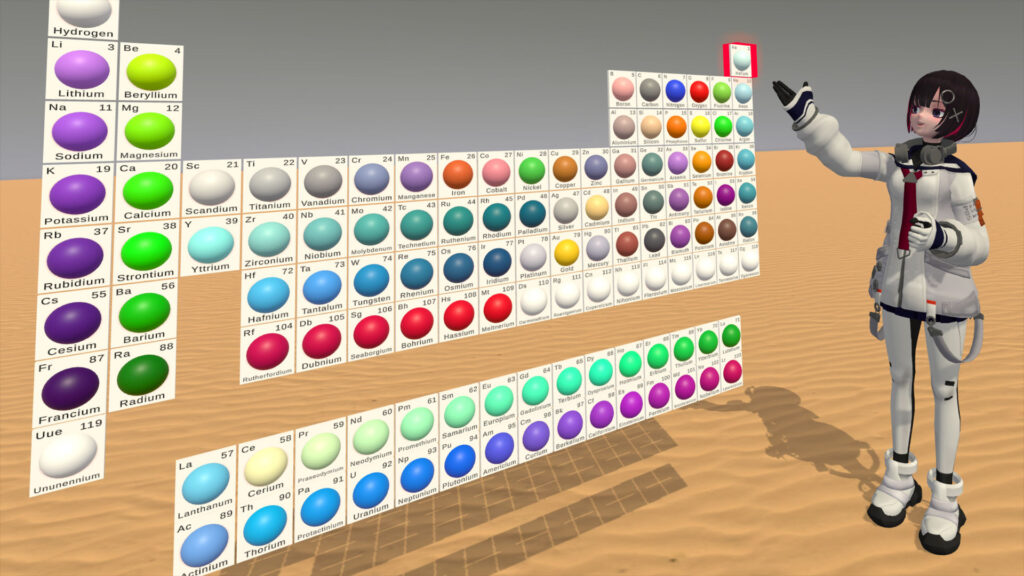
Lift any element as a voxel-style atom, snap bonds in compound mode, or chill in a Solar-System gallery when your brain needs a breather. Supports controller-free hand-tracking. Early adopters love the tactile models, though quiz depth is still growing with each update.
Safety first: Hazardous reagents become pixel dust—no spills, no allergies.
Budget wins: One headset unlocks gear that would cost thousands in a physical STEM lab.
Deep engagement: Students manipulate atoms, not just watch slides, boosting retention and enthusiasm.
Global fit: Multilingual interfaces and standards alignment slide seamlessly into most national curricula.
Virtual-reality chemistry isn’t a futuristic dream; it’s already reshaping digital-classrooms worldwide. Equip your school with any blend of the apps above, and watch students swap passivity for genuine scientific curiosity—one virtual beaker at a time.
Frequently Asked
XReady Lab offers the largest K–12 STEM VR and Web/PC library with an AI Tutor. The packages include biology, physics, chemistry, and math, covering topics from primary school through high school.
All content is designed to align with major curricula and deliver engaging, interactive learning experiences. New simulations are added monthly.
XReady Lab’s simulations are aligned with IB, Cambridge IGCSE, AS & A Levels, NGSS, College Board, Common Core, TEKS, CBSE, BNCC, the National Curriculum for England, the Italian secondary school curriculum (Scuola Secondaria), and the National Curriculum of the Netherlands (VMBO, HAVO, VWO).
Career Packs are VR simulation bundles that let students explore STEM careers in practice. Current packs include: Future Doctor, Future Nurse, Future Engineer, Future HVAC Engineer, Future Biotechnologist, Future Astronomer, Future Neuroscientist.
New Career Packs are added regularly.
XReady Lab Superhuman AI Tutor works like a real tutor, guiding students step by step instead of giving ready-made answers. It focuses on reasoning, problem-solving, and explaining mistakes to build real understanding.
Created by international STEM Olympiad winners and coaches, it helps prepare for exams, increases memory retention by 40%, and works in real time in both VR and desktop formats with an internet connection.
XReady Lab packages include complimentary teacher training and ready-to-use Lesson Plans and Engagement Playbooks to support engaging lessons.
They guide teachers in integrating VR/web/PC simulations with clear objectives, step-by-step instructions, classroom management strategies, reflection activities, assessments, and technical checklists — helping teachers run effective lessons beyond the simulations themselves.
Simply fill out the free demo form here to get access to demo XReady Lab simulations.
We start with consultation: our team helps plan the VR classroom for your school. You need internet access and a suitable room — allocate about 5 x 5 feet (1.5 x 1.5 m) per student. One headset per two students works well.
Devices and licenses: schools can use existing Meta Quest or Pico devices and purchase licenses, or we can offer discounted devices or a turnkey solution with pre-installed content.
After purchase, we guide device setup and content installation and provide teacher training.
Teachers learn how to run VR lessons using Lesson Plans and Engagement Playbooks, manage screen casting and paired learning, and keep students engaged.
Ongoing support is always available.
VR lessons typically last 5–15 minutes, depending on the simulation, with a recommended class size of up to 20 students. Screen casting is supported and compatible with selected teacher management systems, allowing teachers to launch simulations remotely, monitor progress, and view all devices during lessons.
Teachers are supported with Lesson Plans and Engagement Playbooks that include learning objectives, step-by-step lesson flow, classroom scenarios, reflection questions, practical assignments, and assessment guidance.
XReady Lab is available worldwide and supports 75+ languages. Today, it is used by 800+ schools and 150,000+ students across the globe.
XReady Lab simulations are offered through flexible licensing packages, depending on the format and subjects you need:
If you already have VR headsets, you only purchase licenses. If not, we can also help you choose the most cost-effective setup and licensing model for your school or family.
XReady Lab works with the most widely used standalone VR headsets in schools:
All supported devices are standalone (no PC required), making them easy to deploy and manage in a school environment.
Yes. XReady Lab supports open ecosystems, not closed platforms. Schools can freely use third-party VR content alongside XReady Lab on Meta Quest and PICO headsets.
We encourage schools to diversify their VR classrooms with high-quality educational apps and can recommend tested solutions, helping expand learning beyond STEM into subjects like design, history, environmental studies, and soft skills.
XReady Lab follows school VR safety best practices. VR is recommended for students 10–12+, with short 5–15 minute sessions and seated or safe-zone use under teacher supervision, supported by screen casting.
First-time users adapt gradually. Students with medical conditions require parental and school approval, and hygiene is ensured through regular headset cleaning and replaceable face covers.
Families can access XReady Lab simulations at home in two ways:
